Can I Swap Modular Cables? Understanding PSU Brand Color Codes
In the realm of computer hardware, power supply units (PSUs) play a crucial role in maintaining the stability and efficiency of your system. One common question many enthusiasts have is whether they can interchange modular cables between different brands of PSUs. This article seeks to address that exact question, highlighting the potential risks and considerations involved in swapping these cables. Understanding the nature of modular cables is vital, especially since a prevalent misconception is that they are universally interchangeable if the connectors fit. You’ll learn about the compatibility issues, the risks associated with using non-branded cables, and best practices for ensuring the safety of your components.
The Functionality of Modular Cables
Modular cables are designed to connect a PSU to various components within a computer system, such as the motherboard, graphics card, and storage drives. The main advantage of modular PSUs is that they allow users to use only the cables they need, thus minimizing cable clutter and improving airflow within the case. However, the compatibility of these cables can vary widely between different brands and even between models within the same brand.
Understanding Compatibility Issues
While it may seem convenient to swap cables among different PSUs, the reality is that this can lead to a range of problems:
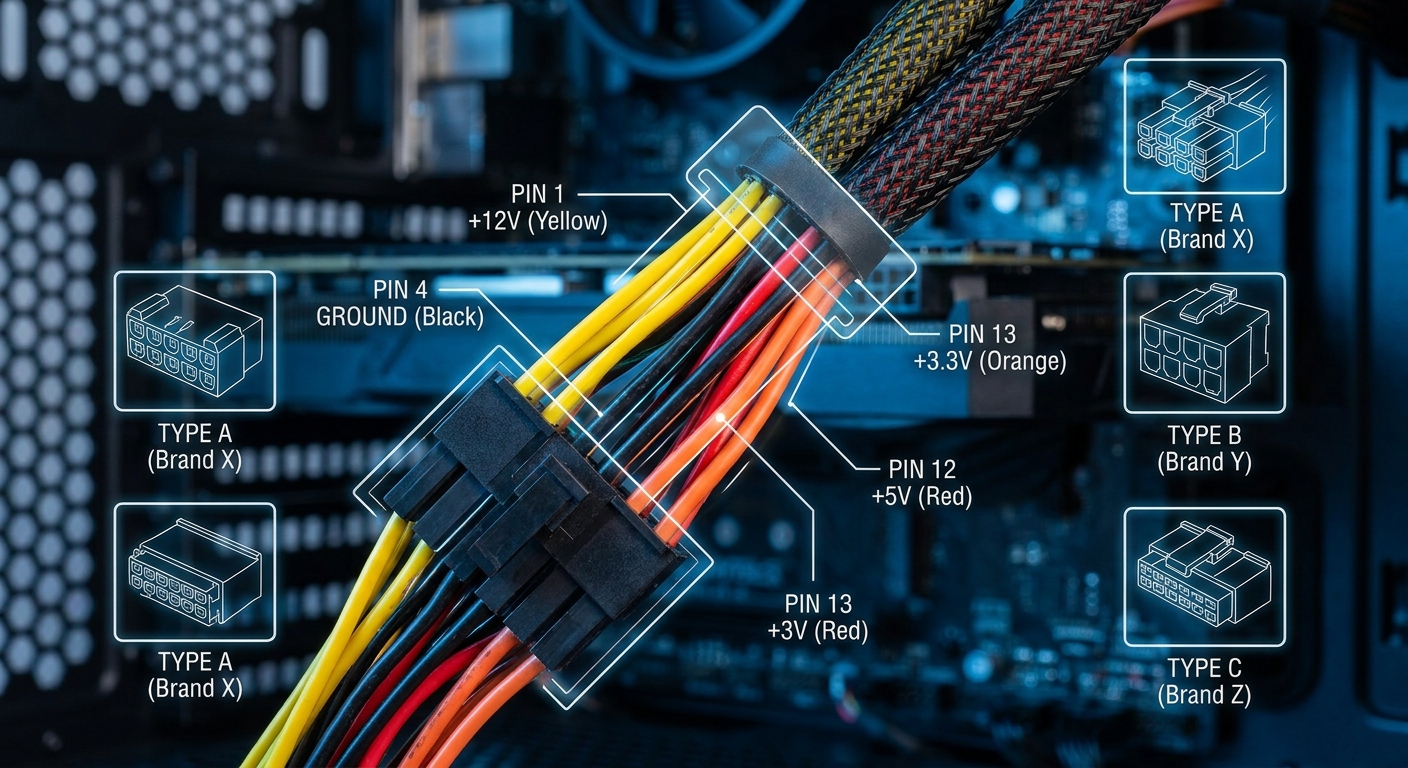
- Voltage Mismatches: Different brands may have different wiring schemes, which can result in mismatched voltages and lead to component damage.
- Pin Configurations: Even if the cables fit physically, the pinouts may not correspond correctly, potentially causing short circuits or equipment failure.
- Connector Design: Some manufacturers might have proprietary designs, making their cables incompatible with each other.
Swapping Cables Within the Same Brand
While it’s generally safe to swap cables from the same brand, it is not without its caveats. Users often assume that cables from the same manufacturer will be compatible, but this is not always the case. Many power supply units have variants that might look similar but are designed differently internally. For example, a manufacturer may release a new model with changes in the pinouts or specifications.
You may also like




Best Practices for Using Modular Cables
- Consult the Manual: Always refer to the owner’s manual for your specific PSU model, which should indicate which cables can be safely used.
- Use Only Manufacturer Cables: It’s highly recommended to use cables that come with your PSU or those that are explicitly designed for your model.
- Check Compatibility Guides: Some manufacturers provide compatibility guides on their support websites to help users determine what cables can be used with specific models.
Common Misconceptions Surrounding Modular Cables
One of the simplest but most dangerous misconceptions is that if a cable connects to the PSU and components without forcing it, it is safe to use. This is false. Just because a connector fits does not mean it’s suitable for your specific hardware. Misusing cables can result in tragic outcomes, from component failures to fire hazards.
User Experiences and Cautions
Many users have reported issues stemming from cable swapping. In some cases, they faced hardware damage after using cables from an incompatible brand. These anecdotes serve as cautionary tales; one incident involved a user using cables from a different brand’s PSU, which led to their graphics card being damaged beyond repair due to incorrect power delivery.
PSU Color Codes and Their Impact on Compatibility
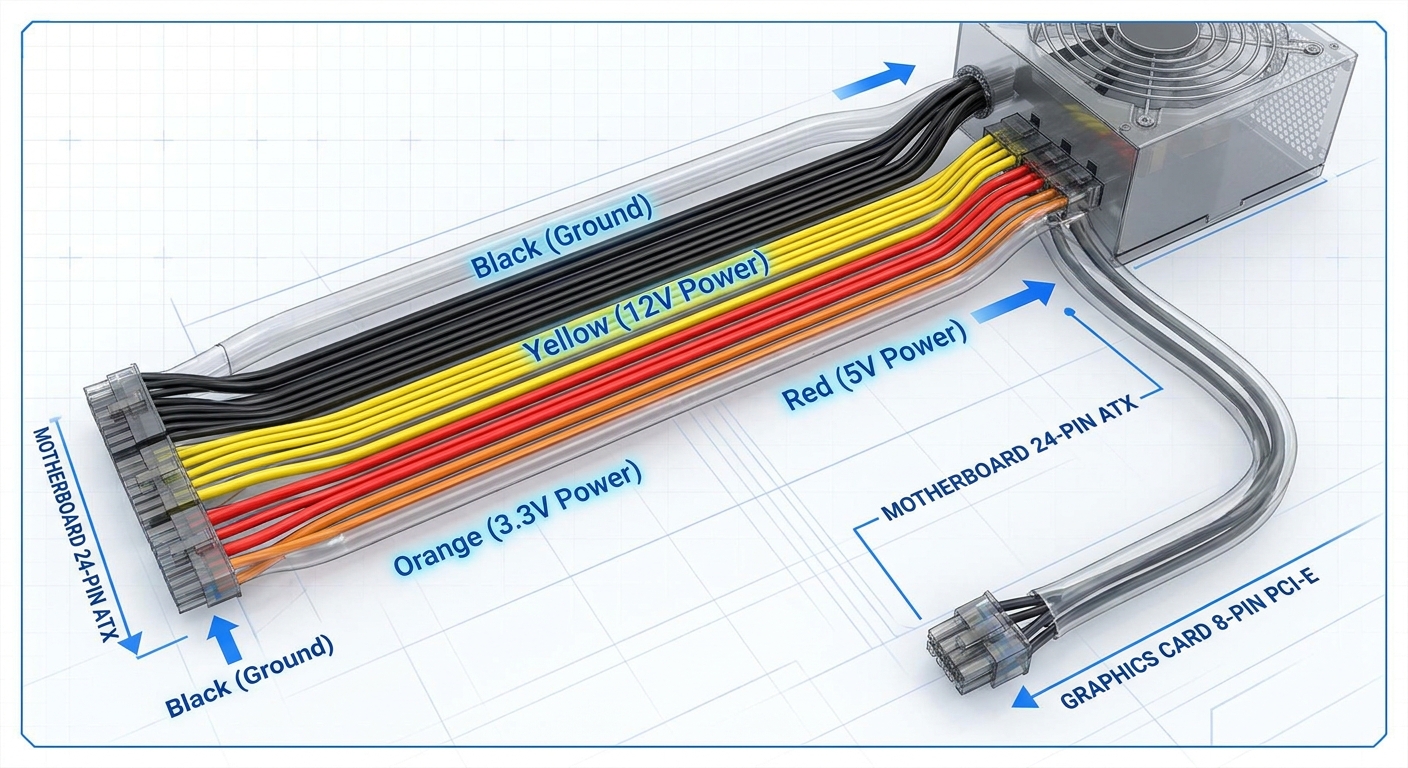
Manufacturers typically use color codes to differentiate cables. These codes can give clues regarding the intended use of each cable type. However, not all brands adhere to the same color codes, which adds a layer of complexity to modding and cable management.
| Color Code | Typical Function | Brand Variations |
|---|---|---|
| Black | Ground Connections | Usually consistent across brands |
| Yellow | 12V Power | Can vary in pin configuration |
| Red | 5V Power | Commonly consistent, but check |
| Orange | 3.3V Power | May vary; consult manuals |
FAQ
Q1: Can I use modular cables from a different PSU brand?
A1: No, it’s strongly advised against using modular cables from different PSU brands due to potential compatibility issues, including voltage mismatches and incorrect pin configurations.
Q2: Are cables from the same brand interchangeable?
A2: While they may fit, it’s not guaranteed that cables from different models of the same brand will work due to variations in pinout and voltage specifications. It’s crucial to verify compatibility.
Q3: What should I do if I lose my PSU cables?
A3: Contact the PSU manufacturer’s support for replacement cables specifically designed for your model, or purchase OEM cables from authorized retailers.
Q4: Is it safe to use third-party modular cables?
A4: Only use third-party cables if they are explicitly stated as compatible with your specific PSU model. Always verify the quality and specifications.
Q5: Where can I find compatibility information for my PSU?
A5: Most manufacturers provide detailed manuals and compatibility guides on their official websites. For example, you can check Corsair’s support page for their PSUs.
Conclusion
In summary, while modular cables can enhance the flexibility and cleanliness of your computer’s wiring, they come with significant risks when it comes to compatibility. Always stick to the cables designed for your specific PSU model and consult your manufacturer for guidance. For further reading, you might consider exploring other related topics such as the proper installation of power supplies and how to manage cables effectively within your PC case.
Rotating USB