Introduction
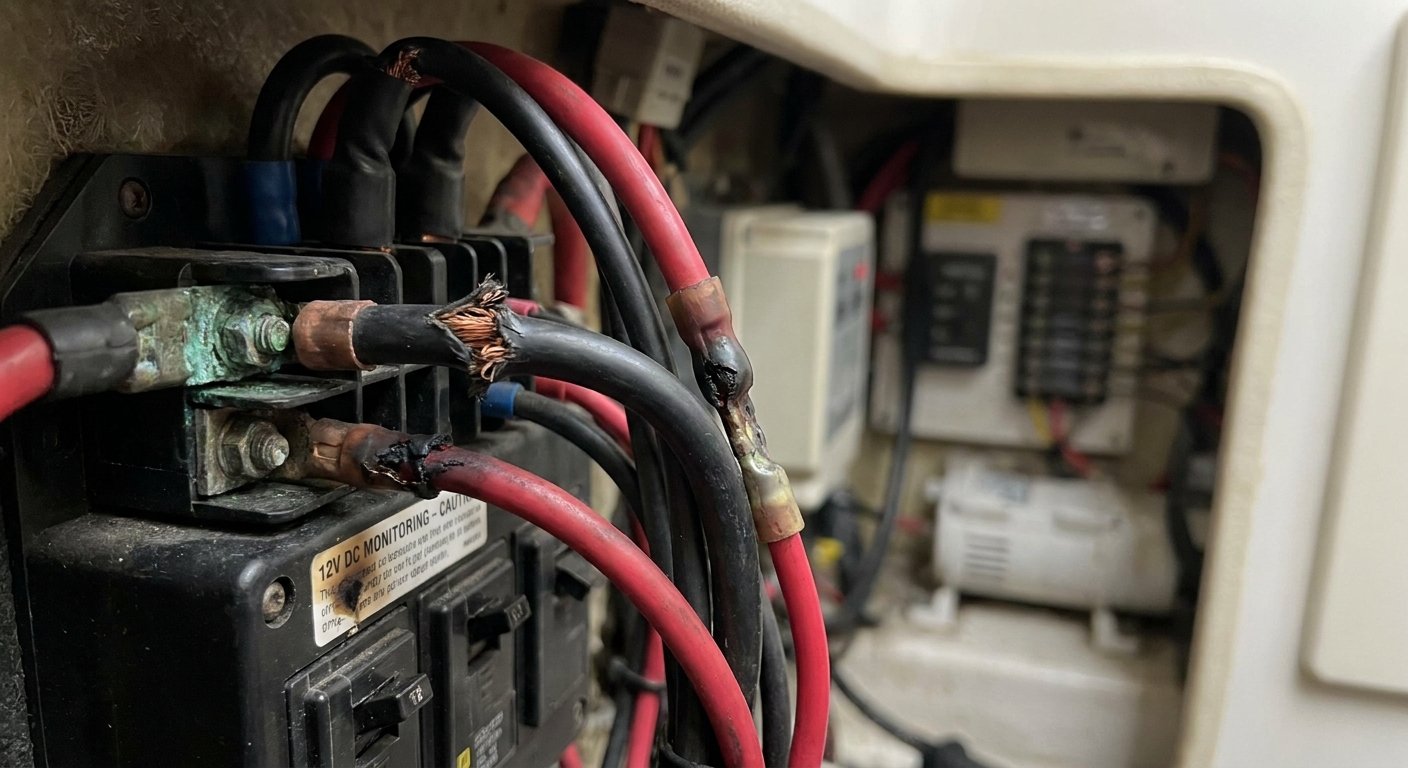
The intricacies of a 12V electrical system, especially in applications such as RVs and boats, are essential for smooth operation. However, many users overlook the significance of proper wiring, particularly the color codes that indicate positive and negative connections. Misinterpretations of these codes can lead to significant failures in electronic systems, resulting in either intermittent problems or complete system breakdowns. This article addresses the critical issue of identifying warning signs of failing 12V rail color codes, highlighting the common misconceptions around wiring and connectors. Understanding these color codes and their implications is crucial for anyone relying on 12V systems, as failure to do so can lead to damaging electrical faults or equipment failure. Throughout this article, readers will learn about the standard color codes, the symptoms of wiring issues, diagnostic steps for troubleshooting, and tips for ensuring reliable electrical performance.
Understanding 12V Wiring Color Codes
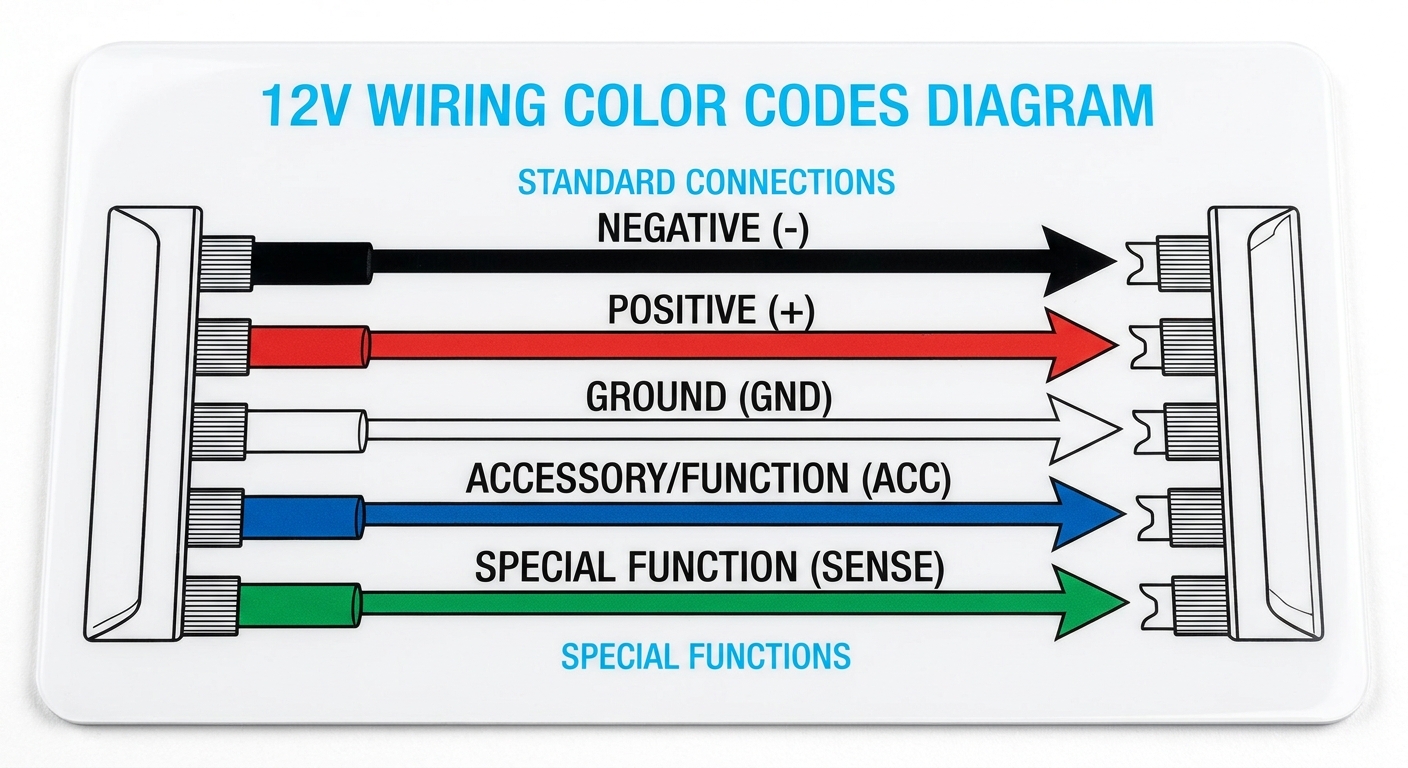
When working with 12V systems, understanding color coding is fundamental. The most widely recognized standards dictate that:
- Negative connections: Generally represented by black.
- Positive connections: Typically indicated by red.
However, it is vital to note that these color conventions can vary by manufacturer, and for this reason, many users may encounter different configurations, such as white being used for negative and various other colors for positive, which can lead to confusion (iRV2 Forums).
Common Wiring Colors and Their Uses
Below is a simplified chart of common color codes and their typical uses:
You may also like




| Color | Connection Type |
|---|---|
| Black | Negative |
| Red | Positive |
| White | Ground or Negative (in some setups) |
| Other Colors (e.g., Blue, Green) | May signify additional functions or connections |
When dealing with 12V systems, especially DIY setups, it’s crucial to verify the labeling to avoid errors that could damage equipment or create safety hazards (12 Volt Color Code | iRV2 Forums).
Identifying Warning Signs of Failing Wiring
Familiarizing oneself with common symptoms that signal potential failure of the wiring can prevent costly repairs or hazardous situations. Here are critical warning signs to monitor:
- Intermittent Power Loss: Flickering lights or devices turning off unexpectedly may indicate poor connections or frayed wires.
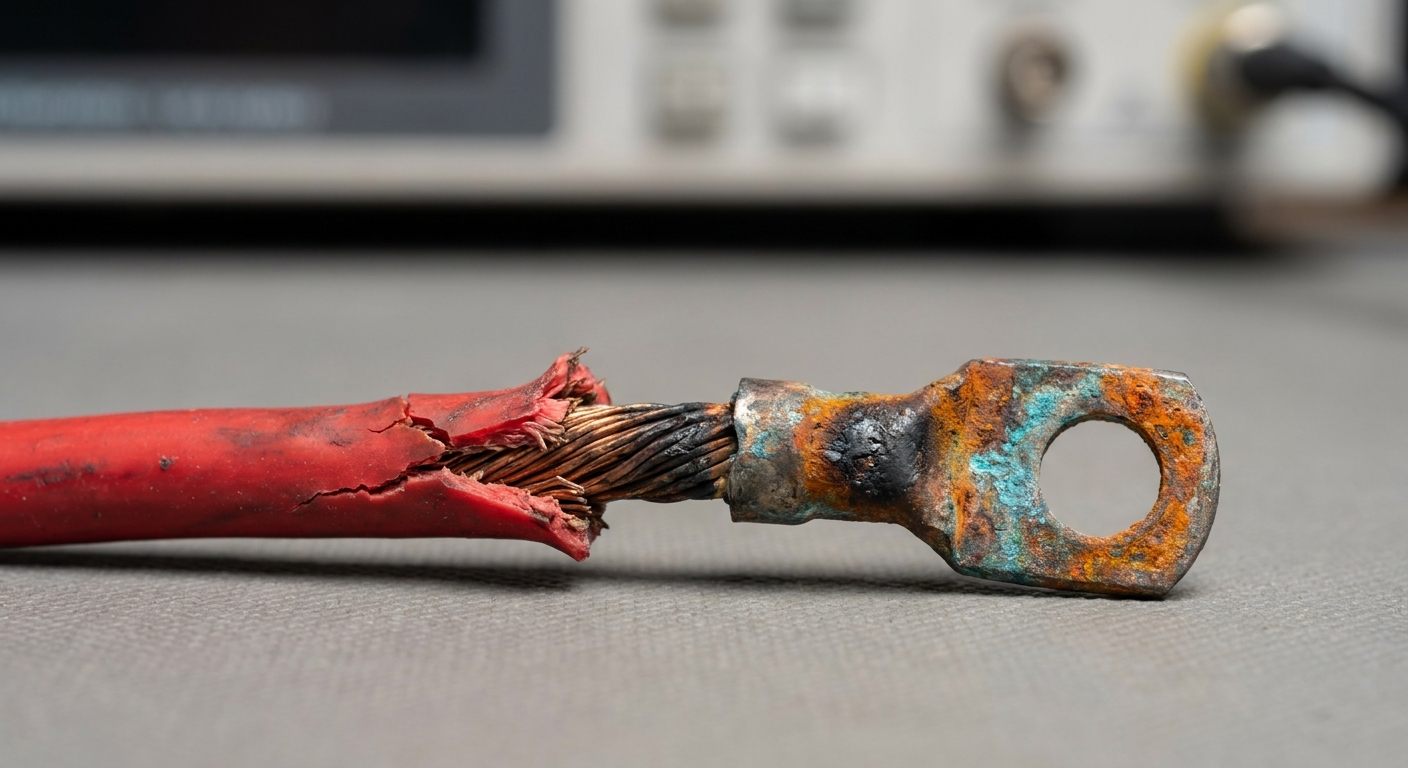
- Corroded Connections: Any visible signs of rust or corrosion at connectors or terminals suggest degradation of the wiring, which can lead to complete failure.
- Discoloration of Wires: Wires that appear burned or discolored may indicate overheating due to excessive current, leading to potential fires.
- Unusual Sounds: Buzzing or crackling noises could suggest electrical shorts or arcing.
- Dark or Brownish Fluid in Battery Cells: This can indicate internal issues within the battery, affecting overall performance (How to Know if Your 12 Volt Battery Is Going Bad – Wistek).
Diagnostic Steps to Troubleshoot Wiring Issues
When issues arise, proper diagnostic steps can mitigate the problem before it escalates. Here’s a systematic approach:
- Visual Inspection: Check all wiring connections for damage, signs of corrosion, or discoloration.
- Test Voltage: Use a multimeter to confirm proper voltage at terminals. A significant drop from expected voltage levels may signal failing wiring.
- Check Ground Connections: Ensure grounding points are clean and secured, as poor grounding can result in a multitude of electrical issues.
- Inspect Fuses: A blown fuse may indicate a short circuit; replace and test the system again.
- Replace Damaged Wires: If significant damage is found, it’s crucial to replace faulty sections of wiring promptly.
By following these steps, users can identify and remedy issues before they compromise electrical systems. Consistent monitoring and testing can significantly enhance the longevity and safety of 12V setups (12V Wiring Standards – Colors | iRV2 Forums).
Maintenance Tips for 12V Systems
Regular maintenance can prolong the life of your electrical system and prevent issues before they arise. Here are effective practices:
- Keep connections clean and free from debris or corrosion.
- Regularly check battery levels and maintain fluid to the appropriate level.
- Inspect all wiring for any signs of wear or damage, especially in high-current areas.
- Ensure that wiring is secured properly and away from heat sources.
- Consult manufacturer guidelines for specific components and wiring setups.
By implementing these practices, you can ensure that your 12V system operates efficiently and is less prone to failure (Understanding Your RV’s 12-Volt System – Keystone RV).
FAQ
Q1: Why is it important to follow color codes in 12V wiring?
A1: Following color codes helps prevent confusion between positive and negative connections, reducing the risk of electrical failures and hazards.
Q2: What should I do if I find corrosion on my wiring?
A2: You should clean the corrosion with a suitable cleaner and ensure the connection is tight. If the damage is extensive, replacement may be necessary.
Q3: Can I use any wire for my 12V system?
A3: It’s important to use the correct gauge wire rated for the current needs of your system. Using improper wire can lead to overheating and potential failure.
Q4: How can I check if my 12V battery is still good?
A4: Look for visual clues such as fluid levels and color in the cells. Use a multimeter to check voltage levels; below the standard levels may indicate a failing battery (How to Know if Your 12 Volt Battery Is Going Bad – Wistek).
Q5: Where can I find more information about 12V wiring standards?
A5: Further details can be found on forums like iRV2 or through manufacturer manuals. Wikipedia also offers a general overview on electrical wiring.
Conclusion
This article has highlighted the importance of understanding 12V wiring color codes, recognizing common warning signs of failure, and following suitable maintenance practices. By taking proactive steps and offering regular check-ups, users can avoid serious electrical issues. For more detailed information on electrical systems, review related topics, such as battery management or RV electrical systems.
Rotating USB