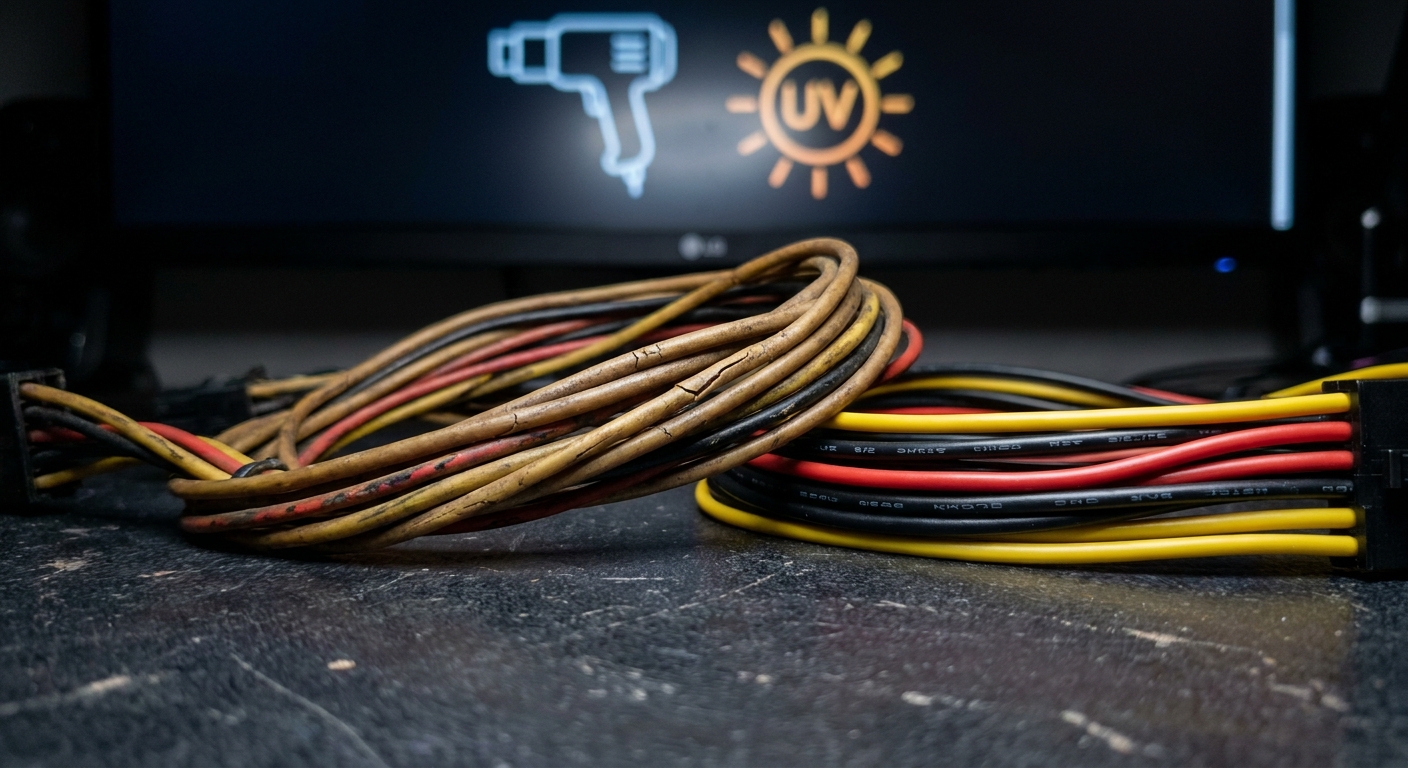
Understanding Why PSU Cables Turn Yellow
Power Supply Units (PSUs) are vital components of any computer system, responsible for delivering power to various hardware. However, one alarming issue that many users encounter is the discoloration of PSU cables, particularly when they turn yellow or pink. This article addresses the question: Why do PSU cables change color, and what implications does this have for your hardware? Understanding this issue is essential for ensuring the longevity of your system and maintaining optimal performance.
Many users wrongly assume that discoloration is merely an aesthetic problem and does not affect the functionality of the PSU. In reality, yellowing can indicate underlying issues that may compromise the performance and safety of your computer. In this article, we will explore the causes of yellowing cables, what this may signify for your power supply, and the steps you can take if you encounter this problem.
How PSU Cables Work
Before diving into the reasons for discoloration, it’s crucial to understand the role of PSU cables. The cables in a power supply unit serve various functions, delivering different voltage levels to components like the CPU, motherboard, and peripherals. Here are the standard cable color codes:
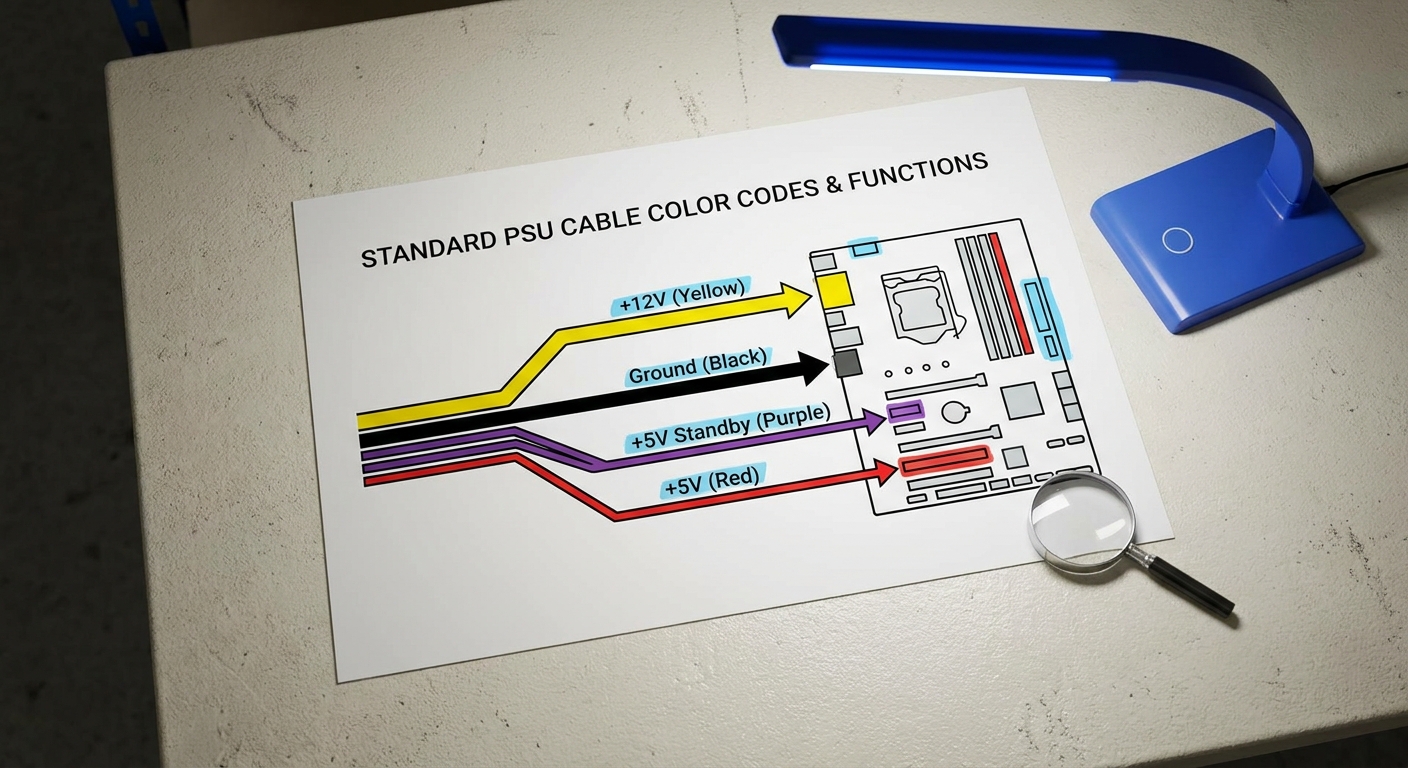
- Yellow (+12V): Supplies 12 volts, powering motors and CPU.
- Black (Ground): Serves as the return path for current.
- Purple (+5V Standby): Provides power for standby functions.
- Red (+5V): Delivers 5 volts, commonly used for peripherals.
Each cable color is standardized, helping users connect components correctly. Regularly inspecting these cables can prevent potential hazards and ensure system reliability.
You may also like




The Causes of Yellowing PSU Cables
There are several reasons why cables may turn yellow, which can range from environmental factors to materials used in manufacturing. Here are the most common causes:
1. Heat Exposure
Extended exposure to high temperatures is one of the primary culprits behind the yellowing of PSU cables. Heat can cause the insulation materials, often made from PVC or other plastics, to degrade over time. This degradation can lead to discoloration, making it vital to ensure that your PSU is placed in a well-ventilated area to prevent overheating.
2. UV Exposure
Ultraviolet (UV) radiation from sunlight or direct artificial lighting can also lead to the yellowing of cables. If your computer is placed in a location with high light exposure, consider moving it to limit this effect.
3. Chemical Reactions
Cable discoloration can also originate from chemical breakdown due to reactions with substances in the environment. For example, high levels of dust, smoke, or other particulates can impact the surface of the cables, leading to discoloration.
4. Quality of Materials
Not all PSU cables are created equal. Lower-quality cables may use cheaper materials that are more susceptible to yellowing and degradation. Investing in high-quality power supplies can mitigate this problem.
Diagnosing the Problem
If you notice yellowing or discoloration on your PSU cables, follow these diagnostic steps:
- Visual Inspection: Check for any evident signs of wear or damage on the cables.
- Temperature Check: Monitor the PSU temperature with diagnostic software to ensure it’s operating within safe limits.
- Assess Environment: Evaluate the lighting and ventilation around your computer setup.
- Material Check: Research the quality of your PSU and its cables, looking up user reviews and manufacturer details.
What to Do If Your PSU Cables Turn Yellow
Encountering yellowed PSU cables raises concerns about the integrity and performance of your power supply. Here’s what you can do:
1. Replace the Cables
If yellowing is significant or accompanied by functional issues (e.g., overheating), consider replacing the cables. Many manufacturers offer replacement options, and creating a support ticket with the manufacturer is a straightforward way to initiate this process.
2. Ensure Proper Ventilation
Make sure your PSU has adequate airflow. Dust buildup can significantly elevate temperatures, so regularly clean your computer’s interior and ensure that fans are functional.
3. Re-assess Placement
If your PSU is exposed to direct sunlight or harsh artificial lighting, try repositioning it. Also, avoid areas with excessive dust or chemicals.
4. Upgrade Your PSU
If you frequently encounter these issues and your PSU is older or of lower quality, consider investing in a new unit. A PSU with higher quality materials will typically resist discoloration and degradation better than cheaper alternatives.
Frequently Asked Questions (FAQ)
Q1: What causes the yellowing of PSU cables?
A1: Yellowing can be caused by heat exposure, UV radiation, chemical reactions, or the use of low-quality materials.
Q2: Is yellowing a sign of potential failure?
A2: Yes, while discoloration itself may not indicate immediate failure, it can signal potential degradation of the cables, impacting performance and safety.
Q3: Can I clean yellowed cables, or should I replace them?
A3: Cleaning can improve aesthetics but may not restore any lost functionality. If performance issues arise, replacement is advisable.
Q4: How can I prevent my PSU cables from yellowing?
A4: Ensure proper ventilation, assess cable quality, and limit exposure to UV light and harsh chemicals.
Q5: Who should I contact for a cable replacement?
A5: You can create a help ticket with your PSU manufacturer for cable replacement options.
Conclusion
Understanding the reasons behind the yellowing of PSU cables is vital for maintaining the efficiency and safety of your computer system. Factors such as heat, UV exposure, and material quality play significant roles in this phenomenon. By taking proactive steps to ensure proper ventilation and cable quality, you can mitigate potential issues. If you encounter problems, don’t hesitate to seek replacements through reputable manufacturers.
For additional information related to power supplies, check the Wikipedia page on Power Supply. For support from manufacturers regarding PSU issues, visit their official support pages.
Rotating USB