
Understanding Industrial PC Status Indicator Color Codes
In the bustling world of industrial operations, effective communication can make the difference between smooth functionality and costly downtime. One essential aspect of this communication is the use of status indicators, particularly LED lights on industrial PCs. This article addresses the important question: what do the various colors of these status indicators mean? Understanding these color codes ensures that operators can quickly assess machine status, respond to issues, and maintain peak productivity.
This topic matters significantly, as misinterpretation of indicator colors can lead to unintended machine malfunctions or safety hazards. A common misconception is that all red lights signify a problem, whereas they can also indicate a normal operational state, depending on the context. By the end of this article, readers will gain a comprehensive understanding of industrial indicator lamp color codes, helping them to make informed decisions in critical operational situations.
How Status Indicators Function in Industrial Settings
Status indicators are a vital part of industrial PCs and machinery, often represented by LED lights on control panels. These colors serve as visual signals to convey the operational status of equipment. The effectiveness of these indicators largely depends on adherence to standardized color codes, which vary between industries but often follow a general consensus.
Common Color Codes and Their Meanings
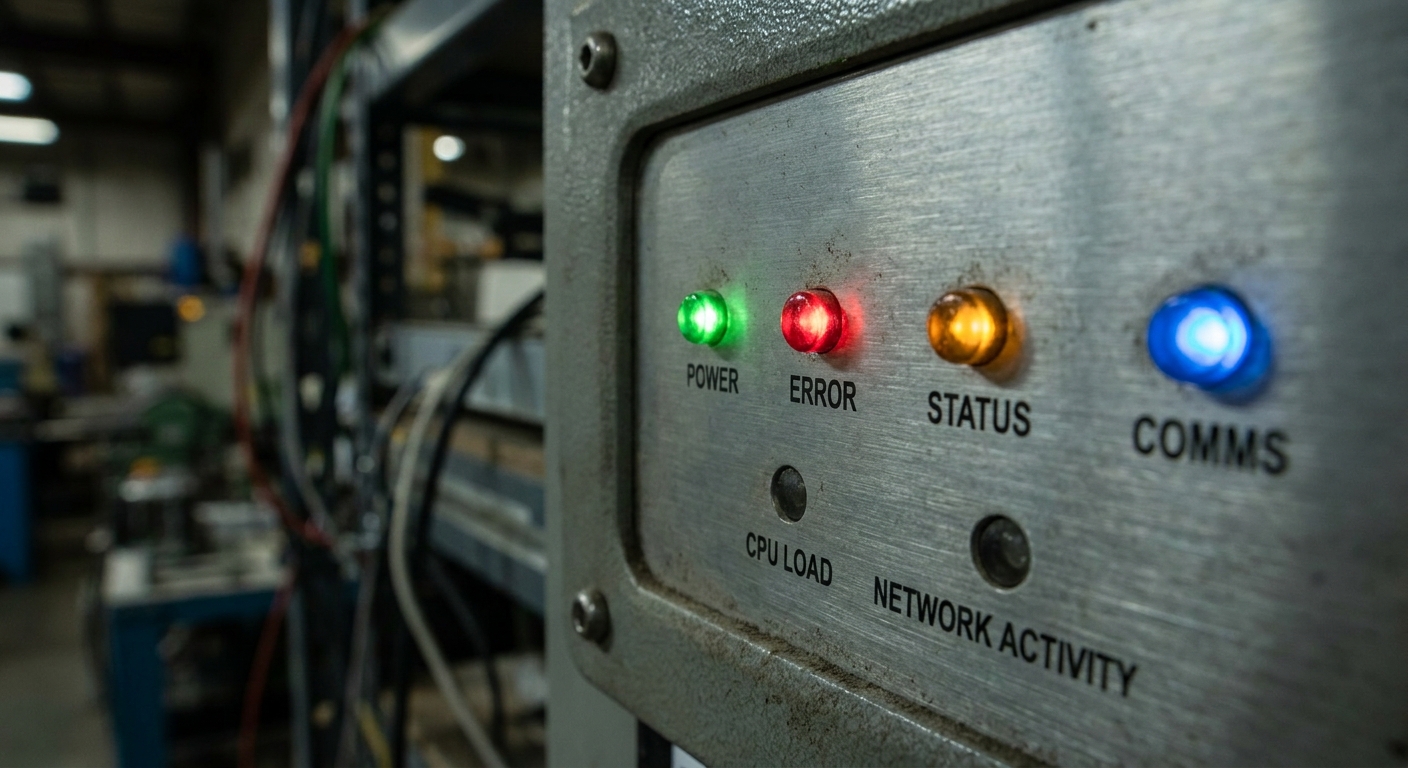
In most industrial settings, specific color designations are used to communicate different operational states. Below is a summary of common status indicator colors and their meanings:
You may also like




- Green: Typically indicates an operational or ‘ON’ status. In many contexts, green signifies safety and readiness, similar to traffic lights.
- Red: Often signifies an ‘OFF’ state, alerting users to critical failures or dangerous conditions, depending on the specific designations of the equipment.
- Amber (or Yellow): Generally indicates a warning condition or a non-critical failure that needs attention.
- Blue: This color might indicate an informational state, often used in advanced or specialized equipment.
- Flashing Indicators: Usually denote a degraded condition or a process that needs monitoring. For example, a flashing green light might indicate a temporary operational state or that equipment is undergoing diagnostics.

Diving Deeper: The Nuances of Indicator Light Colors
While the general meanings of the colors are widely accepted, nuances exist based on specific manufacturers or regulatory standards. For instance, the International Electrotechnical Commission (IEC) 60073 provides guidelines for color coding in industrial environments, suggesting that red should only be used for emergency situations.
Status Indicator Color Chart
| Status | Color | Description |
|---|---|---|
| Operational | Green | System is functioning normally. |
| Critical | Amber | Warnings or non-critical issues; requires monitoring. |
| Danger | Red | System failure or emergency condition. |
| Degraded Performance | Green (flashing) | Operational but needs attention. |
| Non-critical | Amber (flashing) | Condition needs to be addressed at the earliest opportunity. |
Importance of Adhering to Standards
Using standardized color codes not only improves safety and efficiency but also promotes consistency across equipment, making it easier for workers to adapt to different machines and environments. For instance, GQEM emphasizes the reliability of their LED indicator lights, stating that adhering to color coding standards is essential for effective communication on control panels.
Best Practices for Implementing Status Indicators
To maximize the effectiveness of status indicators, organizations should consider the following best practices:
- Ensure all operators are trained to understand the significance of each color and its implications for machine operation.
- Regularly maintain and test LED indicators to ensure reliability and clarity in communication.
- Implement color codes that align with industry standards to facilitate easy interpretation.
- Consider the visibility of indicator lights; use colors that stand out in various industrial environments.
Frequently Asked Questions
Q1: What does a solid green indicator light mean?
A1: A solid green light typically indicates that the system is operational and functioning correctly.
Q2: What should I do if I see a red indicator light?
A2: A red light usually signifies an emergency condition or system failure. You should take immediate action to assess and address the issue.
Q3: Can the meanings of indicator lights vary by manufacturer?
A3: Yes, while there are common standards, specific meanings can vary by equipment model and manufacturer, so it is essential to consult the user manual.
Q4: Why is the amber light important?
A4: Amber lights indicate warnings or non-critical errors that need attention, helping prevent more significant issues from developing.
Q5: How can training improve the interpretation of these indicators?
A5: Proper training ensures that operators can quickly and accurately understand the implications of indicator lights, leading to a safer and more efficient workplace.
Conclusion
Understanding the color codes of status indicators on industrial PCs is crucial for safe and effective operations. By acknowledging the meanings behind these colors and adhering to established standards, manufacturers and operators can significantly reduce the risk of errors and enhance overall efficiency. For those interested in further exploring this subject, looking into standards such as the IEC 60073 could provide additional insights.
Rotating USB