Understanding 10G vs. 1G Ports: Color Codes and Their Significance
As networking technology evolves, faster internet speeds and improved connectivity are becoming increasingly essential. One significant aspect of this advancement lies in the differentiation of Ethernet ports. Identifying whether a network port is 10G (10 Gigabits per second) or 1G (1 Gigabit per second) is critical for ensuring optimal performance and compatibility. The core question this article addresses is: How can color codes on network ports help determine whether a port supports 10G or 1G speeds?
Understanding these distinctions is crucial because using the wrong SFP (Small Form-factor Pluggable) module can lead to underperformance or device incompatibility. A common misconception is that all Ethernet ports are interchangeable, which is not the case; different speeds require specific modules. In this article, you will learn about color codes associated with Ethernet ports, how to identify port capabilities, and best practices for selecting the right hardware.
The Basics of Ethernet Port Speeds
Ethernet ports can differ significantly in terms of data transfer capabilities. The two most common speeds found in networking hardware are 1G and 10G:
- 1G Ports: These ports typically support up to 1 Gbps and are standard in many networking environments. They are usually represented with a less complex color coding scheme.
- 10G Ports: Designed for higher capacity and efficiency, 10G ports can deliver ten times the speed of 1G ports, making them essential for modern applications demanding high bandwidth.
Identifying Ports: The Role of Color Codes
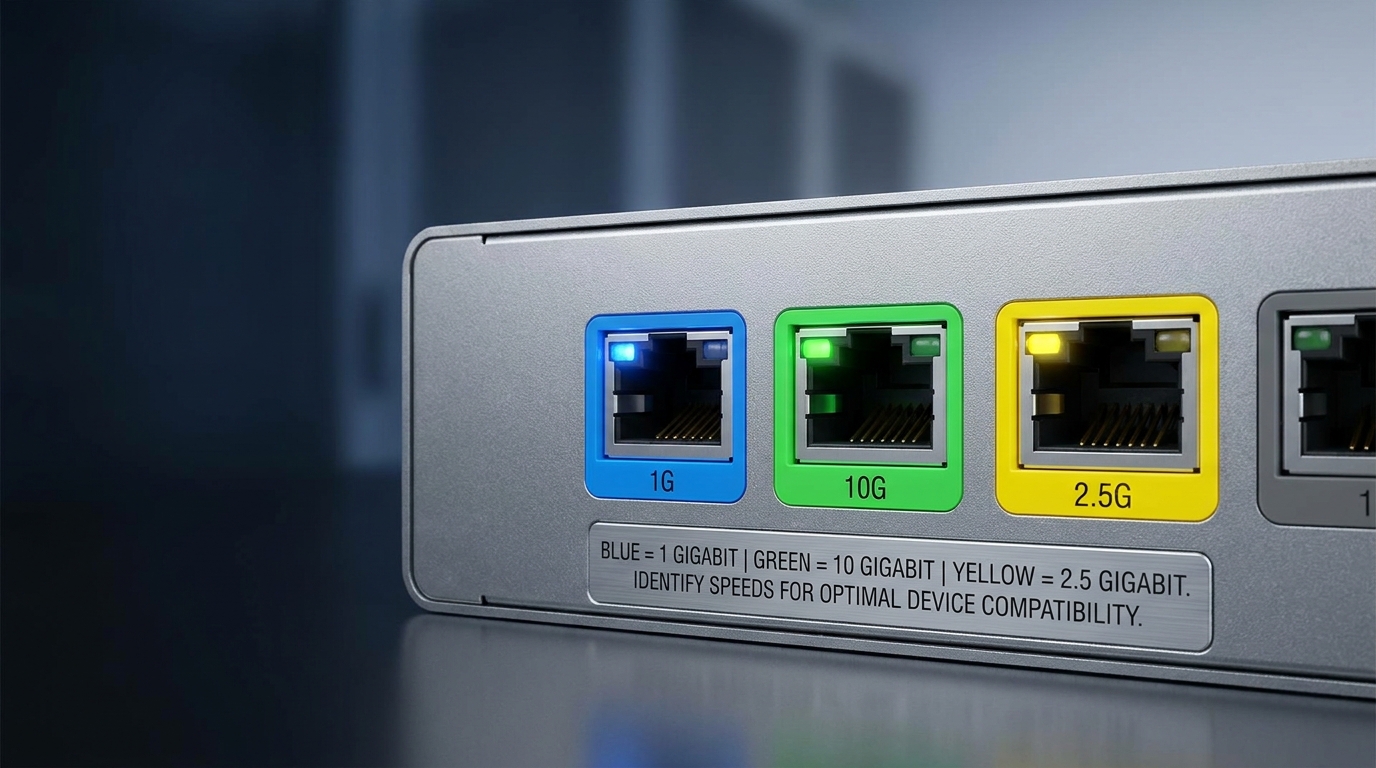
While not universally standardized, there are color codes associated with Ethernet ports used by many manufacturers. These color codes can be tools for quickly identifying the capability of a port:
You may also like




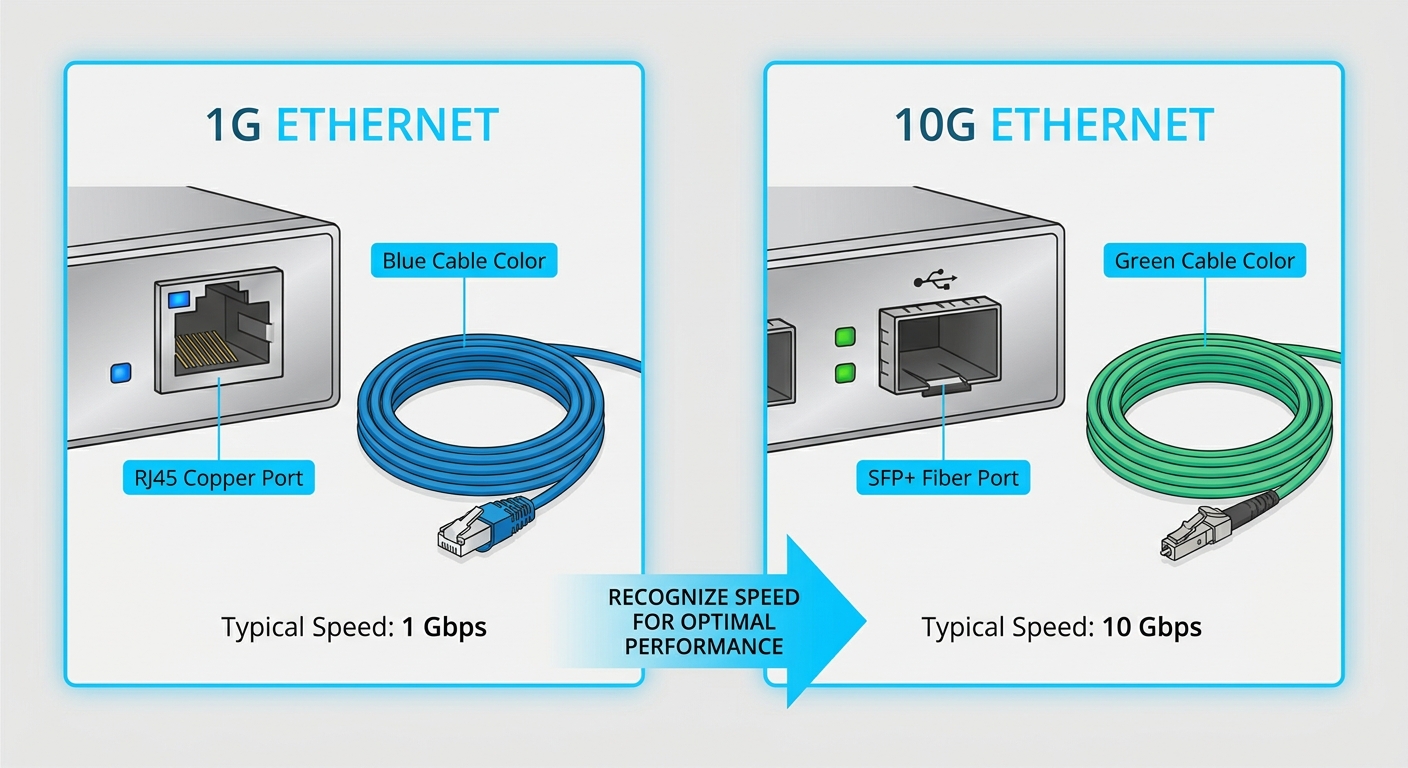
- Blue Ports: Generally indicate 1G speeds.
- Yellow Ports: Often signify 2.5G speeds, although these are less common.
- Green Ports or Different Shades: Frequently used to indicate 10G connectivity.
According to discussions within the Cisco Community, it is essential to utilize these colors as guides, but verification through device specifications is still recommended.
Understanding Media Types and Compatibility
The media type of the connectors used can also indicate the expected speeds:
- Fiber Optic Connections: Typically associated with higher-speed ports. For example, a 10G SFP+ module usually connects via a fiber optic cable.
- Copper Connections: Generally support lower speeds. A standard 1G SFP module often connects via copper cables.
Baytek Solutions emphasizes the importance of matching SFP modules with the correct port. Mismatches can result in malfunction or reduced performance, underlining the need for attention to these specifications.
How to Verify Port Speed
For professionals needing to identify port speeds beyond color codes, consider the following diagnostic steps:
- Check the Hardware Specification: Locate the model number and look it up on the manufacturer’s website.
- Inspect the Physical Port: Look for labels or indicators next to the port.
- Run Diagnostic Commands: If applicable, use network management tools or command-line interfaces (CLI) to check the port settings.
- Consult Documentation: Refer to the device’s documentation for details on port configurations and supported speeds.
Practical Examples in Network Settings
In practical scenarios, recognizing the types of SFP modules in use can often prevent network slowdowns:
- An instance of SFP mismatch might occur if a network administrator uses a 1G SFP when a 10G SFP is required to connect to a high-speed backbone.
- In a data center, using the wrong colored ports for connecting switches can lead to significant bottlenecks.
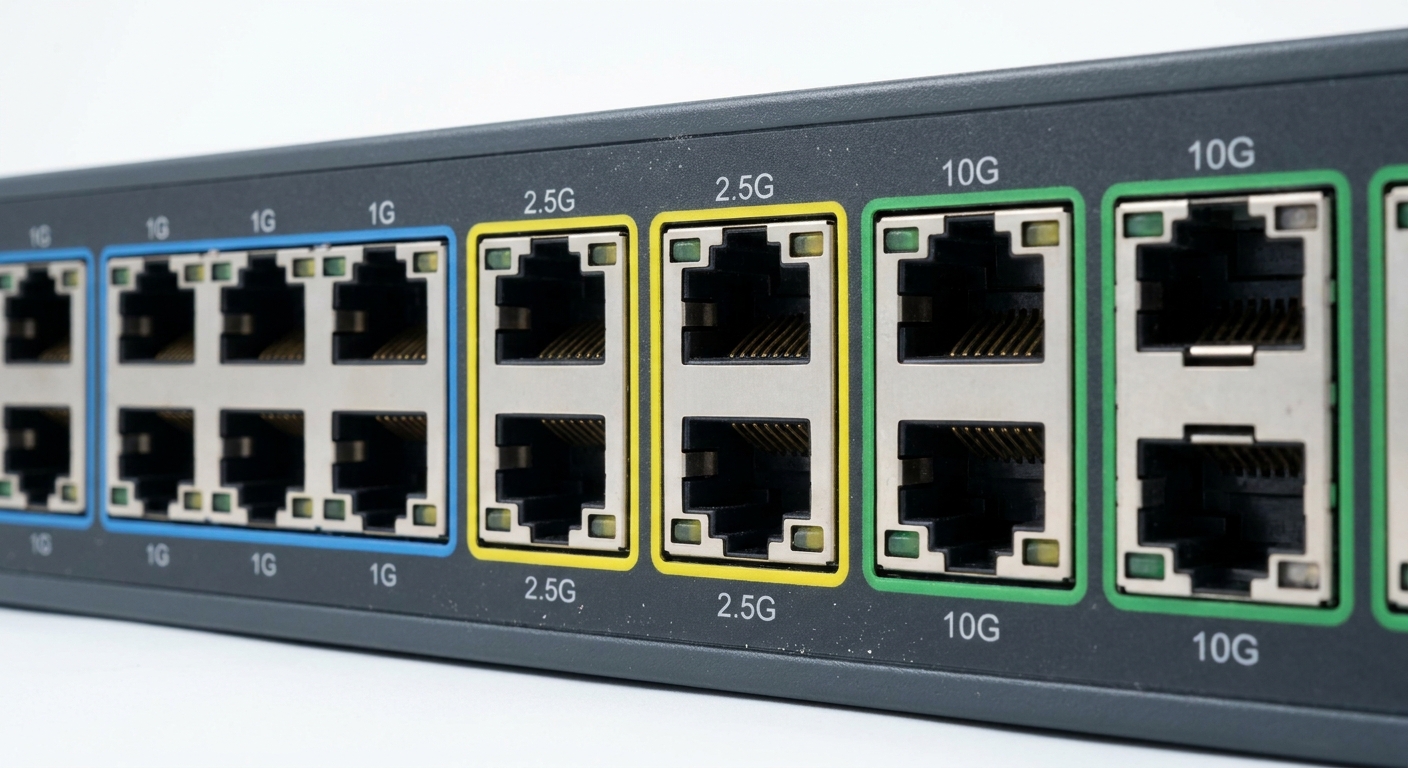
In such environments, accurately identifying and understanding the implications of color-coded ports becomes imperative for maintaining network efficiency.
FAQs
What are the common Ethernet port color codes for speed identification?
The most common color codes are blue for 1G, yellow for 2.5G, and green or other colors for 10G.
Can I mix SFP modules of different speeds in the same device?
Generally, no. Mixing different speed SFP modules without proper hardware support may result in network issues or insufficient performance.
How can I ensure compatibility between my SFP module and the network device?
It’s essential to refer to the manufacturer’s compatibility list and specifications for each device.
What happens if I use a lower-speed module in a 10G port?
If you use a lower-speed module in a 10G port, the connection may default to the lower speed, which can hamper network performance.
Where can I find more information about Ethernet standards?
A comprehensive source for Ethernet standards is the Wikipedia page on Ethernet, which provides detailed descriptions and specifications.
Conclusion
In summary, understanding the relationship between color codes and port speeds can significantly enhance networking efficiency and performance. By recognizing these distinctions, professionals can avoid common pitfalls associated with SFP mismatches and ensure the right connections are made throughout their networks. As technology continues to evolve, staying informed about related topics—such as the latest Ethernet standards—will further improve networking practices.
Rotating USB