Introduction
The world of data center management challenges IT professionals to maintain efficient and effective cable management, particularly for high-speed DAC (Direct Attach Copper) cables. These cables, often used for network interconnections, come with various color codes that denote their specific functions. However, many professionals face confusion regarding the proper color coding, which can lead to misconfigured networks and operational inefficiencies. Understanding these color codes is crucial for anyone working with servers, as it not only streamlines installation but also aids in troubleshooting and maintaining an organized data center. Despite misconceptions that color coding is universal, different organizations may adopt varying schemes based on their unique requirements. In this article, you’ll learn the standard high-speed DAC cable color codes, their meanings, and how effective color coding can enhance your network management strategies.
The Importance of Cable Color Coding
Cable color coding isn’t merely a matter of aesthetics; it plays an essential role in network organization. Mislabeling or improper color usage can result in significant issues, such as:
- Increased downtime due to incorrect cable connections
- Difficulty in troubleshooting network issues
- Confusion during maintenance or upgrades
By adopting a consistent color coding scheme, data center administrators can simplify these processes, allowing for quicker identification and resolution of issues.
Common Cable Color Codes in Data Centers
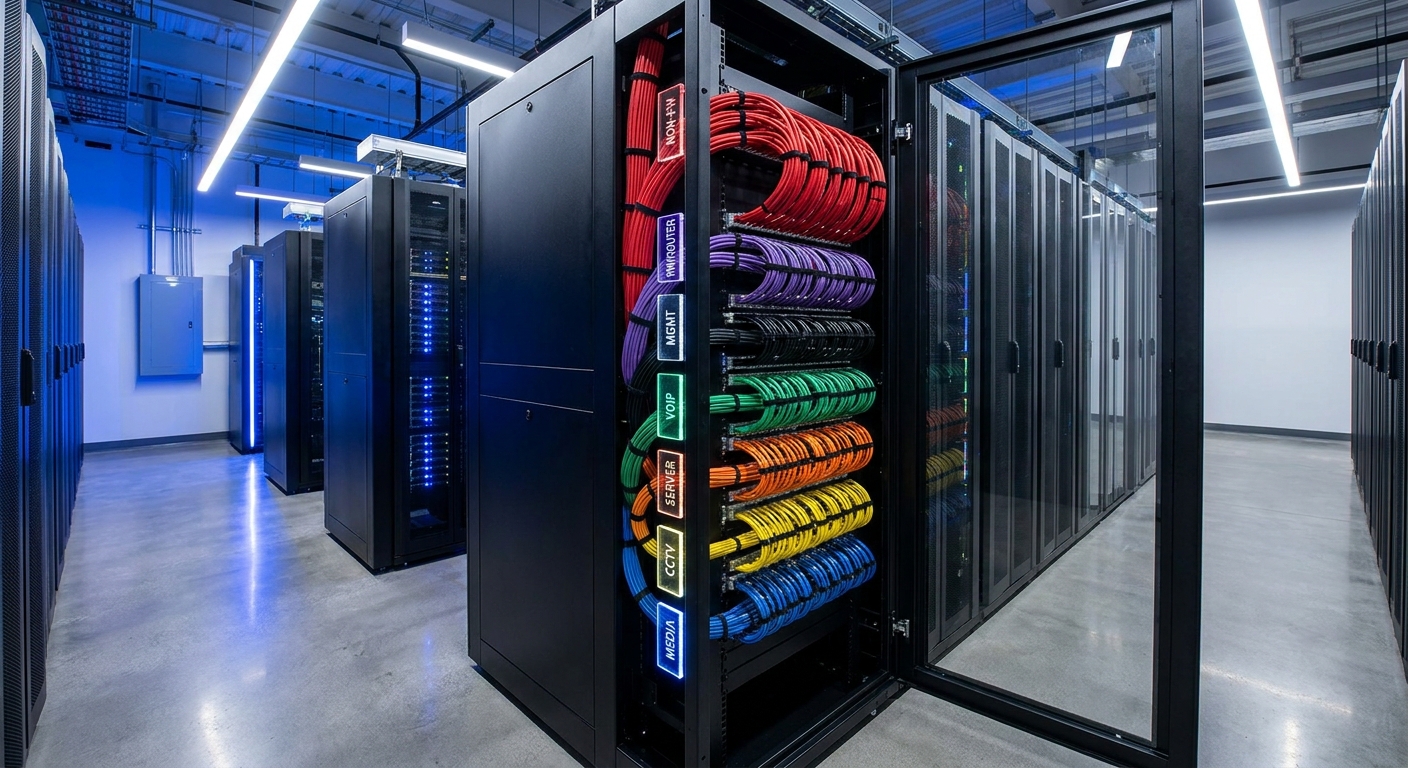
Data centers typically feature a variety of cables, each designated by distinct colors. The following table summarizes common DAC cable color codes and their functionalities as cited across several references.
You may also like




| Color | Function |
|---|---|
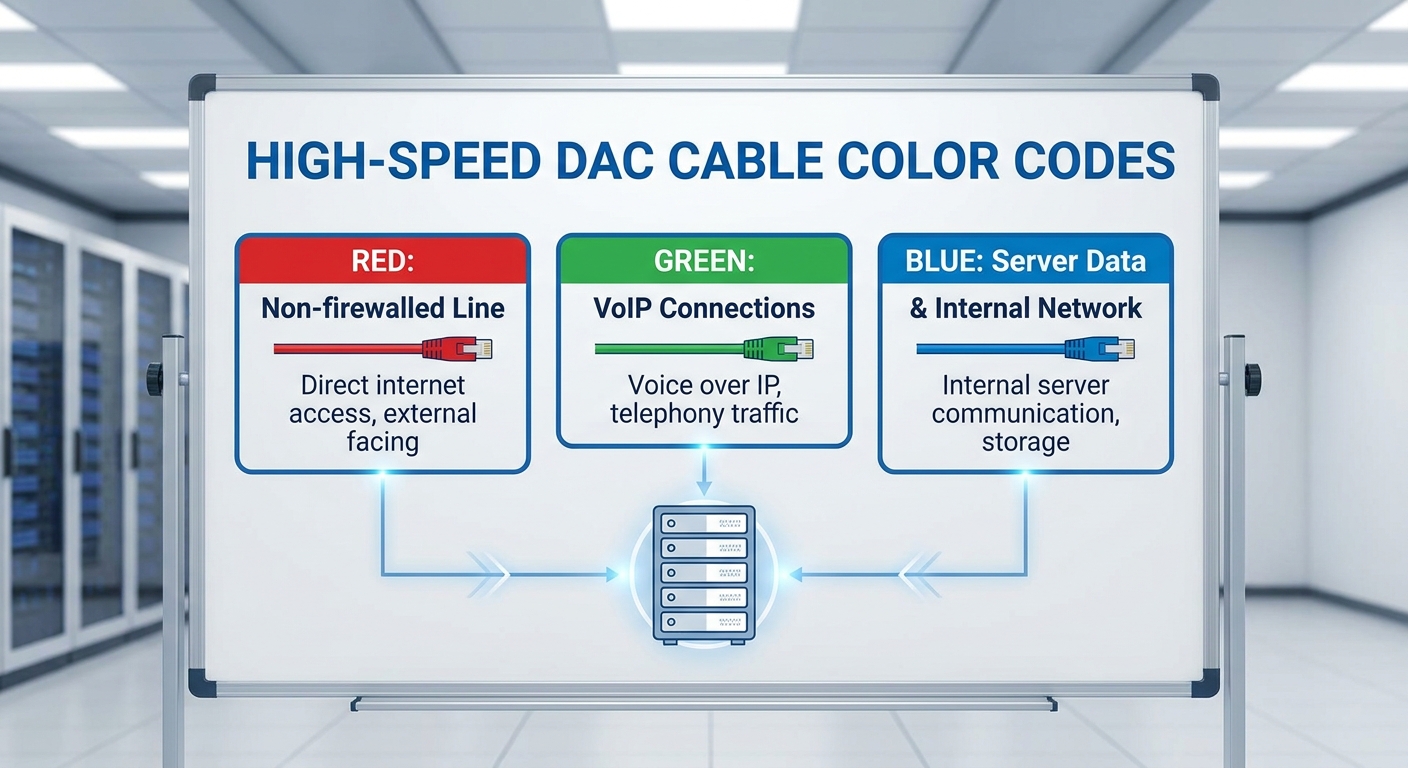
| Red | Non-firewalled line (e.g., between firewall and ISP router) |
| Purple | Firewall/Router connections |
| Black | Management interface |
| Green | VoIP connections |
| Orange | Server connections |
| Yellow | Cameras/Security systems |
| Blue | Media connections |
Variations in Color Coding
While many organizations adopt standard color codes similar to those mentioned above, variations exist. For instance, some organizations utilize additional colors or adjust the meanings behind certain colors according to their specific operational needs. For example, it’s common practice to use:
- Blue for standard Ethernet connections
- Yellow for Power over Ethernet (PoE)
- Green for crossover connections
Understanding these variations can greatly improve communication and reduce errors within IT teams.
Best Practices for Implementing Color Coding
To effectively implement a color coding system for your high-speed DAC cables, consider the following best practices:
- Standardization: Establish a standardized color code scheme within your organization to ensure uniformity across all teams.
- Documentation: Create and maintain easily accessible documentation outlining your cable color codes and their meanings.
- Training: Regularly train staff on the importance of adhering to the color code system.
- Labeling: Use high-quality labels that won’t fade or peel over time to mark both ends of the cable.
- Regular Audits: Conduct periodic audits to ensure compliance with your color coding scheme, updating any outdated colors or standards as necessary.
User Experiences
Feedback from IT professionals on platforms like Reddit highlights the importance of cable labeling for preventing costly errors during configurations. Users note that consistent use of color coding has drastically reduced their troubleshooting time and improved overall efficiency, thereby emphasizing the real-world impact of these best practices.
Diagnostic Steps for Troubleshooting Cable Issues
When issues arise in a data center network, following a structured troubleshooting approach can lead to quicker resolutions:
- Visual Inspection: Start by visually inspecting the cables for any visible damage or disconnections.
- Check Color Codes: Verify that the cables are connected according to the established color coding scheme.
- Utilize Testing Tools: Use cable testers to check connectivity and verify signal integrity against the expected outcomes.
- Documentation Review: Refer back to your documentation to ensure that connection configurations align with network design.
- Consult Colleagues: Engage with peers if you cannot resolve the issue, as collaborative troubleshooting can yield new insights.
FAQ
What color should I use for VoIP connections?
Green is commonly used to designate VoIP connections.
Are there standard color codes for all types of network cables?
No, while many organizations adopt standard color codes, variations can exist depending on specific needs.
How can I ensure compliance with my color code scheme?
Documentation, regular training, and audits are essential strategies to ensure compliance with a color code scheme.
What are the common causes of network issues related to improper cabling?
Improper labeling, incorrect connector usage, and damaged cables are common causes of network issues associated with cabling.
Is it possible to have multiple color codes in the same data center?
Yes, multiple schemes can exist; however, it is crucial to communicate and document these differences to prevent confusion.
Conclusion
Implementing an effective color coding system for high-speed DAC cables in servers is critical for efficient network management and troubleshooting. By standardizing color codes and adhering to best practices, IT professionals can prevent operational mishaps and streamline their workflows. For further information on related networking best practices, consider exploring more about Ethernet and fiber optics.
Rotating USB