Introduction
Custom PC cable sleeving is an increasingly popular way for enthusiasts to enhance the aesthetic appeal and organization of their builds. However, selecting the right colors for sleeving can be quite daunting, especially for those unfamiliar with color theory and the implications of color choices in gaming rigs. The primary concern this article addresses is: how should one choose the right cable sleeving color codes for their custom PC setup? Understanding this can significantly elevate the visual quality of a build, create a cohesive theme, and even assist in troubleshooting later on. Unfortunately, a common misconception is that any color combination works, while in reality, thoughtful selection can influence airflow management and cable management. Throughout this guide, readers will learn about effective color combinations, best practices in cable sleeving, and insights drawn from expert opinions.
Understanding Custom Cable Sleeving
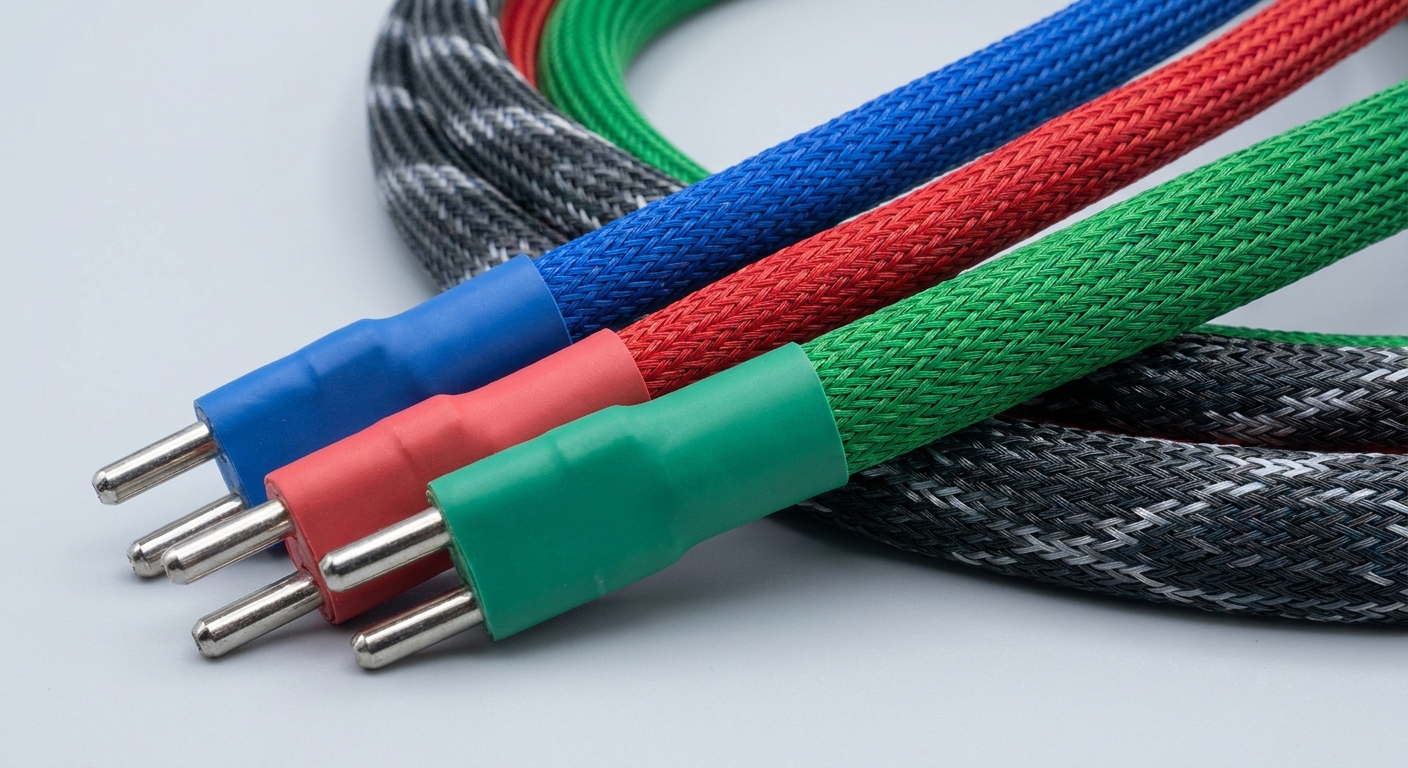
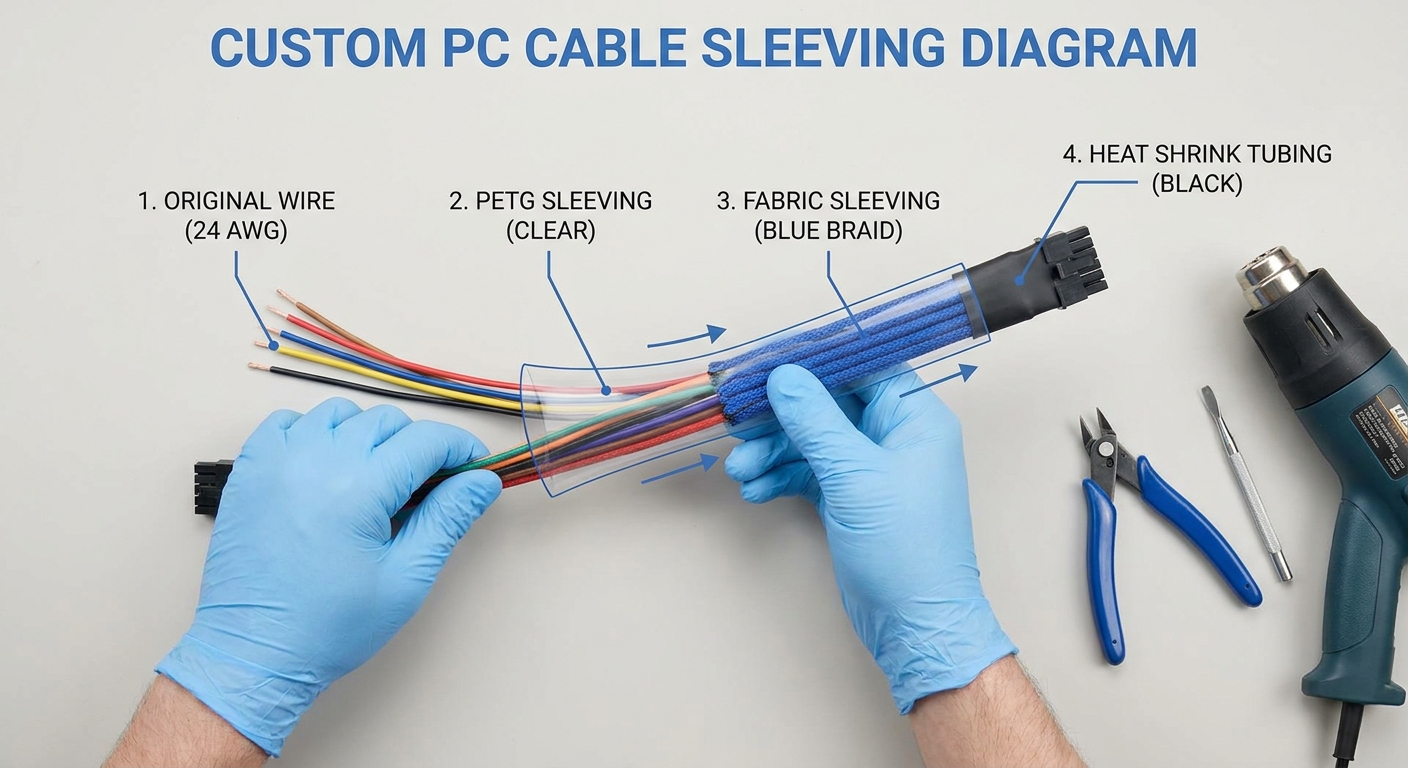
Custom cable sleeving involves wrapping existing power cables in a protective and visually appealing sleeve. The main purpose is aesthetic improvement, but sleeving also provides insulation and some strain relief. Sleeves can be made from various materials, such as fabric or PETG (Polyethylene Terephthalate Glycol-Modified), the latter being favored for its vibrant colors and ease of use as it doesn’t require de-coring the original cable.
The Importance of Color Coding
Choosing the right colors is essential for several reasons:
- Visual Cohesion: A consistent color theme can unify different components within a PC build.
- Improved Cable Management: Color-coded cables help distinguish power connections at a glance, making it easier to troubleshoot.
- Enhanced Personalization: Custom sleeving allows users to express their individual style and preferences.
Popular Color Schemes in PC Builds
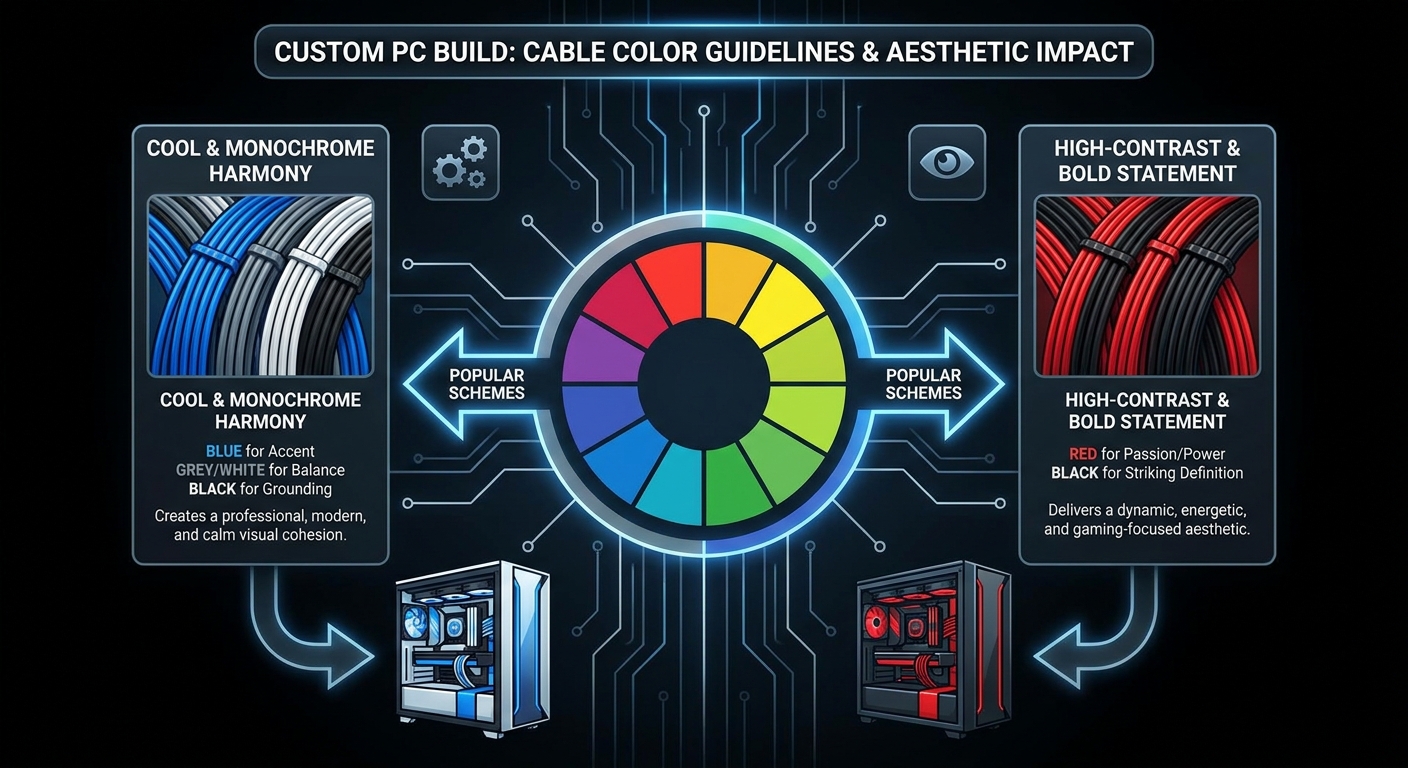
When planning custom sleeving, understanding popular color schemes can eliminate the guesswork. Based on various community discussions and tutorials, here are some widely used themes:
You may also like




- Blue/Grey/White/Black: This combination is frequently praised for its sleek, modern look.
- Red/Black: A classic choice, often favored in gaming builds to represent power and speed.
- Green/Black: This vibrant pairing is often associated with environmental themes or “green” builds.
- Multi-color: For the adventurous, a multi-color setup can create an eye-catching rainbow effect.
Guidelines for Choosing Colors
When selecting colors for your custom sleeved cables, follow these guidelines to achieve a visually appealing outcome:
Consider the Overall Theme
Before finalizing color selections, consider the existing components of your build. Is there a predominant color in your graphics card, motherboard, or case? Utilizing a color wheel can aid in determining complementary or contrasting colors that reflect your design vision.
Take into Account Lighting
Many custom builds incorporate RGB lighting, which can significantly alter how colors appear. When planning your sleeving colors, it’s crucial to observe how different lighting affects the hue and brightness of the sleeving materials.
Practical Tips for Cable Sleeving
After deciding on colors, mastering the techniques for effective cable sleeving can significantly influence the final result. Here’s a brief overview of the process:
- Cut the sleeving to the desired lengths, ensuring enough material for each cable segment.
- Slide the sleeving over the cables. If using PETG, it should slide on easily without any additional preparation.
- Use heat shrink tubing at both ends of the sleeved cables to secure the ends and maintain a tidy appearance.
- Crimp terminals correctly to ensure a secure and stable connection.
Resources for Custom Cable Sleeving
Those undertaking this project can benefit from online communities and tutorials:
- Reddit threads discussing custom cable sleeving offer tips and color suggestions from experienced builders.
- PCPartPicker provides platforms for users to share their builds, helping to inspire color choices.
- Manufacturers like ensourced.net specialize in custom cable extensions and can provide materials in desired color schemes.
Common Questions
What materials are best for cable sleeving?
PETG is recommended for its vibrant colors, ease of use, and effective insulation properties.
What’s the significance of cable color coding?
Cable color coding improves aesthetic cohesion, assists in cable management, and facilitates easier troubleshooting.
How do I choose a color theme for my build?
Consider the colors of your existing components and use a color wheel to find complementary or contrasting shades.
Are there any recommended stores for custom cables?
Ensources.net is a popular choice for customized sleeved cable extensions.
Can I mix different colors in my sleeving?
Yes, mixing colors is an option, but careful consideration of balance and harmony is essential for a cohesive look.
Conclusion
Choosing the right colors for custom PC cable sleeving can significantly impact the overall aesthetic and functionality of your build. By understanding color schemes, utilizing effective sleeving techniques, and drawing inspiration from community discussions, readers can create stunning and organized setups. Exploring related topics, such as RGB lighting effects or unit cooling strategies, can broaden your knowledge base in custom PC building.