Introduction
The world of data storage and transfer has evolved, giving rise to technologies such as Serial Attached SCSI (SAS) and Serial Advanced Technology Attachment (SATA). These two standards are widely used in enterprise servers and consumer devices, yet they remain a source of confusion due to their physical similarities. This article addresses the key variances, particularly the cable color codes associated with SAS and SATA, which can lead to improper connections if misunderstood. Understanding these distinctions is crucial for ensuring compatibility and optimal performance in a server setup. A common misconception is that SAS and SATA cables are interchangeable, which can lead to significant installation errors and inefficiencies. By the end of this article, readers will gain clarity on the differences between SAS and SATA connections and the implications of those differences in practical applications.
Understanding SAS and SATA Connections
SAS and SATA are two prevalent interfaces for connecting hard drives and storage devices. Both technologies facilitate data transfer but are optimally designed for different environments and performance requirements.
SAS vs. SATA Overview
- SAS (Serial Attached SCSI): A high-performance interface used primarily in enterprise environments, SAS enables faster data transfer rates and better reliability. It supports multiple initiators and is designed for use in server backplanes.
- SATA (Serial ATA): More commonly found in consumer devices, SATA offers standard performance suitable for everyday computing needs. It is less expensive and simpler but does not support the same level of performance or redundancy as SAS.
Physical Differences
While the physical connectors for SAS and SATA drives may look similar, they serve different purposes and have distinct characteristics that matter in a server environment.
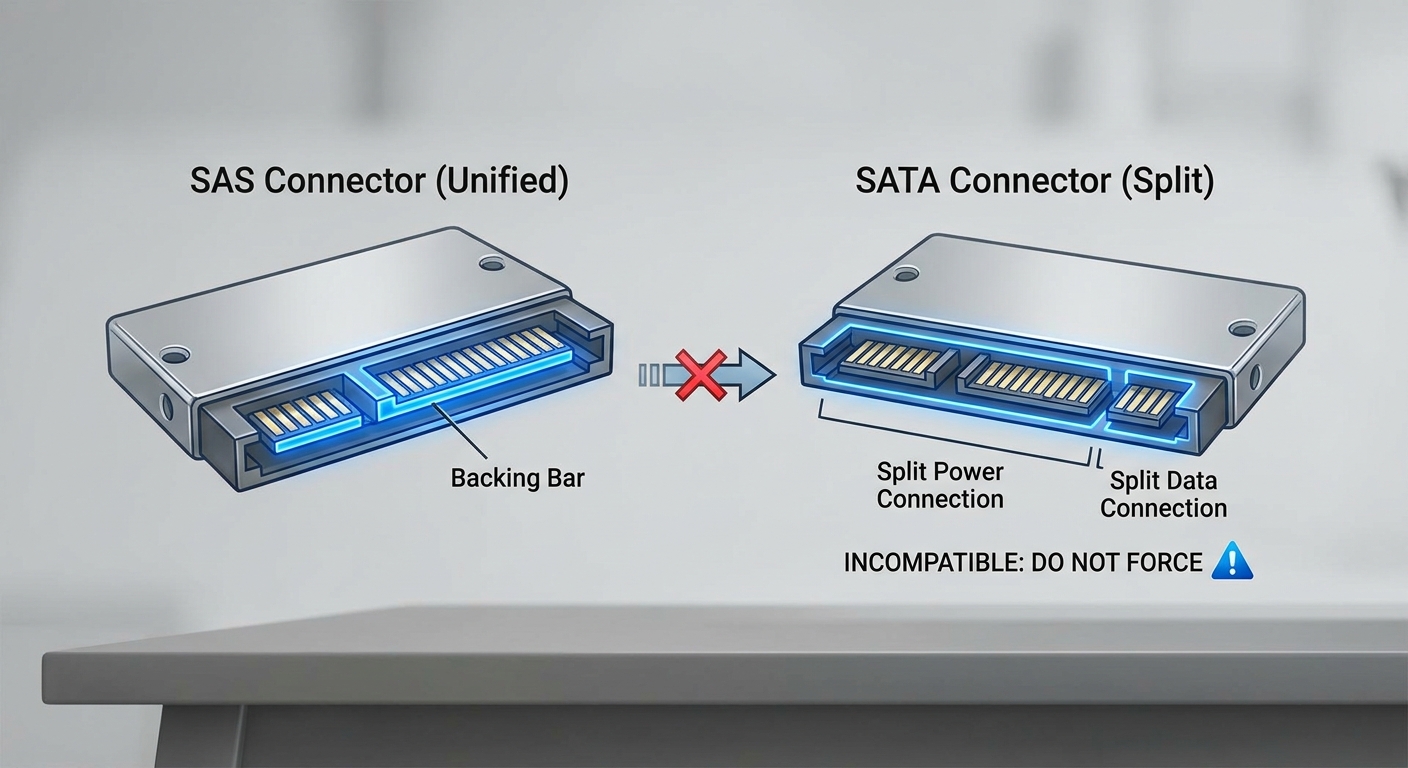
- The SAS connector features a backing bar to prevent it from fitting into a SATA port, ensuring that SAS drives cannot be mistakenly connected to a SATA-only backplane.
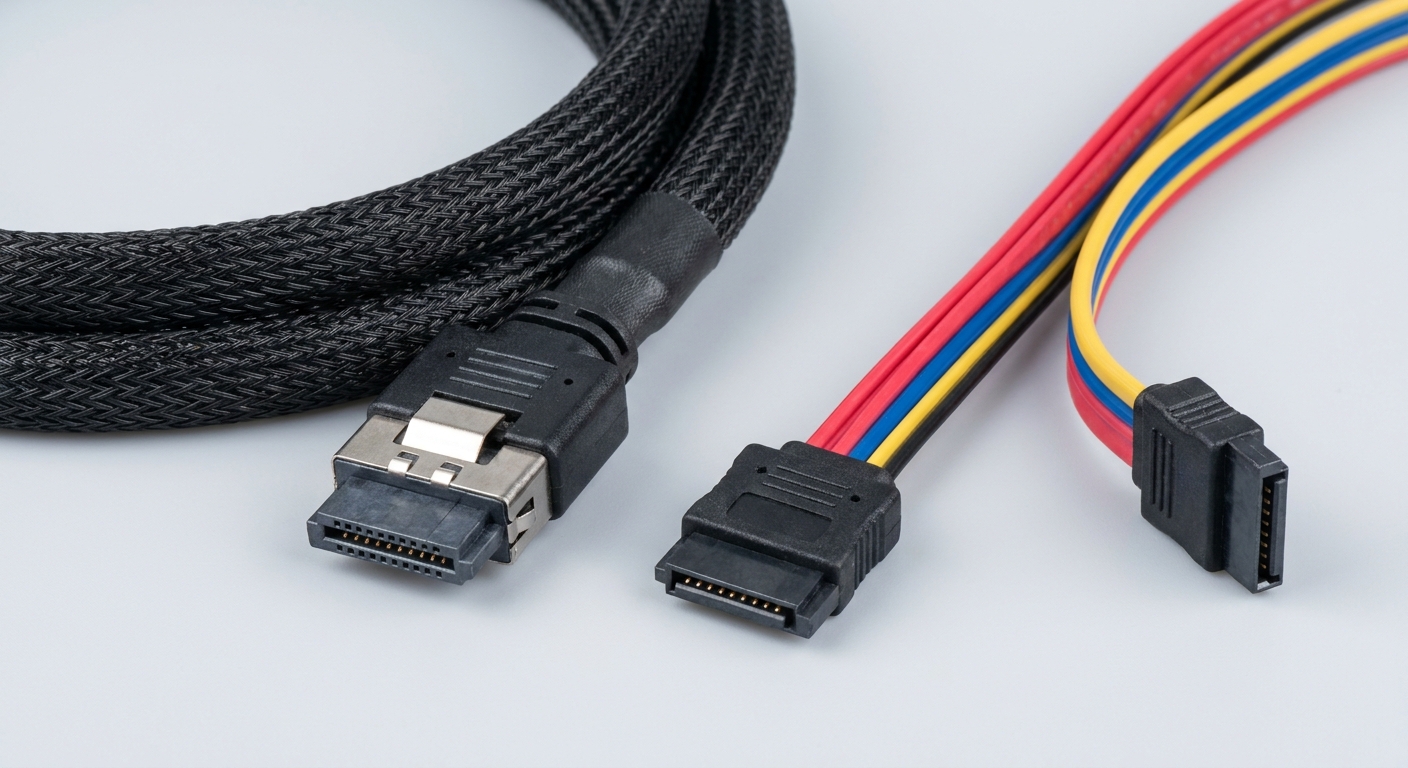
- SATA connectors are split into separate data and power connections, making it easy to identify, while SAS uses a single connector for both, allowing for greater compactness and streamlined connections.
Cable Color Codes Explained
The color coding of SAS and SATA cables plays an essential role in system setup and management. Many users are unfamiliar with what these colors signify and how they can influence compatibility and performance. Understanding these codes can prevent errors during installation and maintenance.
You may also like




Common Cable Colors
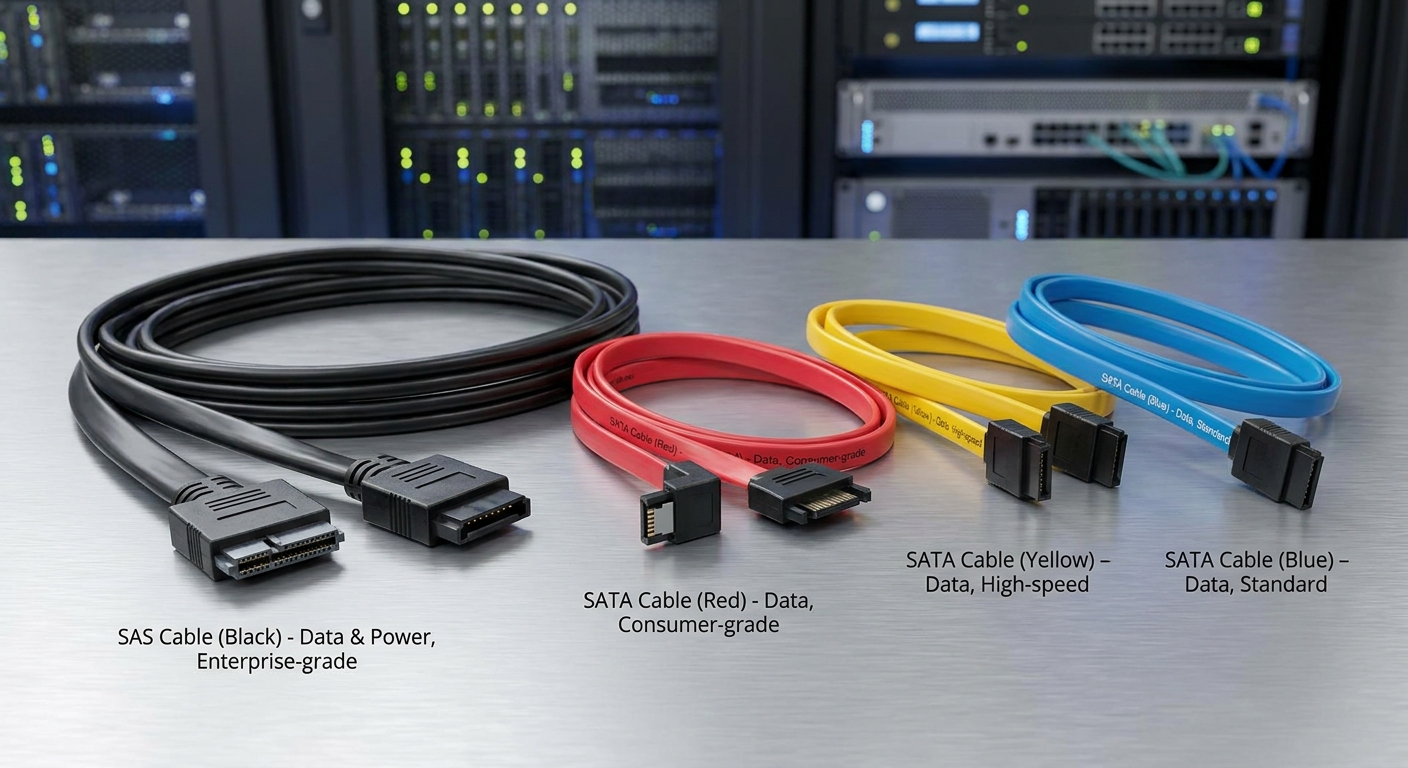
While there is no universal standard for SAS and SATA cable colors, certain trends have emerged. Below are some typical color associations:
| Cable Type | Common Colors | Notes |
|---|---|---|
| SAS | Black | Often used for high-speed data transfer, typically in enterprise systems. |
| SATA | Red, Blue, and Yellow | Various colors frequently associated with consumer-grade connections. |
Visual Identification of Cables
When setting up or troubleshooting systems, using the correct cables is paramount. While many cables may look alike, attention to color can aid in their identification:
- Many SATA cables come in various colors for aesthetic purposes in personal computers.
- SAS cables are typically black to convey their enterprise-class nature and durability.
Backplane Compatibility and Configuration
Understanding the backplane’s role in connecting storage drives is crucial for system builders and administrators. Most modern backplanes can accommodate both SAS and SATA drives, but there are important compatibility considerations.
Mixing SAS and SATA Drives
- It is possible to have both SAS and SATA drives in the same server; however, they cannot coexist in the same RAID configuration. A RAID setup must consist exclusively of either SAS or SATA drives.
- When deploying storage solutions, be cautious; using the wrong cable type or drive in a mixed environment can lead to degraded performance or system failures.
Best Practices for Configuration
To ensure optimal performance and reliability when configuring SAS and SATA in your server:
- Identify the requirements of your application before selecting drives.
- Use the appropriate cables based on manufacturer recommendations to maintain data integrity.
- When possible, stick to a single type of drive within each RAID configuration to avoid complications.
FAQs
What is the main difference between SAS and SATA connectors?
The primary difference is that SAS connectors have a blocking bar to prevent incorrect connections, while SATA connectors do not.
Can I use a SATA cable with a SAS drive?
No, SATA cables are not compatible with SAS drives due to the physical design differences between the connectors.
What do the colors on SATA cables indicate?
The colors of SATA cables are often used for aesthetic purposes and do not indicate functional differences; however, standard colors like red or blue are common.
Are SAS drives faster than SATA drives?
Yes, SAS drives generally provide faster data transfer rates and better performance in multi-user environments compared to SATA drives.
Can I use both SAS and SATA drives in the same server?
Yes, you can use both types of drives in the same server, but they cannot be mixed in the same RAID configuration.
Conclusion
Understanding the distinctions between backplane SAS and SATA connections, especially in terms of cable color codes and compatibility, is vital for anyone working with storage systems. Misconnections can lead to system inefficiencies and failures. As technology evolves, keeping up with these standards will help ensure system reliability and performance. For readers interested in related topics, exploring the differences between RAID configurations and their implications on storage performance is highly recommended.
Rotating USB