Understanding RAID Controller Battery Status Color Codes
The battery status of a RAID (Redundant Array of Independent Disks) controller is crucial for ensuring data integrity and optimal performance. A common issue arises when users are unsure about what the different color codes of RAID controller battery status indicators mean and how these indicators affect their storage systems. By decoding these color codes, users can easily determine whether their RAID system’s battery is functioning properly, requires attention, or is in a critical state. Knowing how to interpret these signals can prevent unexpected data loss and facilitate timely maintenance. Often, users may overlook the importance of battery status colored indicators, mistakenly believing that as long as their drives are operational, the battery does not require monitoring. In this article, readers will gain insights into the different color codes used for RAID battery statuses, their implications, and troubleshooting techniques.
How RAID Controllers Work
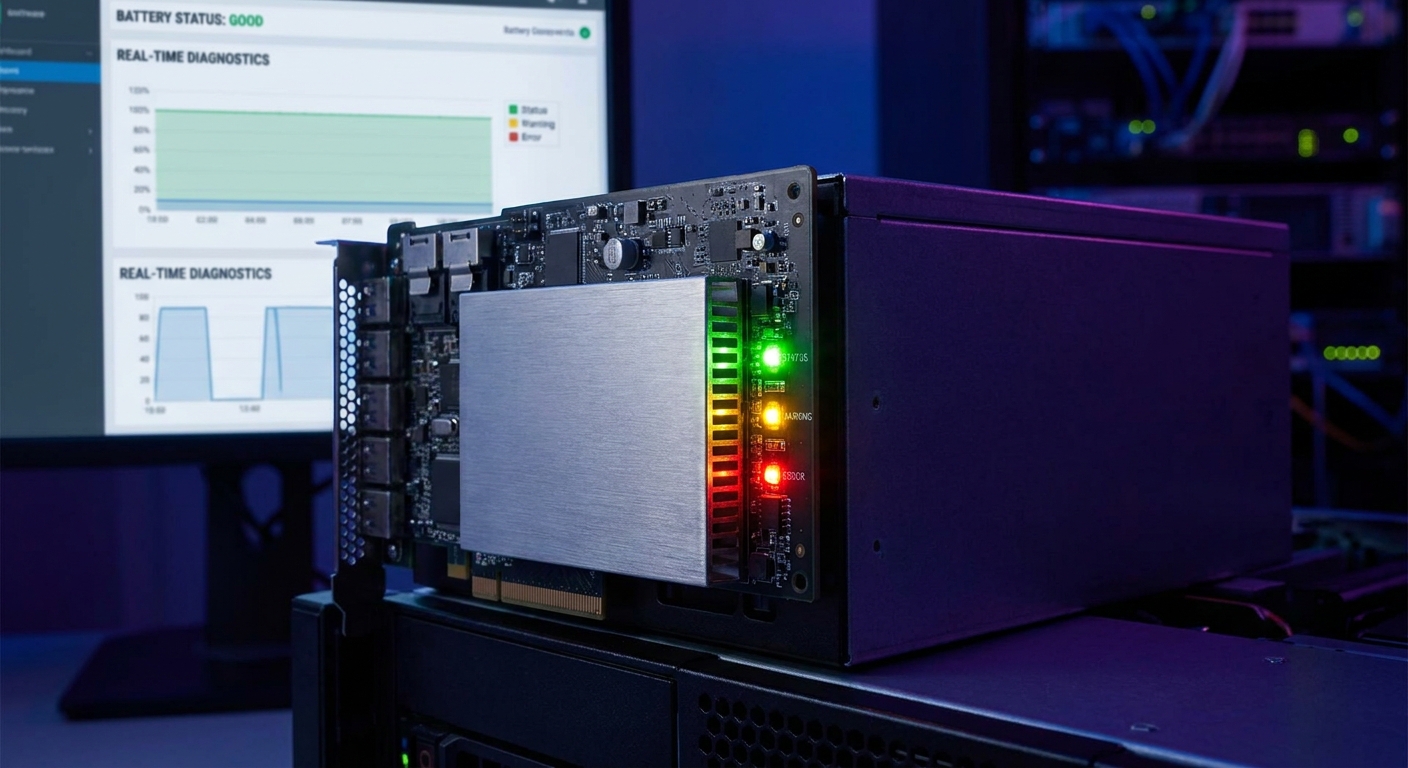
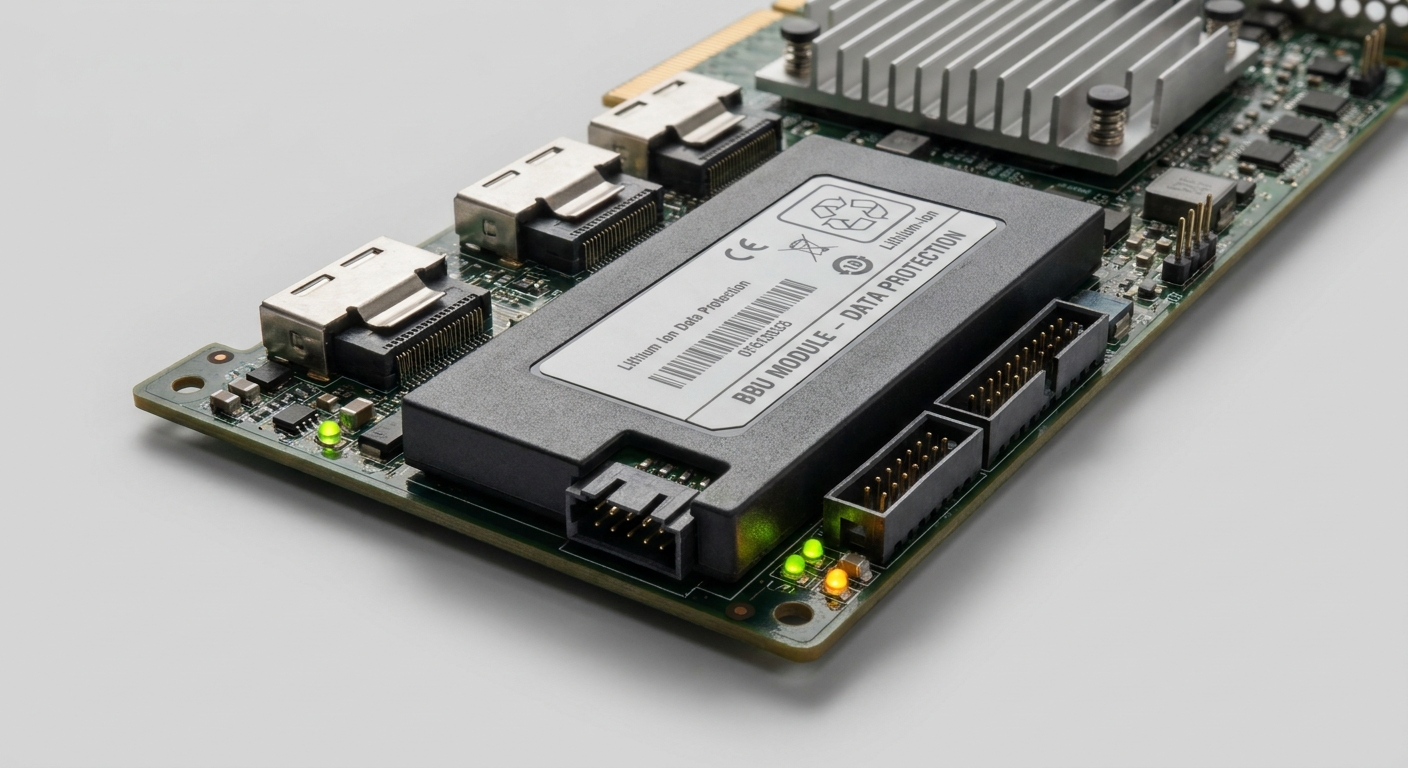
A RAID controller manages the data stored on multiple hard drives. It orchestrates how data is written and read across the drives, depending on the specific RAID configuration. One critical component of many RAID controllers is a battery backup unit (BBU), which ensures that data in transit remains protected during a power outage or when the system is shut down. The BBU status is often indicated through color codes on the RAID management utility or physical indicators on the RAID controller itself.
Decoding Battery Status Color Codes
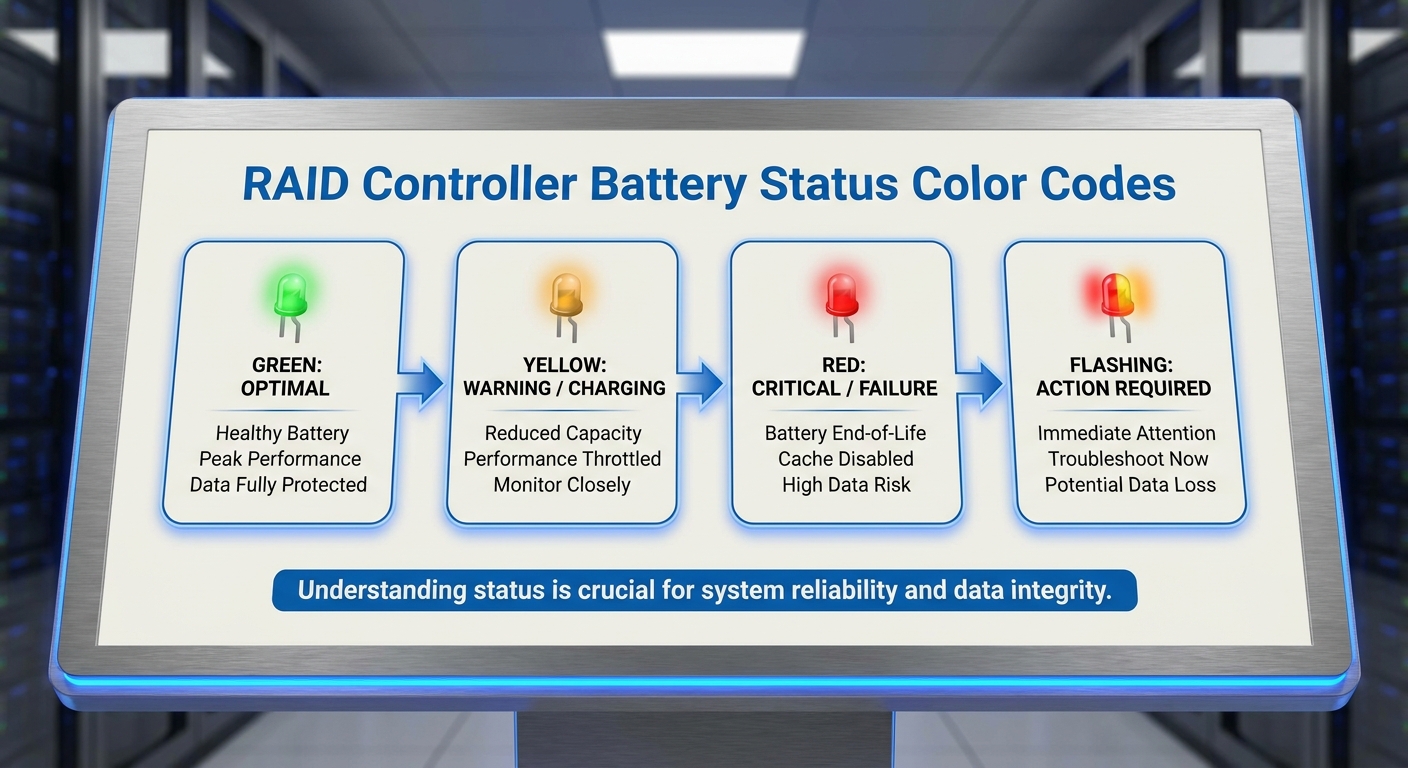
RAID controllers typically employ a straightforward color-coding system to represent the battery’s charge level. Below are common color codes found in various RAID systems:
Green
A green indicator usually means that the battery is fully charged and operating optimally. For instance, both Dell and Intel RAID systems display a green LED or status icon to signify good health.
You may also like




Yellow
A yellow status indicates that attention is needed. The battery may be partially charged or nearing the end of its usability. Users should begin monitoring performance closely as a yellow warning can often precede a battery failure. For example, in one case involving Apple RAID utility, a user reported a persistent yellow status despite having only one bar of charge displayed, suggesting a potential issue during the battery’s normal operation.
Red
A red indicator is a critical signal that the battery has failed or is entirely depleted. This status requires immediate attention, as data may not be secure in the event of a power failure. The IBM RAID controller documentation indicates that a red light usually signals an urgent need for battery replacement.
Flashing Indicators
Some RAID controllers feature flashing lights to represent additional states, such as charging or undergoing a diagnostic check. Users should refer to their specific RAID controller manuals for precise definitions.
Battery Management Practices
Understanding these color codes is vital, as they play a significant role in a RAID system’s reliability. Here are some recommended practices for managing RAID controller battery health:
- Regular Monitoring: Regularly check the RAID management utility for battery status indicators. It’s essential to promptly address yellow or red warnings.
- Scheduled Maintenance: Incorporate routine battery checks into your system maintenance plan. This can preemptively catch issues before they escalate.
- Firmware Updates: Ensure that the RAID controller firmware is up to date. Manufacturers frequently release updates that may improve battery management functionality.
- Replacement Alert: Be proactive about replacing batteries well before they reach the end of their life cycle. Consult your specific RAID controller’s guidelines for expected battery lifespan.
Troubleshooting RAID Battery Issues
If you encounter an unusual battery status, follow these troubleshooting steps:
- Check the RAID Management Utility: Use the software provided by your RAID controller manufacturer to check the battery status. IBM, Dell, and other brands offer specific utilities that provide detailed status reports.
- Verify Connections: Ensure that the battery is securely connected to the RAID controller. Loose connections can lead to incorrect status readings.
- Inspect Environment: Check for overheating or other environmental factors that might affect battery performance.
- Perform a Battery Reset: Some RAID systems allow you to reset the battery management system. This can sometimes resolve minor reporting issues.
- Consult Documentation: Refer to manufacturer documentation if warnings persist. Each manufacturer will have specific recommended actions based on their hardware.
Common Questions
Q: What does a flashing yellow light mean on my RAID controller?
A: A flashing yellow light generally indicates that the battery is charging or undergoing diagnostics. Check your RAID manual for specifics.
Q: How often should I check my RAID controller battery status?
A: It’s advisable to check the battery status at least once a month during routine maintenance.
Q: Can a yellow battery status lead to data loss?
A: Yes, a yellow status indicates potential problems; neglecting it can lead to battery failure and potential data loss.
Q: How do I replace the battery in my RAID controller?
A: Refer to the manufacturer’s instructions for your RAID controller model, as replacement procedures can vary.
Q: Where can I find the battery life information for my RAID controller?
A: Battery life information is typically found in the user guide or documentation for your specific RAID controller model, or by visiting the manufacturer’s support website.
Conclusion
Effective monitoring of RAID controller battery status through color-coded indicators is essential for safe data management. Understanding what each color signifies allows users to respond appropriately to any issues, minimizing the risk of data loss and ensuring system reliability. For those interested in related topics, exploring RAID configurations and their implications on data security is highly recommended.
Wikipedia: RAID Apple Support Dell Support IBM Support Rotating USB