Introduction
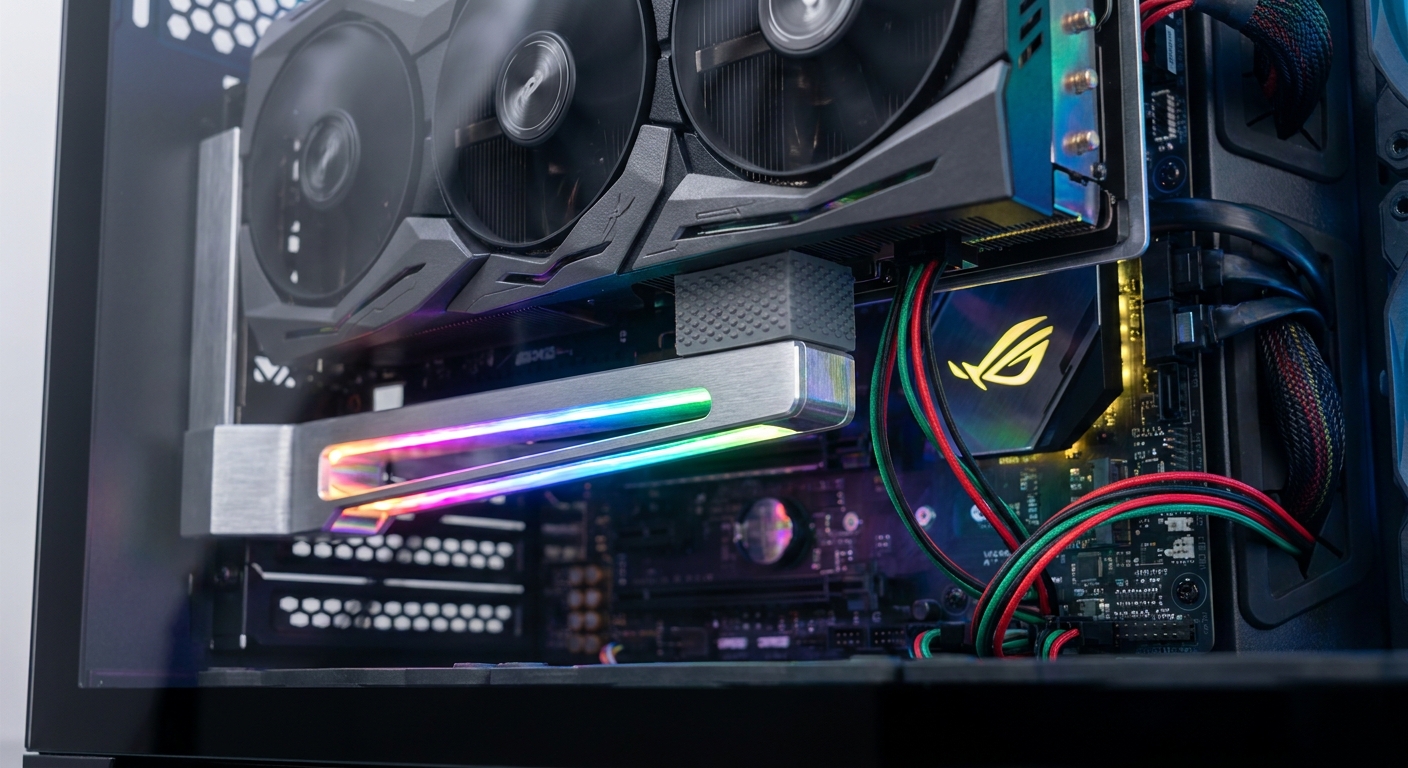
The world of gaming and high-performance computing has increasingly shifted towards more powerful graphics cards, bringing joy to enthusiasts and gamers alike. However, as graphics cards grow heavier and more intricate, one common issue arises: GPU sag. This sag can lead to several problems, including stress on the PCIe slot, which may result in poor connections or, in severe cases, hardware failure. This article addresses the specific problem of GPU sag and how the utilization of ARGB (Addressable RGB) support brackets can help mitigate it. Many users are unaware that GPU sag can significantly affect performance and longevity, often dismissing it as a minor aesthetic issue. By understanding the functionality, installation, and wiring of ARGB GPU sag brackets, readers will gain insights into maintaining their graphics cards’ integrity while adding a splash of visual flair to their setups.
Understanding GPU Sag
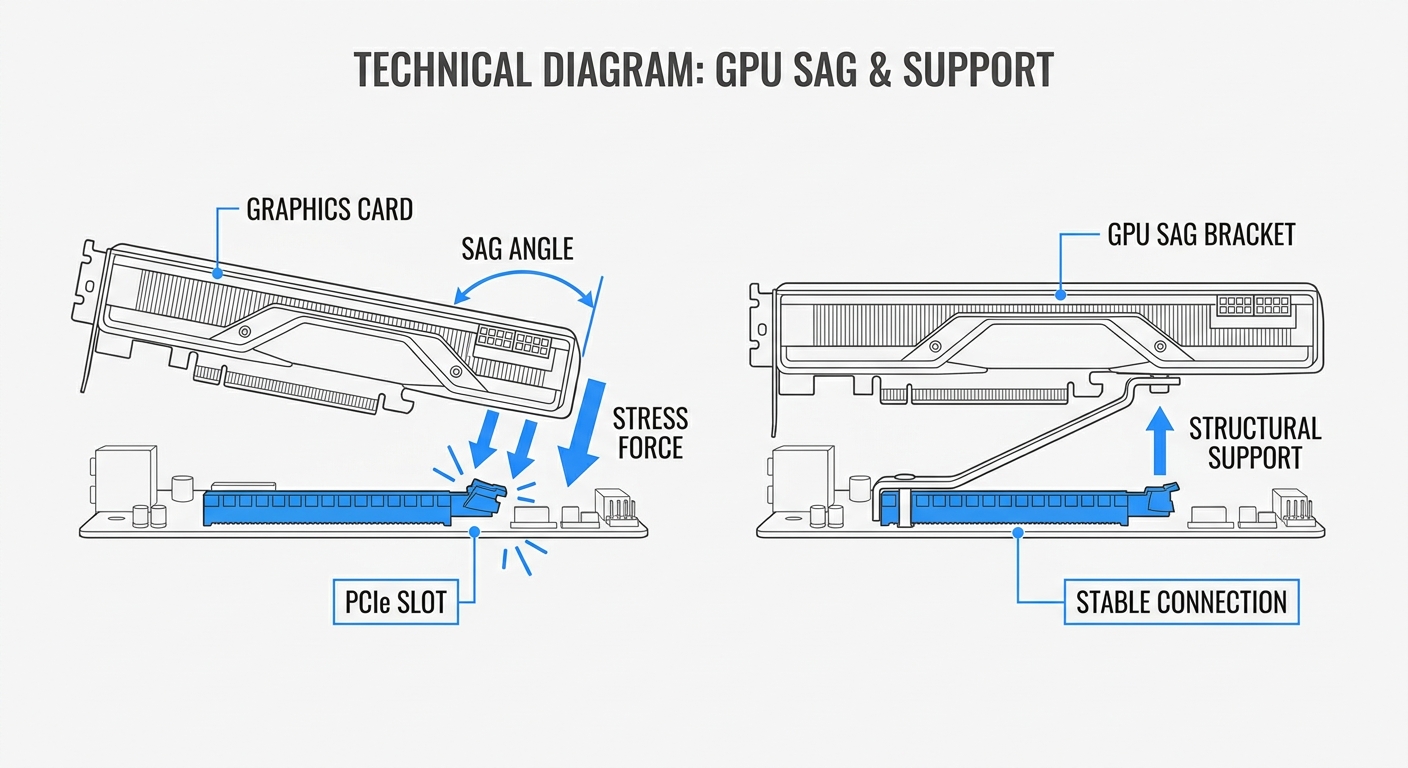
GPU sag occurs when the weight of a graphics card causes it to bend downwards within the PCIe slot, leading to several potential issues:
- Increased PCIe slot stress
- Potential damage to the graphics card and motherboard
- Unstable connections that can affect performance
Various factors contribute to GPU sag, including:
- Weight of the graphics card, especially those designed with larger coolers
- Placement of the card within the case, such as vertical mounts
- Insufficient support in the GPU area
Using a GPU sag bracket not only addresses these problems but can also enhance the overall aesthetic of a PC build, especially with ARGB lighting.
You may also like




The Role of GPU Sag Brackets
GPU sag brackets are designed to offer structural support to heavy graphics cards, preventing them from sagging and causing damage. Let’s explore how they work.
How ARGB GPU Brackets Work
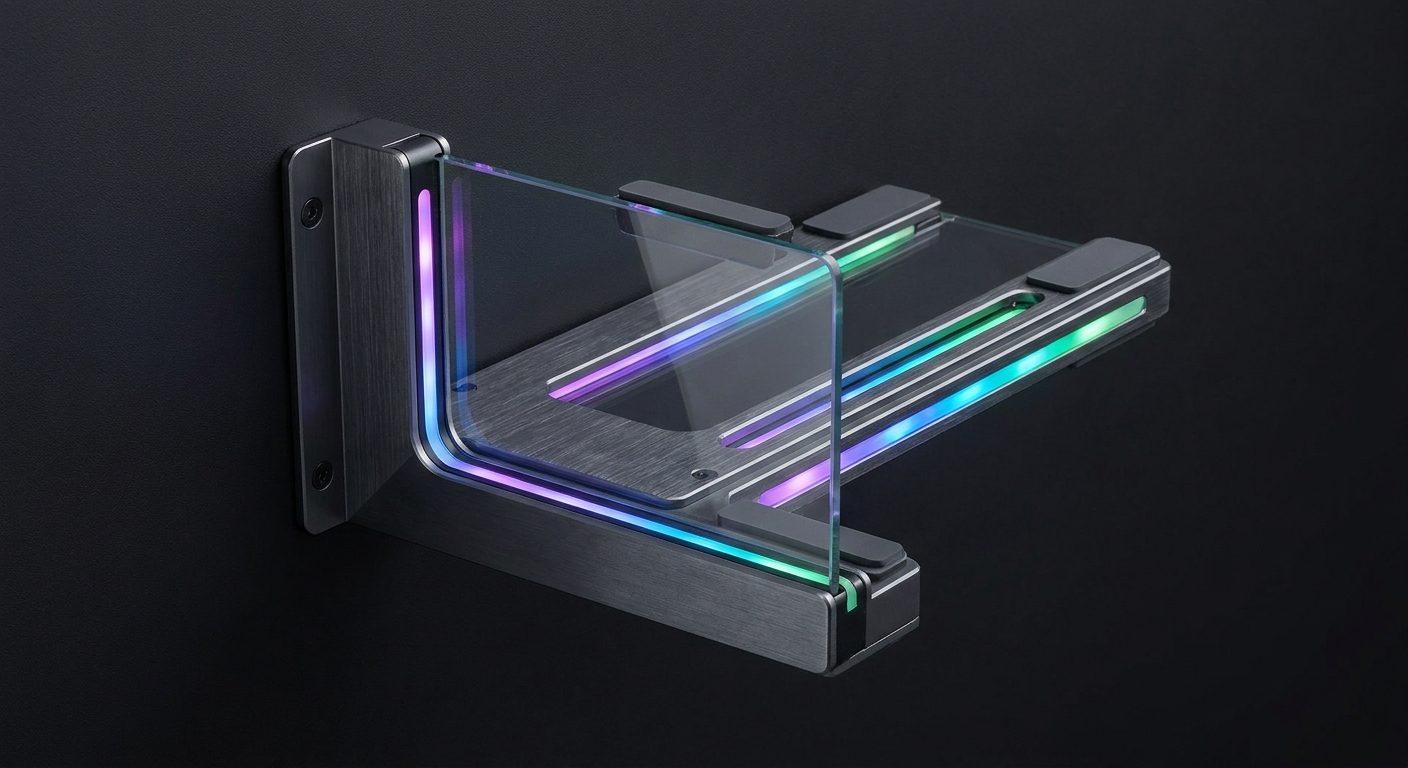
ARGB GPU support brackets typically feature:
- Heavy-duty construction: Made from materials such as rust-resistant metal, these brackets provide robust support.
- Shock-absorbing silicone pads: These pads are vital for mitigating vibrations that could cause damage over time.
- Elegant design: Many ARGB brackets utilize tempered glass and customizable RGB lighting to enhance the aesthetic appeal of your gaming rig.
Wiring and ARGB Color Codes
Understanding the wiring for ARGB components is crucial for proper functionality. Common wire color codes for ARGB connections include:
- +5V: Usually indicated by a red wire.
- Data: Typically represented by a green or white wire.
- Ground: Often a black wire.
When connecting an ARGB GPU support bracket to a motherboard, ensure that these color codes match the corresponding headers to ensure proper operation and lighting effects.
Installation Tips for ARGB GPU Support Brackets
Installing a GPU sag bracket is straightforward, but attention to detail is necessary to ensure proper fit and function. Follow these steps:
- Identify the appropriate location in your case for the GPU support bracket.
- Align the bracket with the GPU, ensuring that it adequately supports the weight.
- Secure the bracket using the provided screws or mounting systems.
- Connect the ARGB cable to the appropriate motherboard header, ensuring the color codes match.
- Power on your system and verify that the lighting effects function correctly.
Comparison of Popular ARGB GPU Support Brackets
| Brand | Material | ARGB Compatibility | Dimensions |
|---|---|---|---|
| Cooler Master | Metal, Tempered Glass | Yes | 260mm x 40mm |
| V1Tech | Metal | Yes | 260mm x 40mm |
Both Cooler Master and V1Tech offer robust designs, providing structural support and aesthetic appeal with ARGB functionalities.
Common Misconceptions About GPU Brackets
Many users may have misunderstandings regarding GPU sag brackets:
- Misconception 1: GPU sag is merely an aesthetic issue.
- Misconception 2: All graphics cards are immune to sagging.
- Misconception 3: A GPU support bracket is difficult to install.
Each of these misconceptions overlooks the potential risks involved with GPU sag, as well as the straightforward installation of a support bracket. Recognizing the importance of these brackets can help users make informed decisions about their gaming rigs.
Maintaining Your GPU and Bracket
For optimal performance, regular maintenance is vital. Here are some tips:
- Check the tightness of the bracket screws periodically.
- Ensure the ARGB connections are secure and free from dust.
- Inspect both the GPU and the support bracket for signs of wear or damage.
Following these simple maintenance practices can extend the life of your graphics card and support bracket.
Frequently Asked Questions
Q: Do I need a GPU support bracket for my gaming PC?
A: If your graphics card is heavy or you have experienced GPU sag in the past, a support bracket is recommended.
Q: How do I choose the right ARGB bracket?
A: Look for brackets that offer durable construction, compatibility with your graphics card, and ARGB feature integration.
Q: Can I use an ARGB GPU bracket with any motherboard?
A: Ensure your motherboard has the appropriate ARGB header and follows the color-coded wiring to ensure compatibility.
Q: Will a GPU sag bracket affect airflow in my case?
A: Properly installed brackets should not obstruct airflow, but make sure they are positioned thoughtfully within your case.
Q: Is it difficult to install an ARGB GPU support bracket?
A: Most users find it straightforward, especially if they follow the manufacturer’s instructions carefully.
Conclusion
In summary, GPU sag is a significant issue that can affect both the aesthetics and functionality of your gaming rig. Utilizing an ARGB GPU support bracket not only prevents sag but also adds an appealing visual element to your setup with customizable lighting options. By understanding the wiring color codes and proper installation techniques, you can ensure that your graphics card remains secure and performs at its best. For further exploration of PC hardware and related helps, consider learning about optimal cooling solutions or cable management.
Rotating USB