Introduction
The PC99 System Design Guide is a pivotal resource that outlines the color coding for various ports in older personal computers, providing essential guidelines for designers and manufacturers. This article aims to address a common question: What are the specific color codes used for PC ports, and why do they matter? Understanding these color codes is crucial as they enhance usability, ensuring users can quickly identify functions and reduce the risk of connection errors. Despite their critical importance, many users confuse these codes, often mixing up adapter compatibility or improperly connecting peripherals. In this article, readers will learn about the PC99 color codes associated with different ports and how these standards improve overall system design and user experience.
Overview of PC99 System Design Guidelines
The PC99 System Design Guide, developed by Microsoft and Intel between 1997 and 2001, lays out comprehensive specifications to ensure compatibility and functionality among personal computers. It provided a standardized approach for manufacturers to help streamline the design and assembly of PC components. The guide includes not just basic hardware specifications but also recommendations for connectors and port color coding that have become industry standards.
Standard Color Codes for Connectors
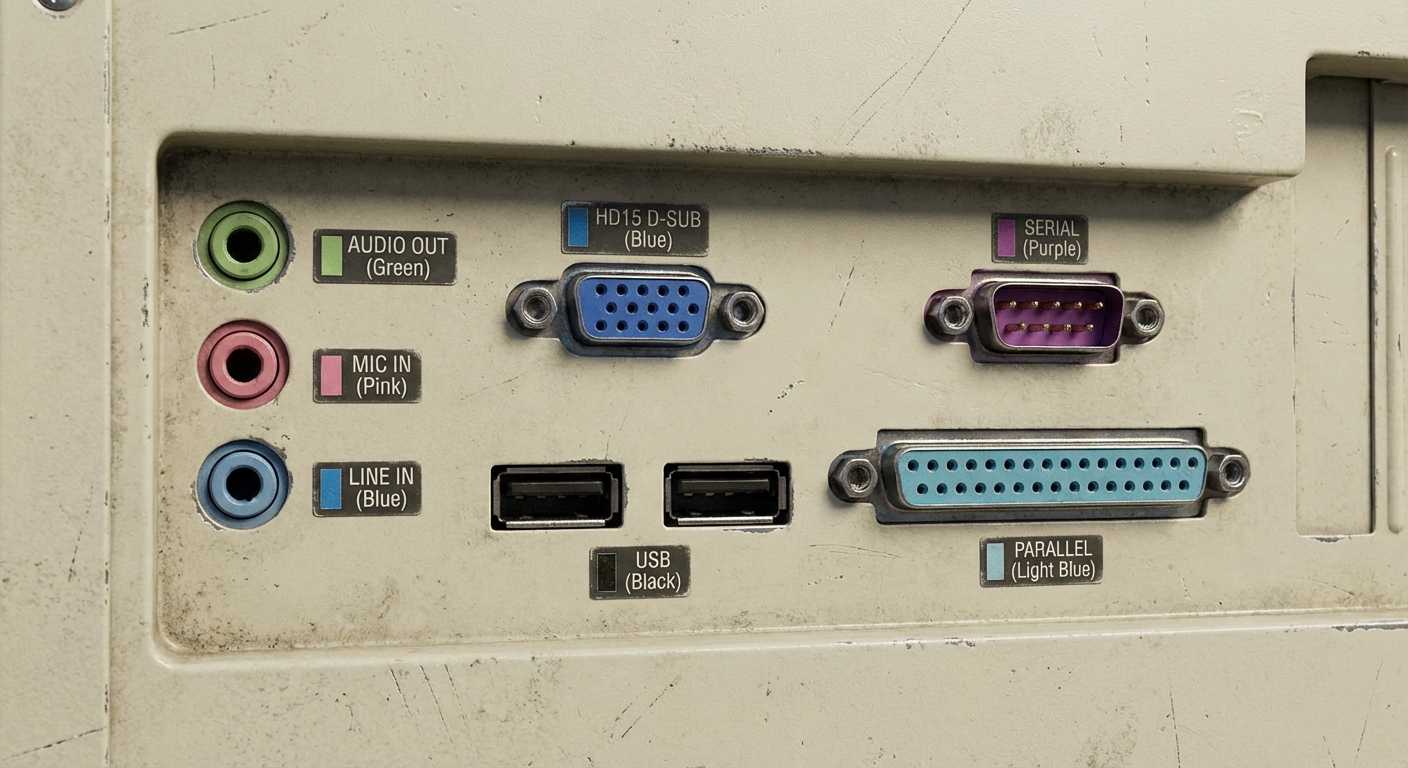
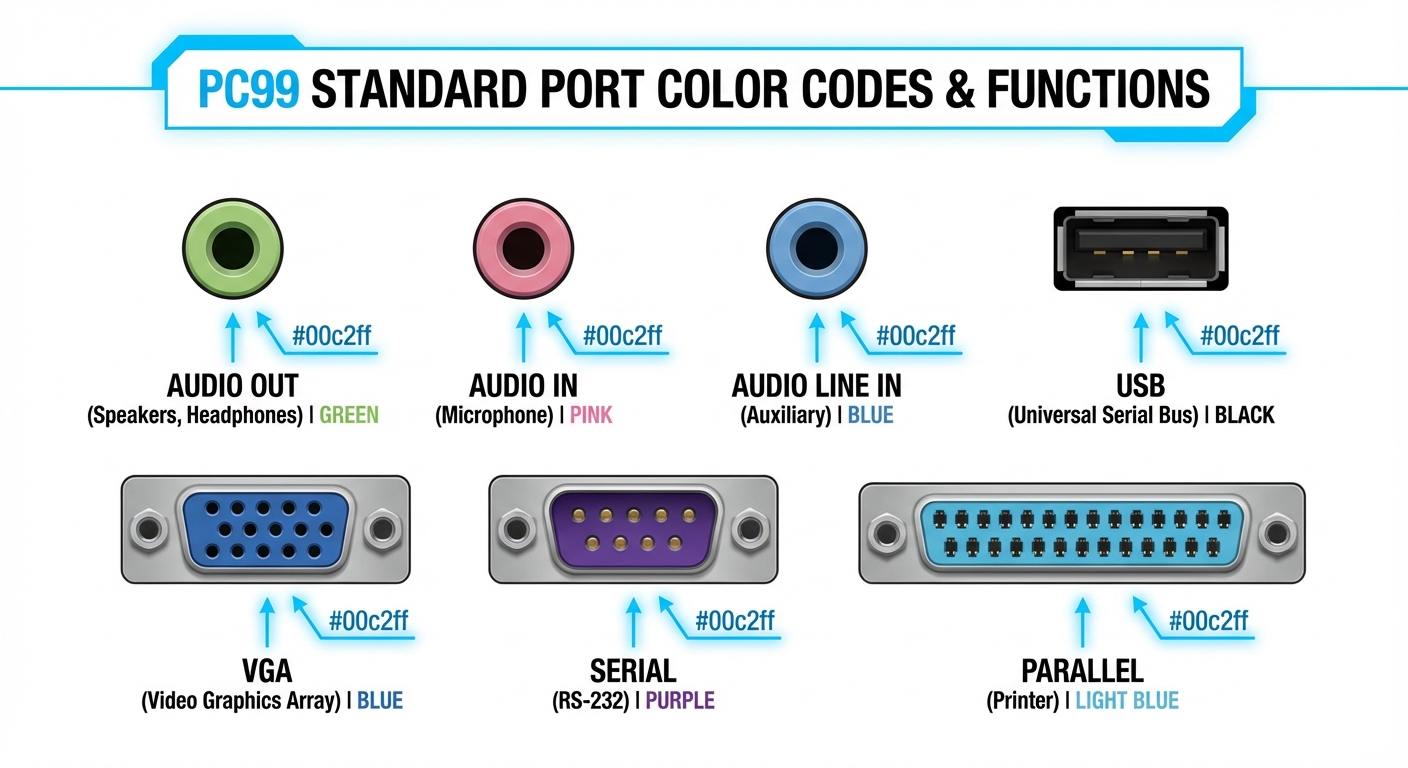
In the PC99 guidelines, specific colors are assigned to various ports to assist users in identifying their functions at a glance. Here are the key color codes for connectors established by the PC99 System Design Guide:
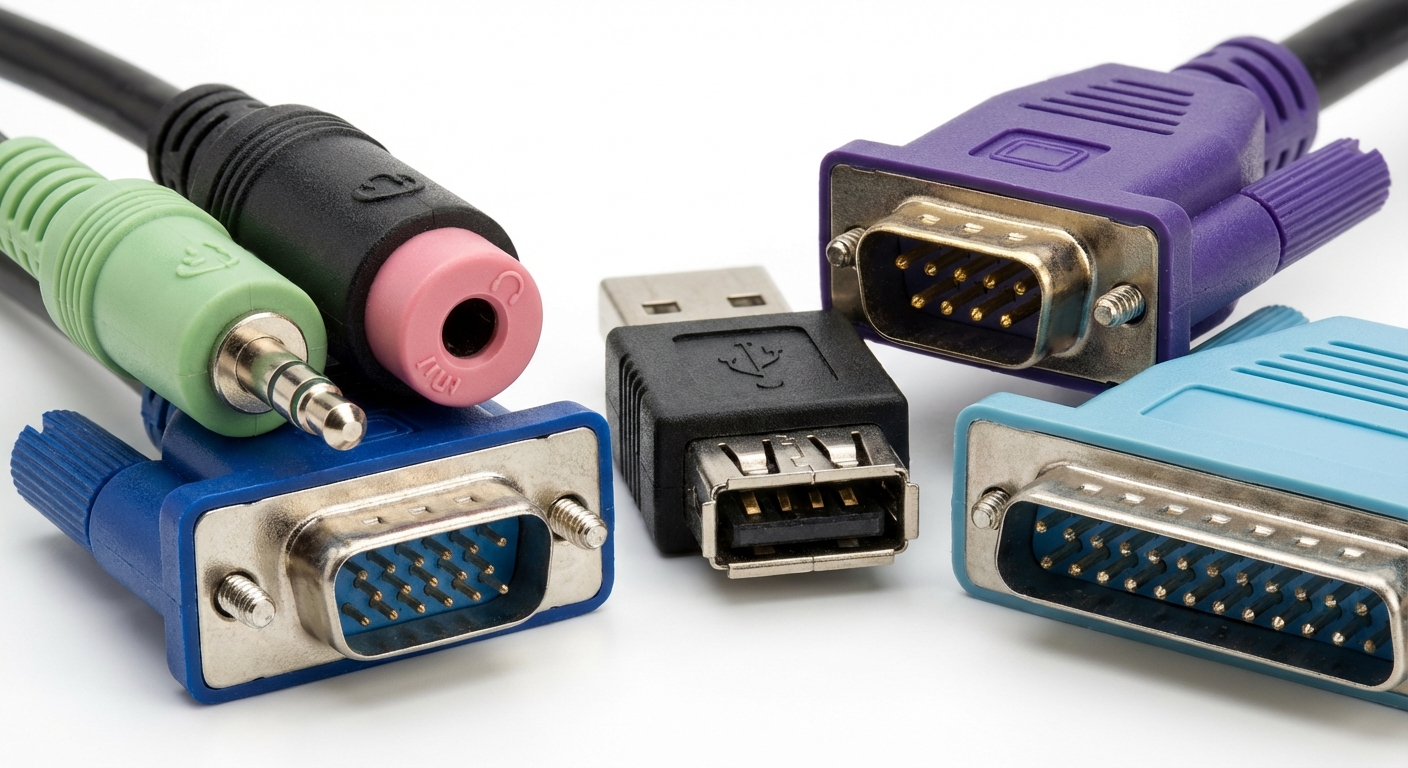
- Audio Ports: Green for stereo output (typically for speakers), Pink for microphone input, and Blue for line-in.
- Video Connections: Blue is designated for the HD15 D-Sub connector.
- USB Ports: Traditionally associated with Black, though sometimes other colors are used to distinguish USB 2.0 from USB 3.0.
- Serial Ports: Often colored Purple.
- Parallel Ports: Generally represented with a Light Blue color.
Importance of Color-Coded Ports
Color-coded ports enhance user experience by alleviating confusion during connections. They serve to remind users which port serves which function, significantly reducing errors and streamlining the setup process. This is particularly important for new users unfamiliar with computer hardware. The uniformity provided by color coding differentiates devices according to their purpose and helps maintain clarity in the array of connectivity options available on a PC.
You may also like




Compliance with PC99 Standards
Compliance with the PC99 standards ensures that devices connect seamlessly, avoiding compatibility issues. Manufacturers refer to the guidelines during product design to align their products with established specifications. This compliance covers not just color coding but also overall system requirements:
- Minimum requirements include a 300 MHz processor and 64 MB of RAM.
- All I/O devices must utilize USB or other non-legacy connections.
- Support for OnNow—a feature allowing devices to be managed remotely, enhancing later usability.
Analyzing Common Misconceptions
Despite the clear coding standards outlined in the PC99 guide, several misconceptions persist:
- Mismatched Cables: Users often assume that a cable will work with any port that shares its color. However, functionalities can vary widely even among similarly colored ports.
- Neglecting Legacy Ports: Some users may ignore older ports in favor of USB connections, not realizing that certain legacy devices may still be functional and necessary.
- Overlooking Compatibility: The misconception that all USB ports are the same can lead to issues, particularly when connecting devices requiring higher power or speed.
Visual Representation of Port Color Codes
| Port Type | Color Code | Description |
|---|---|---|
| Audio Output | Green | Connects speakers or headphones. |
| Microphone Input | Pink | Connects the microphone for audio input. |
| Line-In | Blue | For line audio input, generally used for external devices. |
| HD15 D-Sub Connector | Blue | Used for connecting monitors. |
| USB Port | Black | Standard connection for peripherals. |
| Serial Port | Purple | Used mainly for older devices. |
| Parallel Port | Light Blue | Traditionally used for printers and similar devices. |
FAQ
What is the PC99 System Design Guide?
The PC99 System Design Guide is a set of specifications established by Microsoft and Intel to ensure compatibility and functionality of PC components.
Why are color codes important in PC design?
Color codes help users easily identify the function of each port, reducing the risk of connection errors and enhancing usability.
What types of ports are covered by PC99 color codes?
PC99 color codes apply to various types of ports including audio, video, USB, serial, and parallel ports.
Can I use any cable with similarly colored ports?
No, even though some ports may share colors, their functionality can be different, and it’s essential always to check compatibility.
How can I identify if my device meets PC99 standards?
Check the specifications provided by the manufacturer to see if they mention compliance with PC99 guidelines, which includes required hardware and port standards.
Conclusion
Understanding the PC99 system design port color codes is crucial for ensuring effective and error-free connection of peripherals to older PCs. These color codes provide a reliable visual guide that aids in the correct setup and use of computer components. For those interested in vintage computing or working with legacy systems, knowledge of PC99 compliance can also inform better choices in hardware upgrades and repairs.
Related topics include the evolution of PC connector standards and the impact of USB technology on modern computing.
Rotating USB