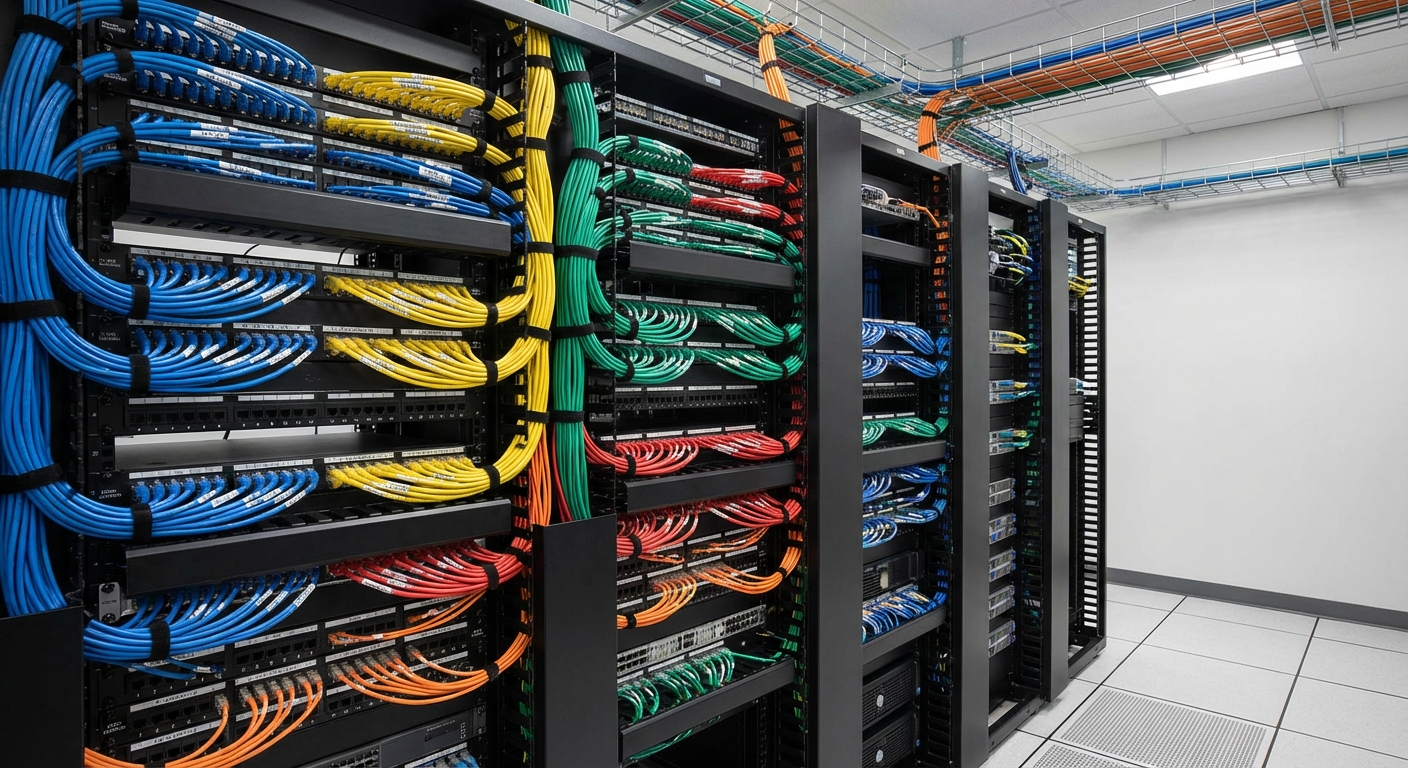
Understanding Network Closet Cable Management Color Codes
Cable management is an essential component of any efficient network design, particularly in network closets, server rooms, and data centers. The complexity of modern cabling can create significant challenges during installation, management, and maintenance. The lack of standardized color coding can lead to confusion, mislabeling, and significant downtimes in troubleshooting or upgrades. This article addresses the urgent need for clear color coding in structured cabling systems, highlighting various colors and their meanings in cable management. By understanding these color coding standards, network professionals can avoid common mistakes that occur when dealing with misidentified cables and ensure a neat, well-organized network environment.
Many professionals underestimate the importance of color coding, believing that any arrangement will suffice. This article will provide a comprehensive overview of the most widely accepted color codes for network cables, including Ethernet and fiber optic connections, and explain why adhering to these guidelines is critical for system reliability and operational efficiency.
The Importance of Structured Cabling Color Codes
Structured cabling uses standardized color codes to facilitate the identification of cables and their purposes, significantly enhancing the speed and accuracy of installation, upgrades, and troubleshooting. When dealing with high-density environments like server rooms or data centers, proper color coding can save time and reduce errors dramatically.
Here are key reasons why structured cabling color codes matter:
You may also like




- Elimination of Confusion: A consistent color-coding system reduces the likelihood of mislabeling cables, enabling technicians to quickly identify and address issues.
- Long-Term Management: Following established standards ensures that installations remain clear and scalable over time.
- Improved Operational Efficiency: Recognizing different cable types and their functions at a glance allows for faster maintenance and updates.
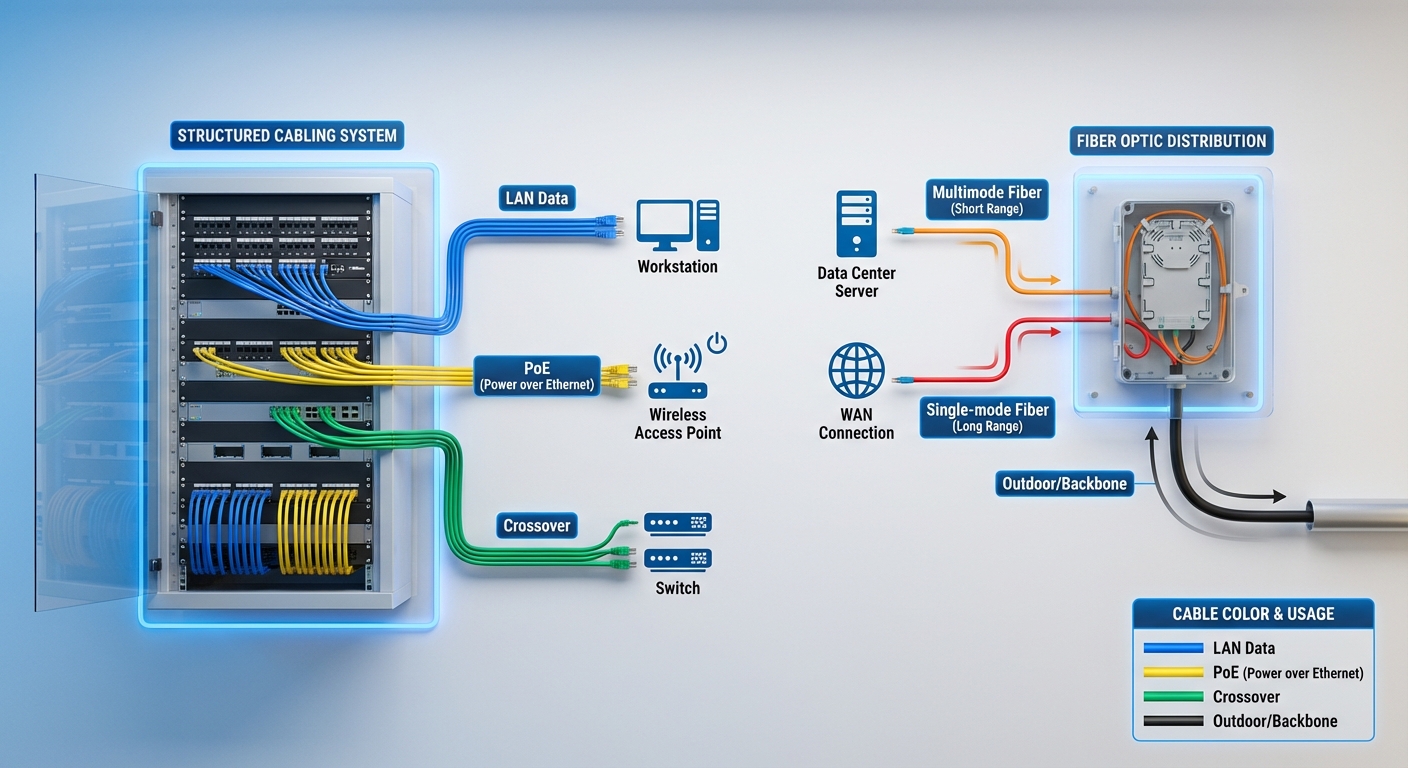
Common Cable Colors and Their Uses
Different colors are typically assigned to various cable categories and functions to standardize practices across multiple environments. Here’s a detailed breakdown of some of the most commonly used color codes:
Ethernet Cable Colors
Common Ethernet cable colors can vary based on the specific needs of the organization, but several colors have emerged as industry norms:
- Blue: Typically used for standard LAN connections, blue cables are the most common color for connecting devices in an office setting.
- Yellow: Often reserved for Power over Ethernet (PoE) applications or devices such as VoIP phones and wireless access points.
- Green: Frequently designated for test LANs or temporary connections to ensure flexibility during network changes.
- Red: Generally indicates critical connections or servers, such as firewalls, core switches, and other essential infrastructure components.
- Black: Typically reserved for non-critical devices, such as printers and general-purpose connections.
- Orange: Sometimes used for fiber optic cabling, as well as internal systems.
Fiber Optic Colors
In the fiber optic realm, color coding is equally crucial for identifying specific types and uses:
- Yellow: Identifies single-mode fiber cables, widely used for long-distance connections owing to their high bandwidth capabilities.
- Orange: Represents multimode fiber cables, typically utilized for shorter distances within a building or campus.
Best Practices for Cable Management
Following best practices for cable management enhances reliability and streamlines the network operations process. Some effective methods include:
- Adopt a Standardized Color Code: Establish a clear color-coding scheme that all staff members can understand and follow consistently.
- Label Cables Clearly: Even when using color codes, effective labeling helps reduce misunderstanding, particularly for uncommon connections.
- Organize Cables Neatly: Use cable ties, racks, and management panels to prevent tangling or damage to cables.
- Update as Necessary: Regularly review and update the color coding scheme as new technology is introduced to the network.

Regional Variations and Industry-Specific Standards
While many organizations strive for a consistent color-coding system, regional codes and industry-specific requirements may sometimes introduce variations. It is essential to familiarize oneself with local standards and industry practices to avoid miscommunication and errors. For example, some users may designate red for crossover cables, while others may use it for public-facing connections.
FAQs
Q: Are there universal color codes for network cables?
A: While there are widely accepted color codes, there is no single universal standard. Organizations typically adapt their schemes according to their unique requirements.
Q: What does a blue Ethernet cable signify?
A: A blue Ethernet cable generally indicates a standard LAN connection, commonly used for basic connectivity in most network setups.
Q: Why is color coding important in network cable management?
A: Color coding is crucial because it helps quickly identify and manage connections, reducing the chances of errors during installation or troubleshooting.
Q: Can color codes change based on the organization?
A: Yes, different businesses may implement their own color schemes based on specific needs and operational requirements, even deviating from common practices.
Q: What should I do if I find a cable without a color code?
A: If a cable lacks a color code, label it appropriately based on its function, and consider adopting color coding standards for future installation to avoid confusion.
Conclusion
In summary, employing a structured color-coding system for network cables greatly enhances organizational efficiency and simplifies management. By following widely accepted color standards, network professionals can avoid common pitfalls associated with misidentification and mislabeling. Adopting these practices not only streamlines cable management but also supports future scalability as networks evolve. For further information on structured cabling, you can check out this Wikipedia article. For specific product support, visit links from manufacturers like Cisco.
Rotating USB