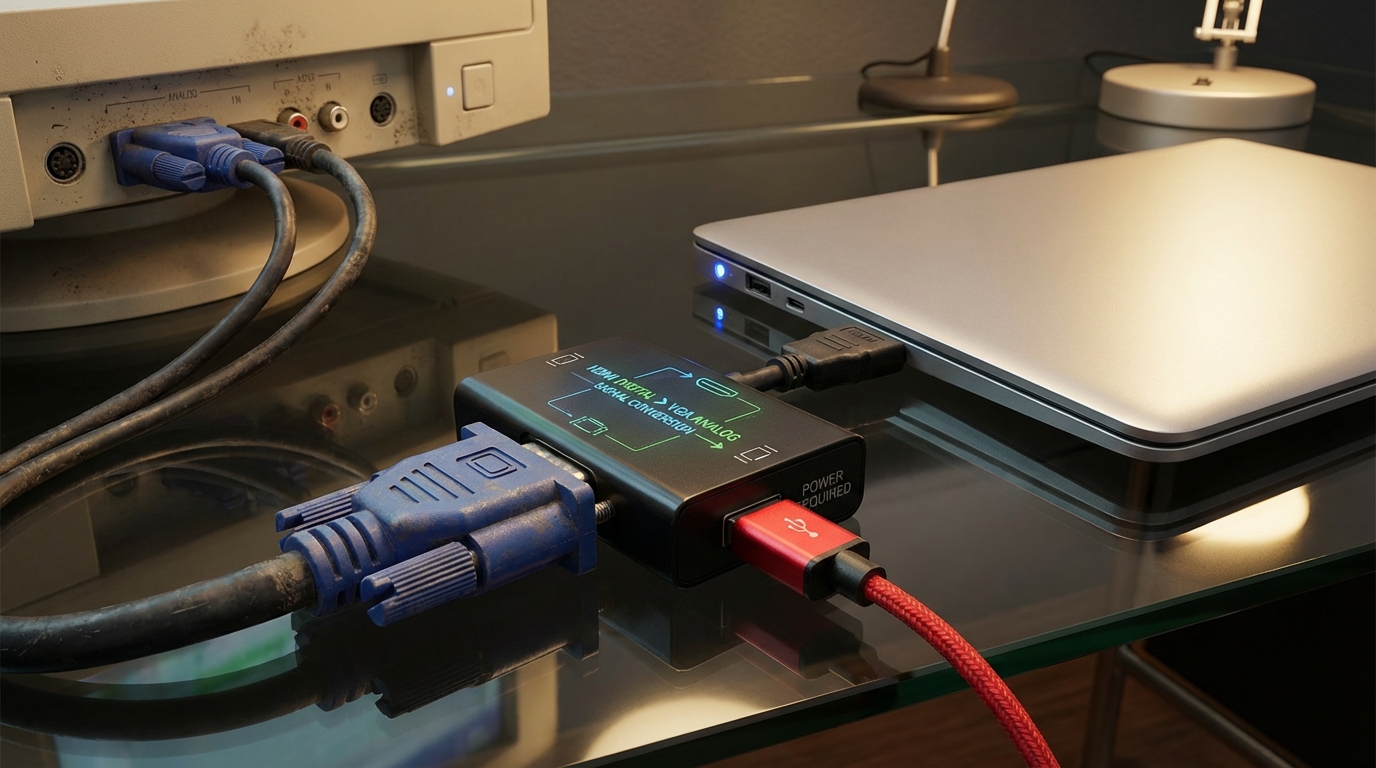
HDMI to VGA Adapter Not Working: Power Feed Needed
In today’s technology-driven world, connecting devices across different formats is a common task. One such necessity arises when attempting to connect modern devices like laptops or game consoles with HDMI outputs to older VGA displays. While HDMI offers superior digital video and audio quality, VGA remains prevalent in various legacy systems. However, many users encounter the frustrating issue of HDMI to VGA adapters not functioning correctly. The primary question this article addresses is: Why do HDMI to VGA adapters so often require an external power feed to work properly? Understanding this is crucial for users who may mistakenly believe that their HDMI outputs provide all the necessary power. By the end of this article, you will learn about the workings of HDMI to VGA adapters, common troubleshooting steps, and why external power supply is often essential for successful connectivity.
How HDMI to VGA Adapters Work
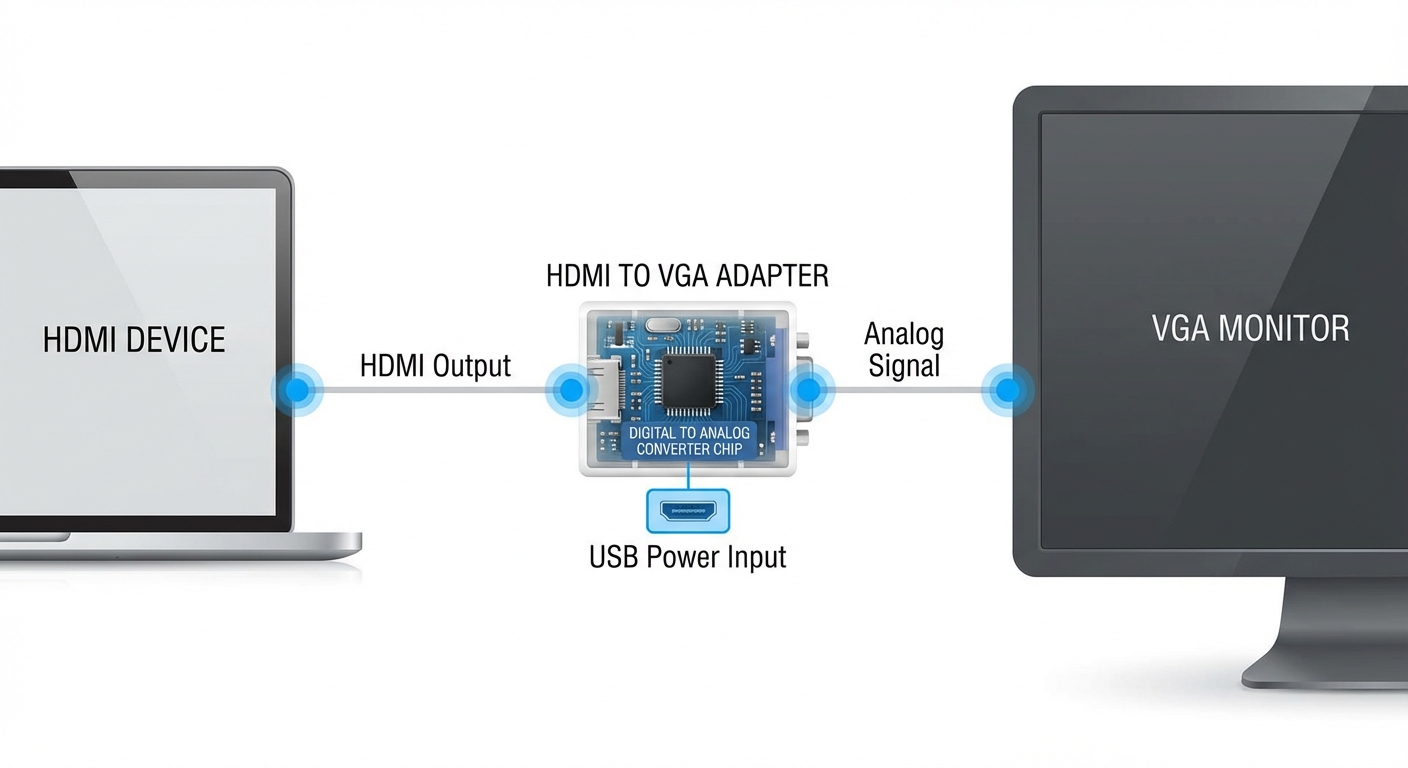
To appreciate why most HDMI to VGA adapters require external power, it’s important to first understand the basic functionality of these devices. HDMI (High-Definition Multimedia Interface) and VGA (Video Graphics Array) are fundamentally different technologies. HDMI transmits digital signals, while VGA transmits analog signals, requiring an active conversion.
Active vs. Passive Conversion
When converting HDMI signals to VGA, an active converter is necessary because:
- It requires a chipset to convert the digital signal from HDMI into an analog signal compatible with VGA.
- This conversion process consumes power, which is why many adapters come equipped with a separate USB power cable.
- Devices such as laptops or desktop PCs typically provide enough power from their HDMI output, but many modern devices, including game consoles, often do not.
Common Misconceptions
Many users believe that all HDMI outputs can power their connected devices fully, which is a significant misconception. While some HDMI-equipped devices can provide sufficient power for certain adapters, many popular devices—like recent gaming consoles—do not provide any additional power through their video output.
You may also like
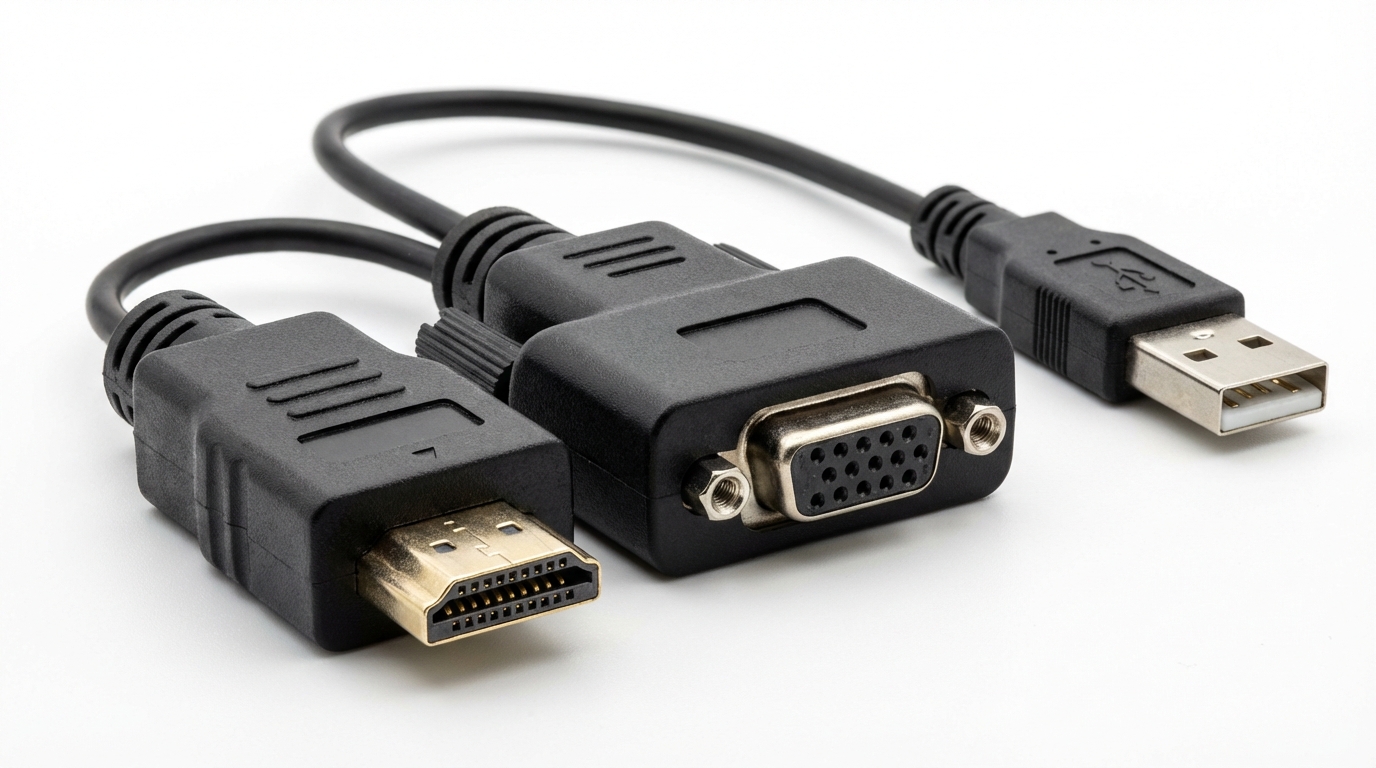
A thread in the Reddit tech support community explains that the video connection often delivers a mere 5V, and when a device is not designed to supply power through its HDMI port, the HDMI to VGA adapter will simply not work.
Troubleshooting HDMI to VGA Adapter Issues
If your HDMI to VGA adapter is not functioning properly, there are several diagnostic steps you can take to troubleshoot the issue:
1. Check the Power Supply
- Ensure that the USB power cable is connected to the adapter and plugged in.
- Try connecting the power from a different USB port or power bank.
2. Verify Connections
- Make sure that both the HDMI and VGA connectors are firmly plugged into their respective devices.
- Check for any visible damage to the HDMI or VGA cables.
3. Adjust Display Settings
- Change the display resolution on your source device to see if it affects the output.
- Some adapters may only support specific resolutions, so ensure that you’re using a compatible one.
4. Test Different Equipment
- If possible, try using a different HDMI source or VGA display to rule out hardware issues.
If problems persist after following these steps, the issue may lie with the adapter itself or compatibility between devices.
User Experiences and Considerations
User experiences often highlight the importance of using high-quality HDMI to VGA adapters. A product review on Tom’s Guide Forum emphasizes that some lower-end adapters might not require external power, but this can result in poor video quality or connection reliability. In contrast, higher-end models guarantee consistent performance and may include the necessary power components for seamless operation.
Conclusion
In summary, HDMI to VGA adapters are essential tools for connecting modern HDMI-capable devices to older VGA monitors. Unfortunately, many users face compatibility issues primarily because these adapters require an external power source to function correctly. Remember that not all HDMI outputs provide power, so using an adapter with a USB power supply is often crucial to achieving optimal results. As you navigate the realm of video connections, consider exploring related topics such as HDMI cables’ variations and using digital-to-analog converters.
FAQ
Q1: Why does my HDMI to VGA adapter need external power?
An HDMI to VGA adapter needs external power because it requires active conversion from digital to analog signals, which consumes power.
Q2: Can some HDMI devices provide enough power to operate the adapter?
Only certain HDMI devices, like some laptops, can provide enough power. Many modern devices, like gaming consoles, typically do not.
Q3: How can I troubleshoot my adapter if it is not working?
You can troubleshoot by checking the power supply, verifying connections, adjusting display settings, and testing different equipment.
Q4: What should I look for in a good HDMI to VGA adapter?
Look for adapters that come with a USB power supply, high-quality construction, and compatibility with a range of resolutions.
Q5: Are there other solutions for connecting HDMI devices to VGA displays?
Yes, besides HDMI to VGA adapters, there are HDMI splitters or converters that can also bridge the gap between these two technologies with proper specifications.
For more information on HDMI and its usages, you can refer to the HDMI Wikipedia page. If you need specific support for a product, consider visiting the manufacturer’s support page.