Introduction
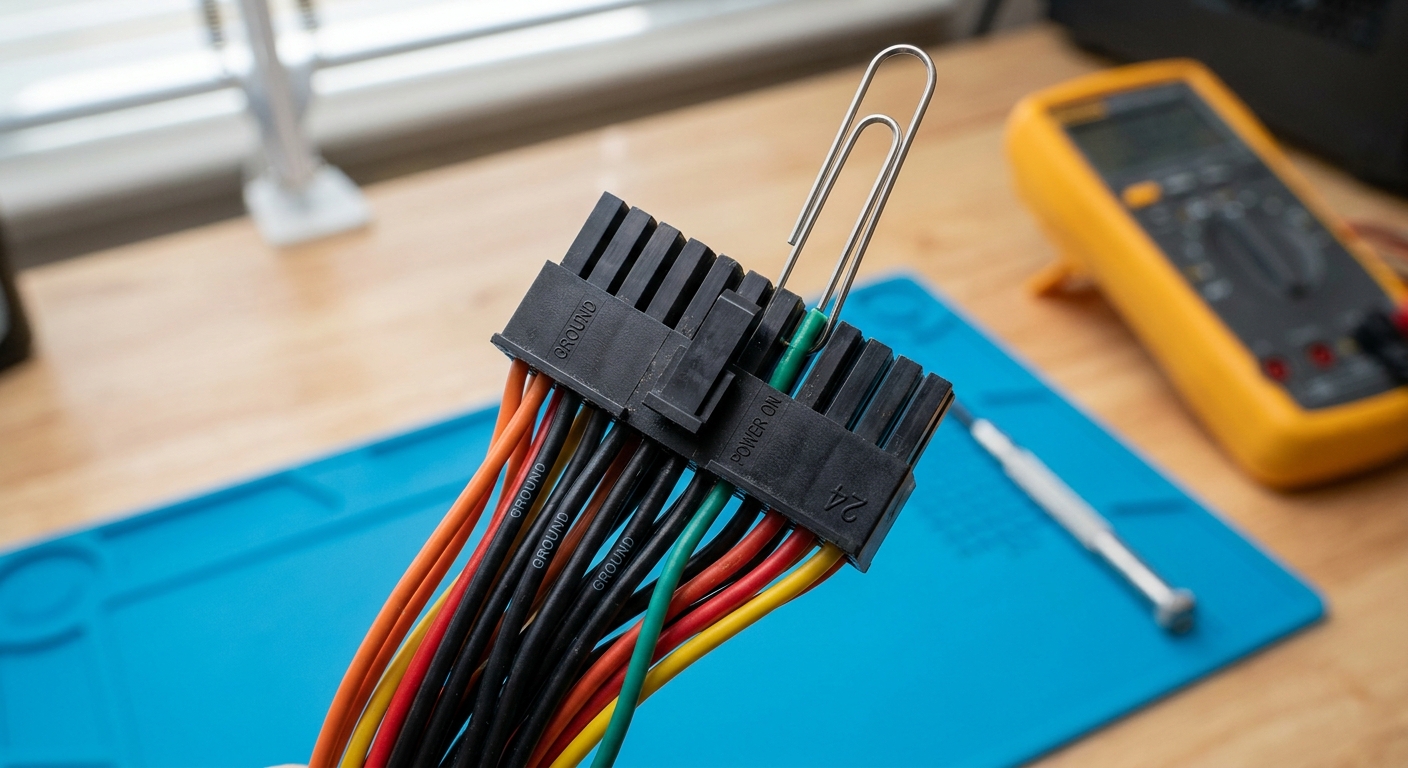
Jumpstarting a computer power supply unit (PSU) is a critical skill for DIY PC builders and enthusiasts. Whether you are testing a PSU before installation or diagnosing an issue with a power supply that does not start, knowing how to initiate it safely is essential. The common question addressed here is: how can you jumpstart a PSU using the green and black wire color codes?
This matters for a variety of reasons. A faulty PSU can lead to system instability or failure to boot, and understanding how to bypass its internal mechanisms can help troubleshoot problems efficiently. A prevalent misconception is that you need specialized tools when, in fact, a simple paperclip can suffice in connecting the correct wires. In this article, you’ll learn the layout of the PSU connector, the function of the wires involved, and the safe and effective method to jumpstart your PSU.
Understanding PSU Wiring
To grasp how to jumpstart a PSU, it’s fundamental to understand the wiring configuration of the power supply unit. Most PSUs come equipped with a 24-pin ATX connector; within this connector, specific wire colors serve designated functions.
Wire Color Codes
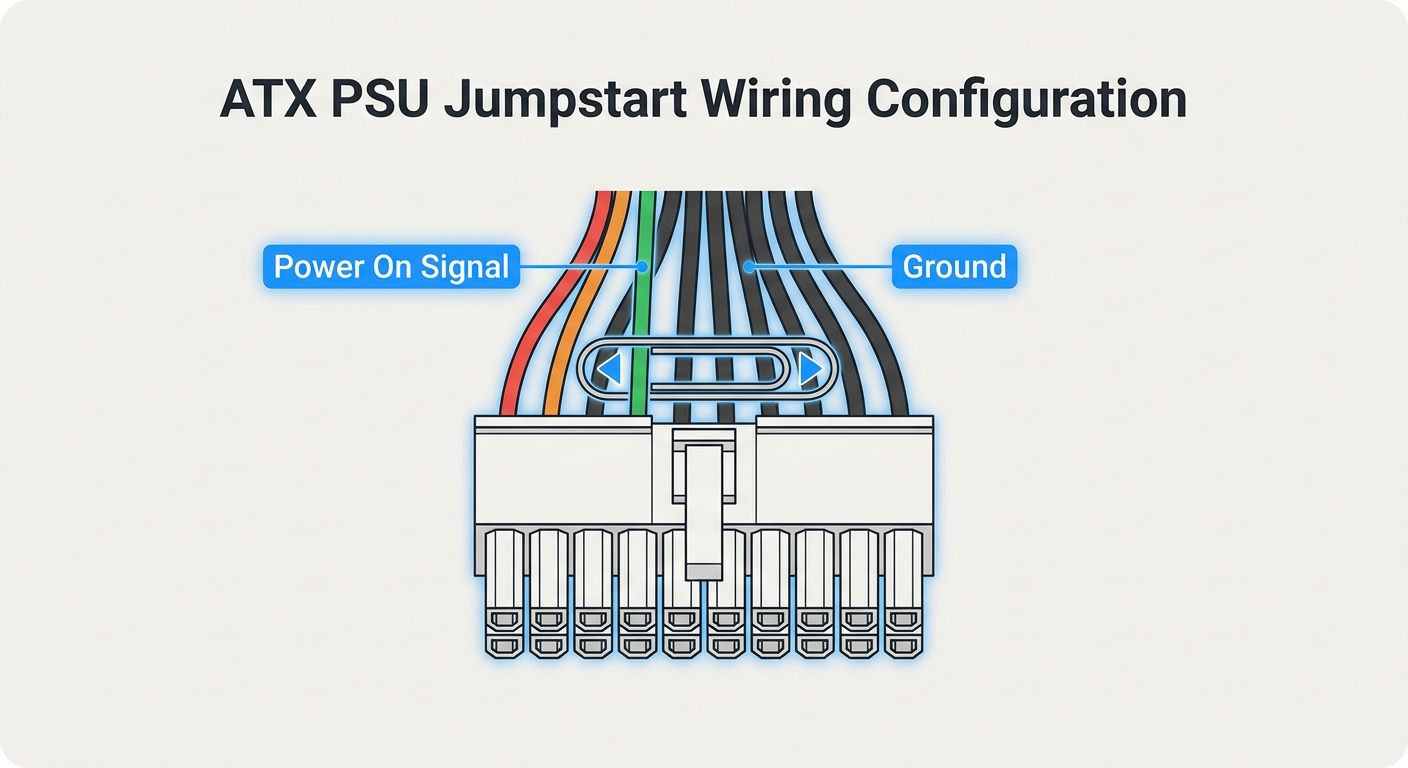
- Green Wire: This wire serves as the “power on” signal.
- Black Wires: These are ground wires that complete the electrical circuit.
According to various forums, connecting the green wire (the power-on signal) either to any black wire (ground) allows the PSU to start up, simulating the action of a motherboard signaling it to power on. This connection initiates the power supply, permitting it to run without being connected to a motherboard.
You may also like




Preparing to Jumpstart Your PSU
Before jumpstarting your PSU, ensure you have the following items:
- A PSU unit
- A standard paperclip or conductive wire
- A flat, stable surface for your work
Safety is crucial; if you’re unsure about handling electrical components, consider consulting a professional. Additionally, make sure the PSU is disconnected from any power source during preparation.
Step-by-Step Guide to Jumpstart a PSU
- Identify the PSU Connector: Focus on the 24-pin ATX connector which is typically found on the larger cable extending from the PSU.
- Locate the Green and Black Wires: Count the pins on the connector. The green wire is often the 16th pin, while any black wire can serve as ground.
- Create the Connection: Using your paperclip, insert one end into the green wire slot and the other end into any black wire slot.
- Power On the PSU: Connect the PSU to a power source and switch it on. If correctly executed, the fan should spin, indicating that the PSU is operational.
- Monitor for Issues: Observe any unusual sounds or smells. If the unit doesn’t operate, double-check your wire connections and ensure they’re secure.
For more detailed guidance, consider watching instructional videos which demonstrate these steps visually (source).
Troubleshooting Common Problems
If your PSU does not jumpstart, here are several troubleshooting tips based on user experiences:
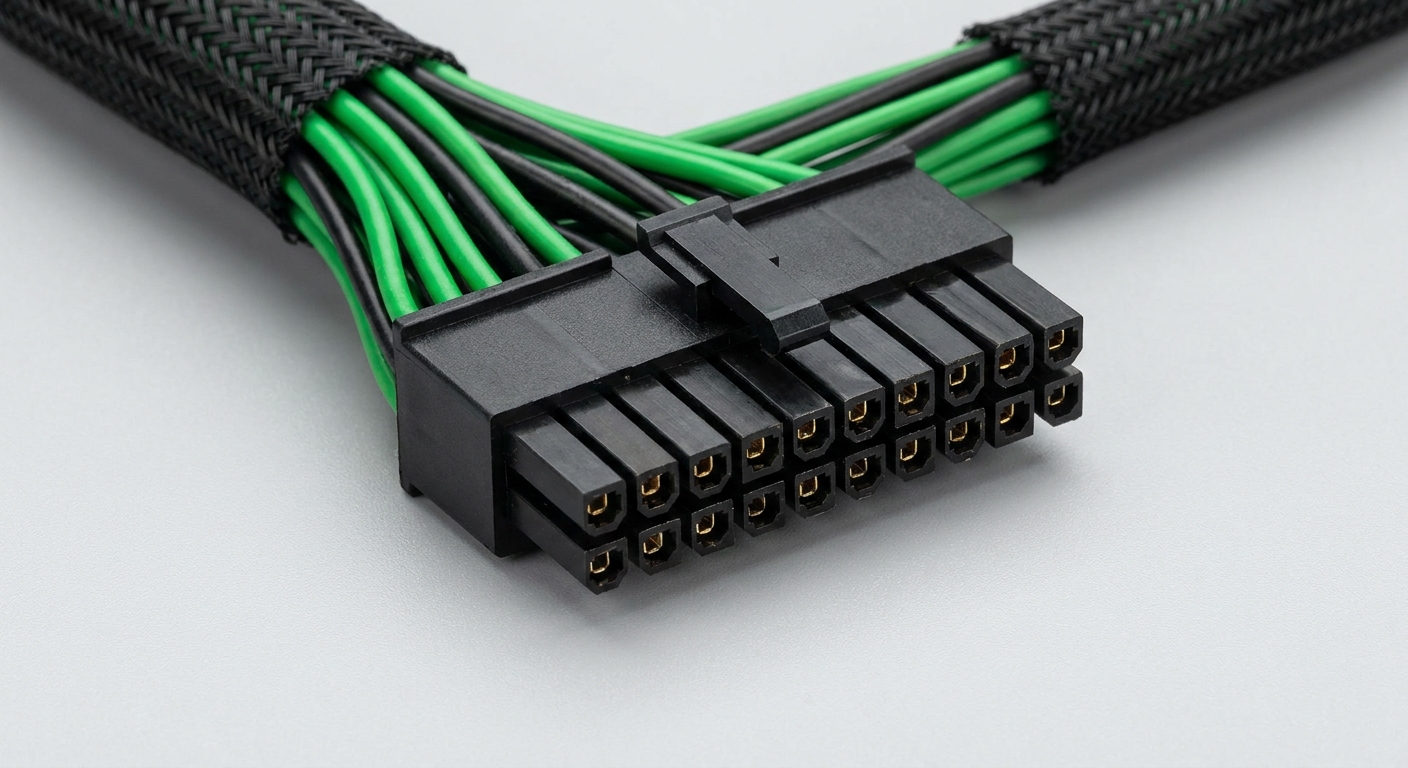
- Check Connections: Ensure the paperclip is fully inserted, making proper contact with the metal pins inside the connector.
- Test Different Black Wires: Sometimes, using a different black wire may yield a successful connection.
- Verify PSU Condition: If your PSU is older or shows signs of damage, it may be the root of the issue.
- Observe PSU Fan Activity: If the fan does not spin at all, your PSU could be faulty and may need replacement.
FAQs
Q1: Can I use any paperclip to jumpstart a PSU?
A1: Yes, any standard paperclip will work as long as it can create a solid connection between the green and black wires.
Q2: Is it safe to jumpstart a PSU?
A2: Yes, if done correctly, jumpstarting a PSU is safe. However, always take precautions by ensuring it is disconnected from power before modifying it.
Q3: What if my PSU doesn’t have a green wire?
A3: All ATX-compatible PSUs include the green wire as the power-on signal. If you don’t see it, double-check that you are looking at the correct connector.
Q4: How do I know if my PSU is faulty?
A4: If your PSU does not turn on after jumpstarting or shows signs such as unusual noise or smells, it may be faulty.
Q5: Can I test my PSU without a motherboard?
A5: Yes, using the jumpstart method, you can test your PSU without connecting to a motherboard.
Conclusion
Jumpstarting a PSU using the green and black wire color codes is a straightforward process that can help diagnose power supply problems. By understanding the wiring, preparing adequately, and following the correct steps, you can efficiently test your PSU. For anyone venturing into PC building or troubleshooting, mastering this technique is invaluable. Related topics worth exploring include PSU specifications and optimal PSU selection for gaming PCs.
Rotating USB