Understanding SFP Transceiver Handle Color Codes
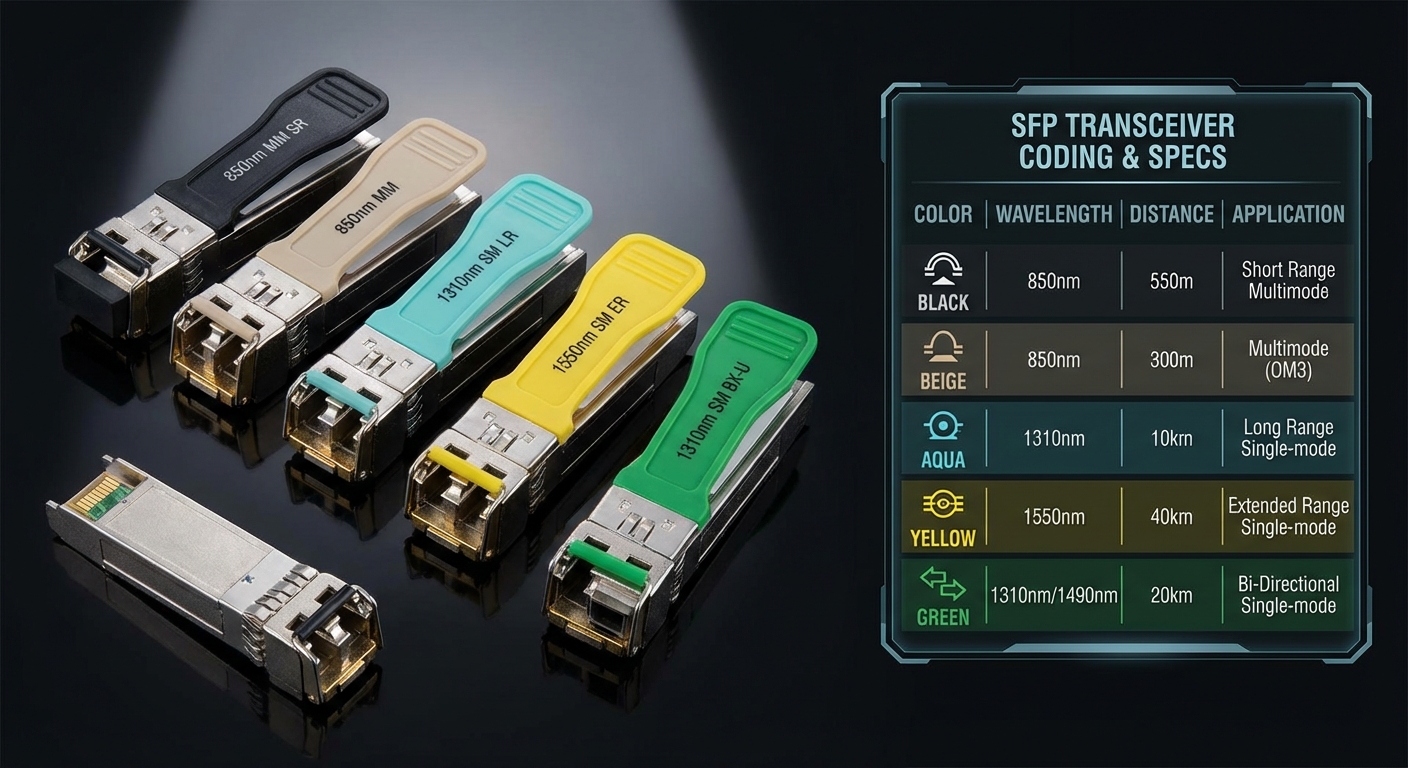
In the world of networking, SFP (Small Form-factor Pluggable) transceivers play a crucial role in connecting devices and ensuring smooth data transmission. These small optical or copper interfaces allow flexibility in network design, but a common challenge arises when identifying their specs quickly. The color coding on SFP transceiver handles provides a straightforward method to distinguish between different types of modules based on their capabilities such as wavelength, distance, and fiber compatibility. Understanding these color codes can significantly simplify the troubleshooting process and assist in selecting the right transceiver type for specific applications.
This article aims to clarify the meaning of color codes associated with SFP transceiver handles, addressing the confusion many users face when trying to determine the module type at a glance. Misconceptions often stem from the variety of designs and specifications from different manufacturers, leading to incorrect assumptions about compatibility and performance. By the end of this article, readers will gain a clear understanding of SFP handle color codes, enabling them to make more informed decisions in network planning and maintenance.
How SFP Modules Work
SFP modules operate by converting electrical signals into optical signals and vice versa. This capability enhances the versatility of networking devices, allowing users to mix different types of media handling within the same network interface. The color coding system for SFP handles is essential for users navigating the various types of available modules. Understanding these codes is critical for ensuring compatibility with the existing network infrastructure.
Common Color Codes and Their Meanings
Multimode vs. Single-Mode SFPs
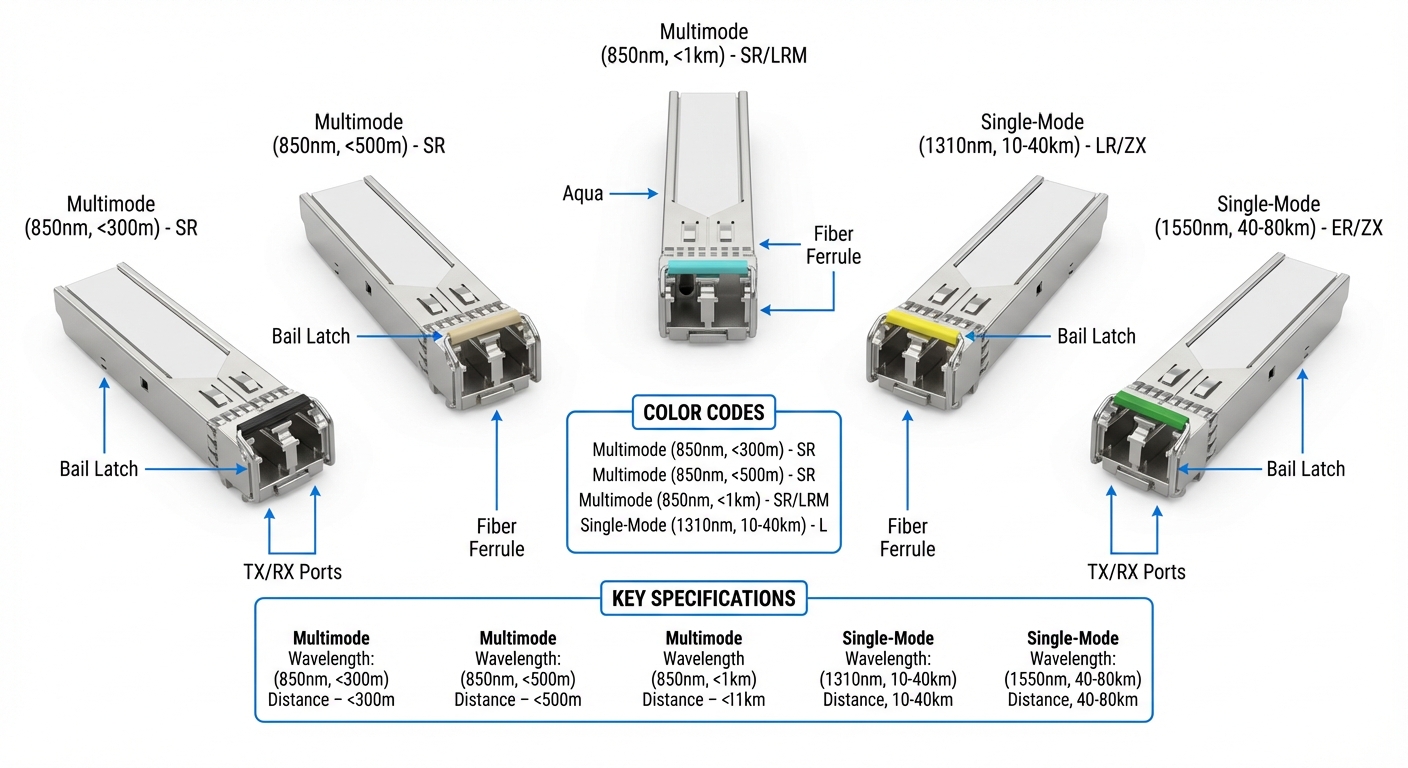
- Multimode SFPs: Typically bear black, beige, or aqua (for enhanced 10Gbps versions like OM3/OM4) handles. These SFPs are designed for shorter distances and are suitable for environments where high-speed data transmission over short distances is required.
- Single-Mode SFPs: Often identified by yellow or green handles, which are geared towards long-distance transmissions, specifically for wavelengths around 1310nm to 1550nm.
Color Indicators by Wavelength
| Handle Color | Type | Wavelength | Typical Distance |
|---|---|---|---|
| Black | Multimode | 850nm | Up to 300m |
| Beige | Multimode | 850nm | Up to 550m |
| Aqua | Enhanced Multimode | 850nm | Up to 400m (OM3) |
| Yellow | Single-Mode | 1310nm | Up to 10km |
| Green | Single-Mode | 1550nm | Up to 80km |
Understanding SFP Indicators
Another crucial aspect of SFP transceiver functionality comes from their indicator lights. These lights serve as immediate feedback regarding the module’s operational status:
You may also like



- Green Light: Indicates that the SFP module is functioning normally.
- Amber/Yellow Light: Suggests a potential issue or that the module is not operating correctly, which may require troubleshooting.
Identifying SFP Modules with Pull Tabs
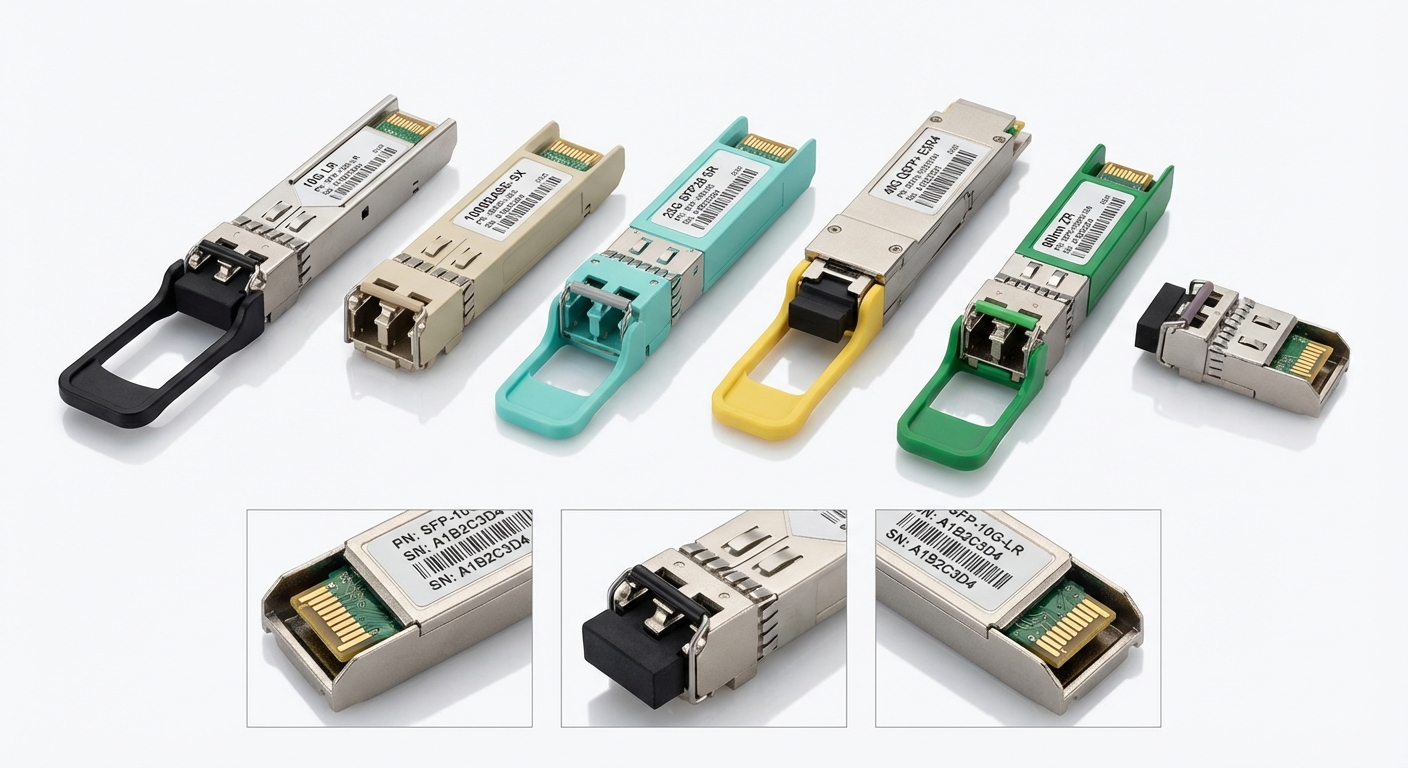
The pull tab colors of SFP transceivers, another layer of color coding, assist in identifying the transceiver type swiftly during installation or replacement. These tabs not only indicate the module type but also often correlate to the manufacturer’s specifications, enhancing user experience.
- Pull tab color choices often reflect the same standards as handle colors: black, beige, aqua for multimode SFPs and yellow, green for single-mode options.
Best Practices for Selecting SFP Modules
When choosing SFP modules, consider the following steps to ensure compatibility and optimal performance:
- Assess your transmission distance requirements to determine between multimode and single-mode modules.
- Check the network device manufacturer documentation for specific color codes and compatibility ratings.
- Verify the module’s specifications against the network standards in use.
Using the proper SFP module based on these assessments can significantly enhance network efficiency and reliability.
FAQ
Q1: What do the colors on SFP transceiver handles mean?
A1: Colors indicate the type of fiber (single-mode or multimode), the wavelength of the signal, and the maximum transmission distance.
Q2: How can I differentiate between multimode and single-mode SFPs?
A2: Multimode SFPs usually have black or beige handles, while single-mode SFPs typically feature yellow or green handles.
Q3: What should I do if the SFP’s indicator light is amber?
A3: An amber indicator light suggests a malfunction. Check connections, ensure compatibility, and consider replacing the module if issues persist.
Q4: Are there color variations among manufacturers?
A4: While most follow standard color codes, it’s always best to consult the manufacturer’s documentation to confirm specifics.
Q5: Can I use a multimode SFP in a single-mode environment?
A5: Generally, multimode SFPs cannot be used in single-mode environments, as they are designed for different types of fiber and transmission distances.
Conclusion
Understanding SFP transceiver handle color codes is key for network management, troubleshooting, and ensuring compatibility across devices. These color-coded indicators provide a reliable system for quickly identifying transceiver types, which is essential for effective network design and efficiency. For those interested in exploring further, related topics include optical networking technologies and transceiver compatibility.
Rotating USB