Introduction
When it comes to connecting peripherals and devices in computing, serial and parallel ports were once ubiquitous. Though now largely supplanted by USB and other technologies, understanding these ports remains crucial for certain applications. This article addresses the question: What are the color codes used for serial and parallel port connectors? Misconceptions abound, particularly regarding the color coding of wires in these connectors, which can lead to confusion during device setup or troubleshooting. Clarifying these color codes is essential for anyone dealing with legacy systems or specialized equipment. By the end of this article, you’ll learn about the standard color codes for both serial and parallel connectors and their implications for proper connections.
Understanding Serial and Parallel Ports
Serial and parallel ports serve distinctly different functions in the computing landscape. A serial port transmits data one bit at a time, typically through a single wire, which can introduce delays but allows for longer cable lengths. Conversely, a parallel port can send eight bits simultaneously using multiple wires, resulting in faster data transfer rates for short distances. To effectively utilize these ports, it’s vital to understand their wiring and color codes.
Color Codes for Serial Ports
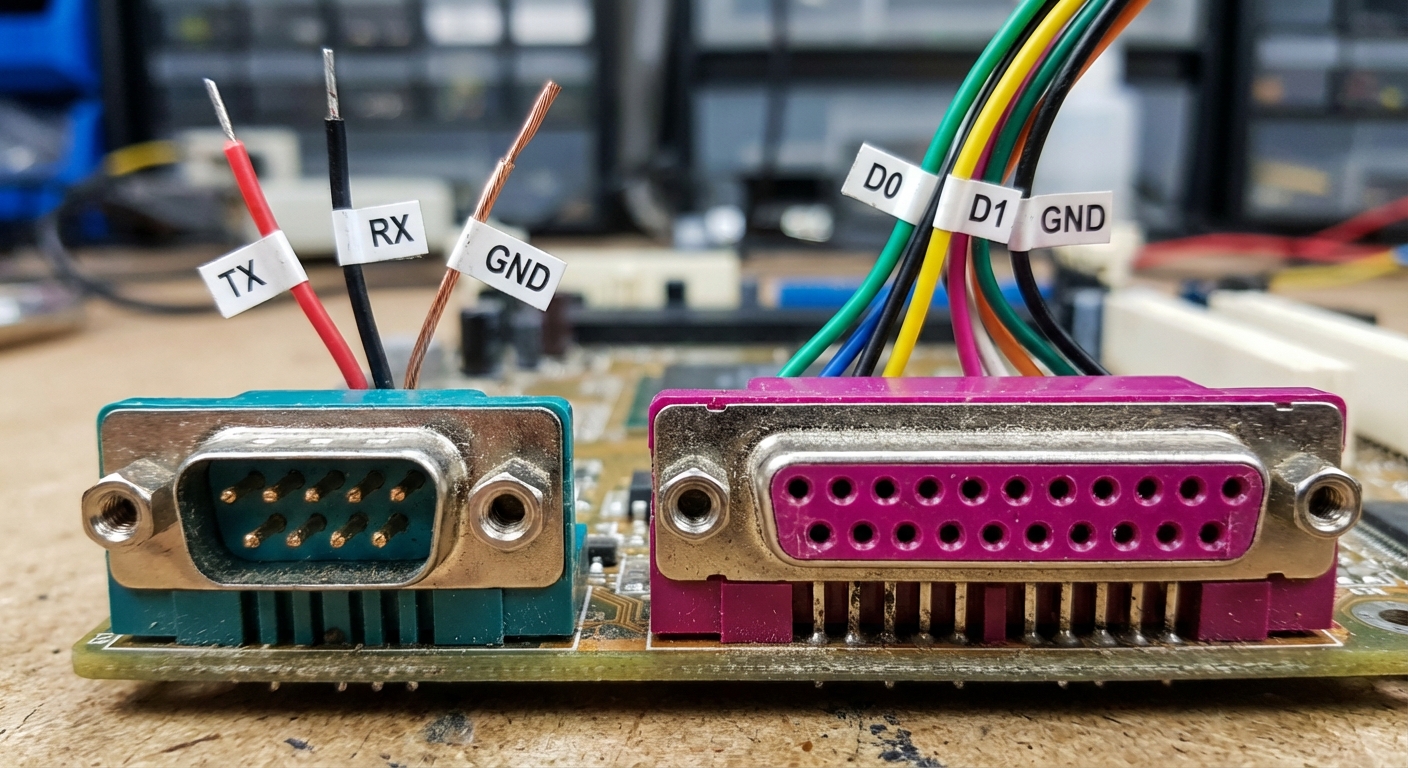
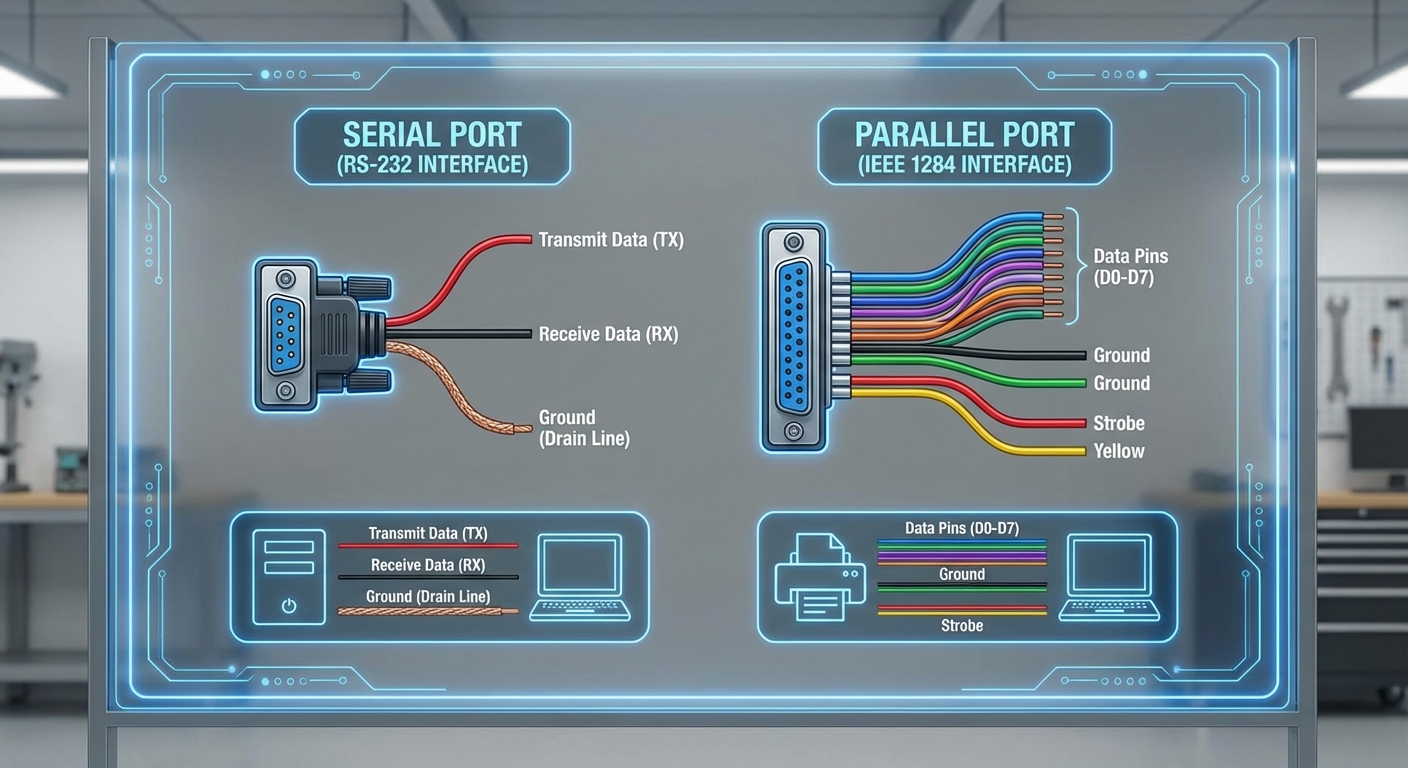
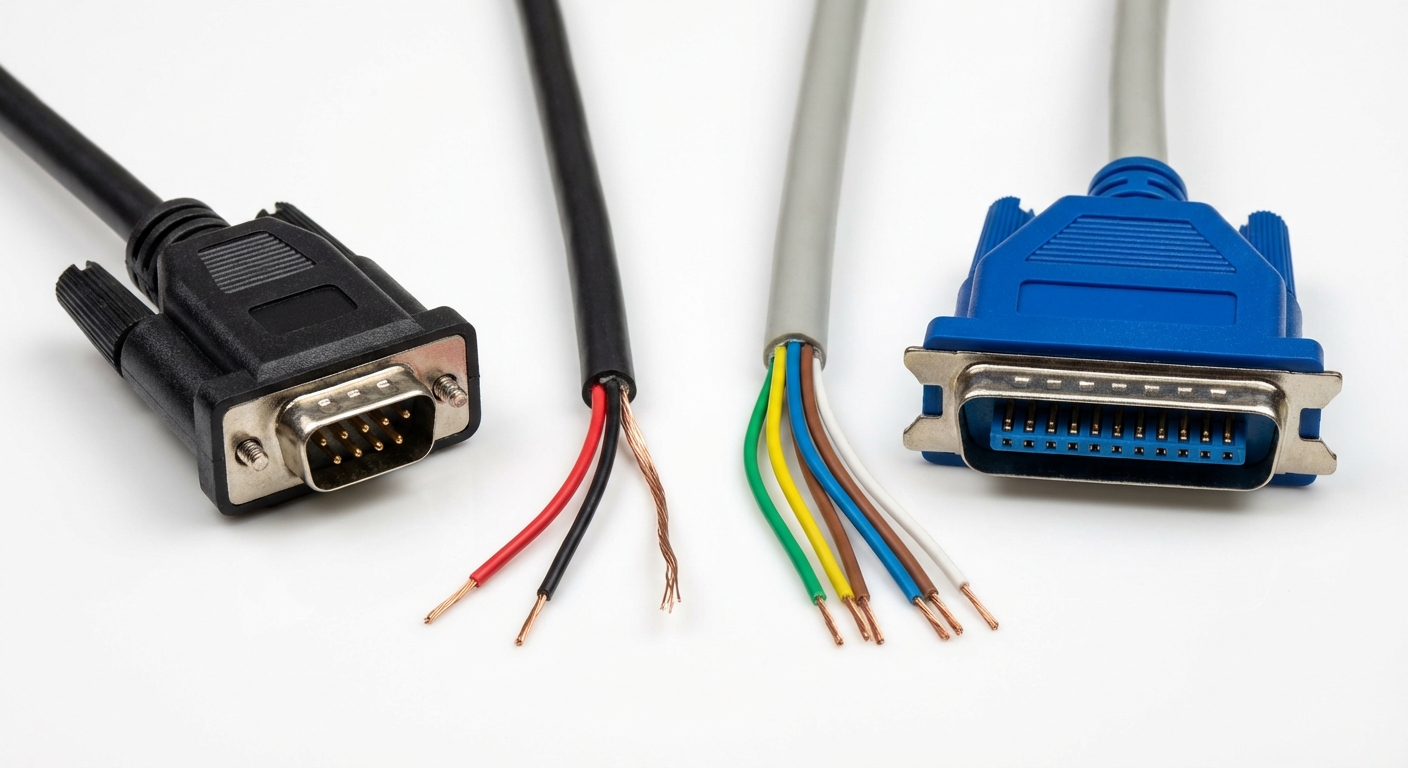
Serial ports, often color-coded blue-green, typically follow certain wiring standards, particularly under the RS-232 specification. The common wire color designations are as follows:
- Transmit Data (TX) – Red
- Receive Data (RX) – Black
- Ground – Drain Line (often a bare wire) – Typically connected to Pin 5
These color codes are not universally adhered to but represent a common practice among many manufacturers and applications. The different colors help technicians to identify wiring layouts quickly, ensuring proper connections for reliable data transmission.
You may also like



Color Codes for Parallel Ports
Parallel ports, on the other hand, have a different set of color codes and physical layout. They are often color-coded magenta, which distinguishes them from serial ports. Wire color coding for parallel port cables is sometimes less standardized than for serial ports, but common color schemes include:
- Data Pins (D0-D7) – Typically various colors, often following the order of the data pin numbering.
- Ground – Usually black or green.
- Strobe and other control signals may be indicated with red or yellow wires.
Standard wiring documentation typically guides these connections, which helps avoid misconfiguration and potential equipment damage.
Comparison of Serial and Parallel Ports
| Feature | Serial Port | Parallel Port |
|---|---|---|
| Data Transmission | 1 Bit at a Time | 8 Bits at a Time |
| Typical Color Code | Blue-Green | Magenta |
| Wiring Complexity | Less Complex | More Complex |
| Speed | Slower (up to 115 Kbps) | Faster (up to 2 Mbps) |
| Distance | Longer distances (up to 50 feet) | Shorter distances (up to 10 feet) |
Troubleshooting Common Connection Issues
When setting up devices using serial and parallel ports, understanding color coding is critical to ensuring a reliable connection. Here are some troubleshooting steps if you encounter issues:
- Check Wire Colors: Verify the wiring against documented standards. Make sure that TX connects to RX and vice versa.
- Inspect Connectors: Look for damage or debris in the connectors that might cause poor connectivity.
- Confirm Configuration: Ensure that software settings (like COM port settings for serial devices) match the hardware connections.
- Test with Multimeter: For troubleshooting, check continuity in the wires with a multimeter to ensure connections are intact.
- Replace Cables: If possible, test with a different cable to rule out faults in the cable itself.
Common Questions
Q1: What is the difference between RS-232 and RS-485?
A1: RS-232 is a serial communication standard for short-distance connections, while RS-485 is designed for longer distances and can connect multiple devices on a bus.
Q2: Are color codes for serial and parallel cables universal?
A2: No, while there are common practices, manufacturers may deviate in their color coding schemes, so always consult manufacturer documentation when available.
Q3: What types of devices typically use parallel ports?
A3: Printers and certain legacy devices commonly use parallel ports for data transfer.
Q4: Can I use a serial cable in place of a parallel cable?
A4: No, serial and parallel ports function based on different data transmission methods and are not interchangeable.
Q5: How can I identify which cable belongs to which port type?
A5: Look for the color coding of the connectors; serial ports are typically blue-green, while parallel ports are often magenta.
Conclusion
In summary, understanding the color codes and wiring standards for serial and parallel ports can greatly facilitate effective troubleshooting and connectivity in computer systems. This knowledge is particularly important as legacy devices continue to function in various environments despite the rise of newer technologies. For more information on connectors and ports, check out the relevant section on Wikipedia or consult manufacturer support for specific products.
Rotating USB