Introduction
The PCIe (Peripheral Component Interconnect Express) power connectors play a crucial role in supplying power to modern graphics cards, facilitating the demands of high-performance gaming and computational tasks. Among these connectors, the 6+2 pin design has gained prominence due to its versatility and compatibility with various graphics cards. However, the question often arises—what do the color codes of these power cables mean, and why is it essential to understand them? Misconnections, incorrect installations, and potential damage to components can stem from misunderstanding these codes, leading to frustration and substantial costs. This article aims to clarify how the PCIe 6+2 pin power cable works, its color coding conventions, and common misconceptions surrounding it. By the end of this piece, readers will gain confidence in selecting and connecting the appropriate power cables for their systems.
Understanding PCIe 6+2 Pin Power Connectors
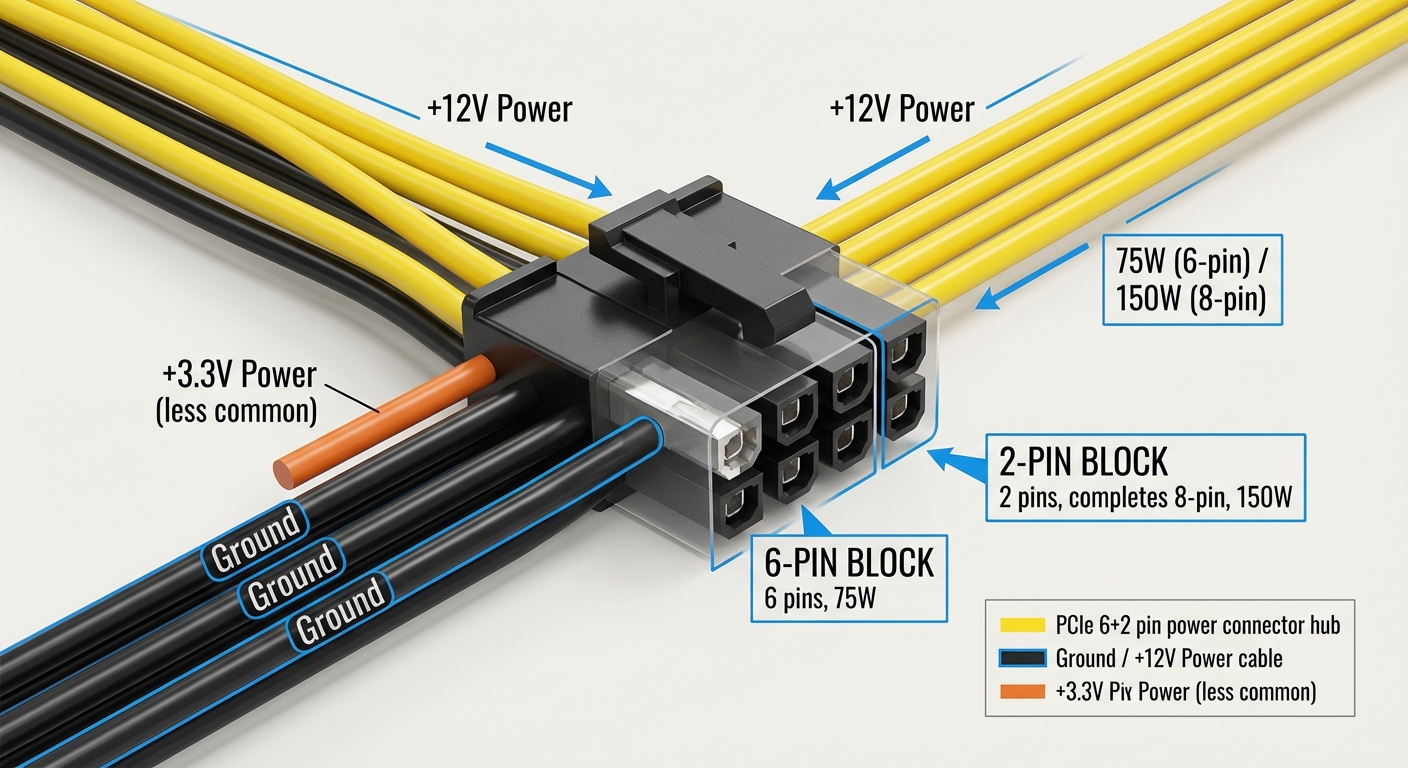
The evolution of PCIe power connectors has seen a shift from 6-pin connectors to 8-pin (6+2) connectors to accommodate the increasing power requirements of modern GPUs. A PCIe 6+2 pin connector typically consists of a standard 6-pin connector with an additional 2-pin segment that can be detached, allowing versatility for different cards. Below is a breakdown of how these connectors function:
Cable Composition and Compatibility
The 6+2 pin configuration allows for both 6-pin and 8-pin connections, making it compatible with a wide array of graphics cards. This flexibility helps cater to older and newer GPUs, allowing users to avoid cable clutter:
- 6-Pin Connection: Provides up to 75 watts of power.
- 8-Pin Connection: Increases power delivery to 150 watts.
- 6+2 Pin Definition: The 2 additional pins enable compatibility with cards requiring 8-pin connections.
Color Codes of PCIe Power Cables
Understanding the color codes on PCIe power cables is essential for ensuring proper connections and preventing hardware failures. With various manufacturers adopting different color schemes, there are general color indications that can guide users:
You may also like

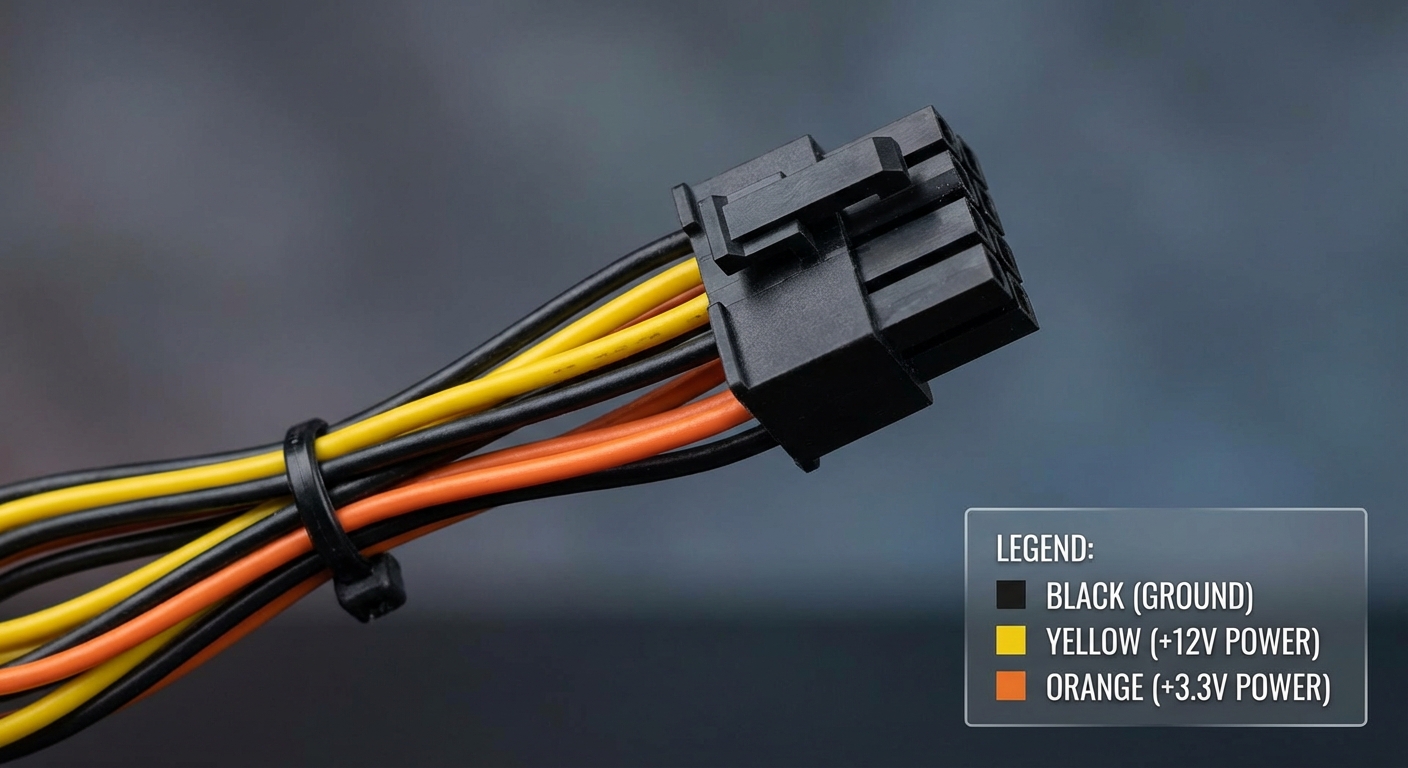
- Black Wires: Typically represent ground.
- Yellow Wires: Indicate +12V power.
- Orange Wires: Used primarily for +3.3V power; less common in PCIe cables.
It’s crucial to distinguish these colors as they are critical in determining the correct connections for optimal GPU performance. For instance, incorrectly connecting an EPS (CPU power) cable to a PCIe connector can lead to circuit overload issues since their internal wire gauges and color codes differ significantly.
Common Misconceptions Regarding PCIe Cables
One prevalent misconception is that all 8-pin connectors deliver the same amount of power. It’s essential to recognize that not every 8-pin connector is the same. For example, while both 8-pin PCIe connectors and EPS connectors fit similarly, their purpose, voltage, and wire specification can differ considerably. The risk here is irreversible hardware damage if a cable meant for CPU power is mistakenly routed to a GPU.
Compatibility with Power Supplies
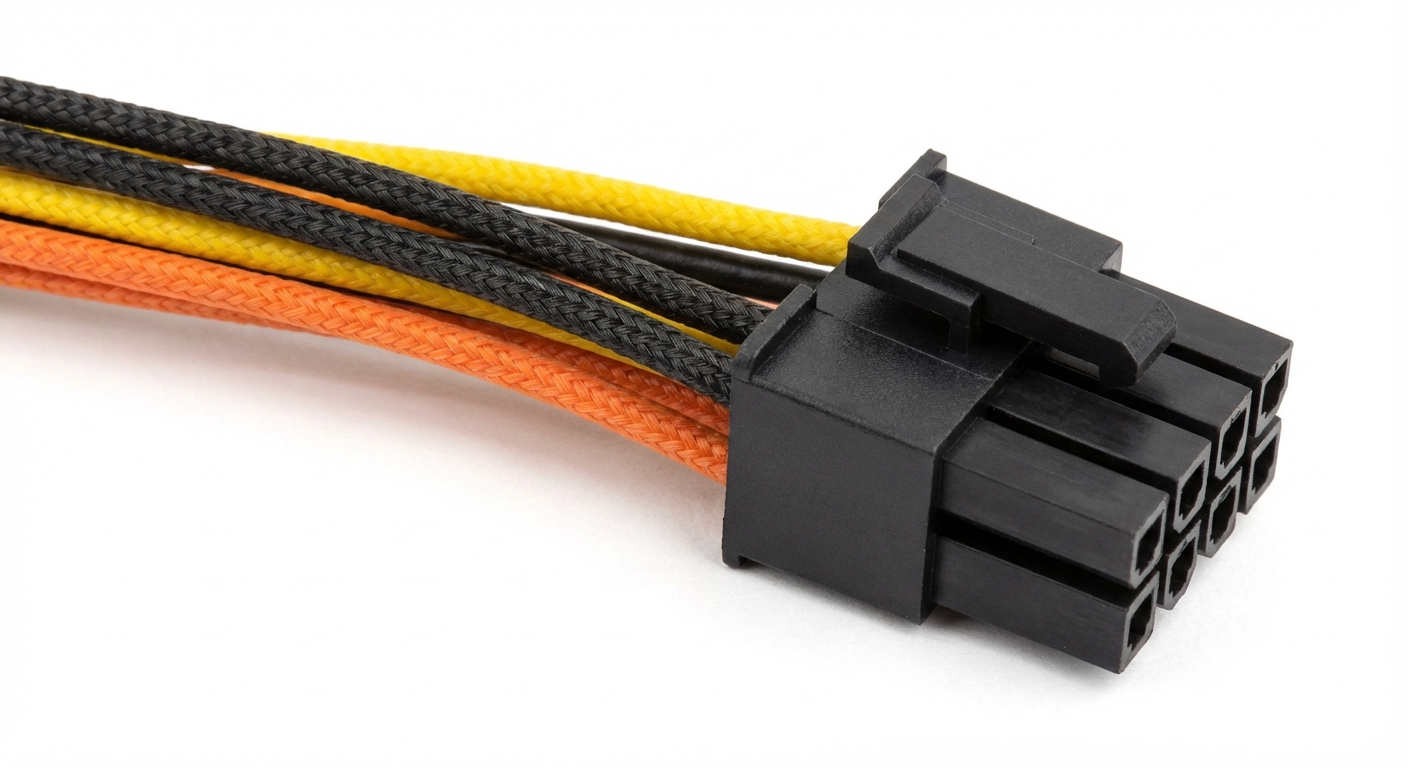
When selecting power supply units (PSUs), ensuring compatibility with PCIe 6+2 pin connectors is vital. Many power supply brands, such as Corsair and Thermaltake, offer modular PSUs with tailored cables designed for specific models. Here are points to consider:
- Modular vs Non-modular: Modular PSUs enable users to select only the cables they need, reducing clutter.
- Cable Backward Compatibility: Cables used in older models might still function in newer modular PSUs with appropriate connections.
- Manufacturer Verification: It’s advisable to consult manufacturer specifications to ensure cables adhere to the standards required by specific hardware.
Tips for Proper Installation and Use
To ensure optimal performance and avoid potential damage during installation, consider the following tips:
- Check Compatibility: Always verify that the PSU and GPU connectors are compatible.
- Avoid Mixing Cables: Never mix cables from different manufacturers without verifying their specifications.
- Follow Proper Configurations: Consult GPU and PSU manuals to ensure correct cable placements.
- Monitor Power Usage: Use monitoring tools to keep track of power draw, especially when overclocking.
Frequently Asked Questions
Q1: What is the difference between a 6-pin and a 6+2-pin PCIe connector?
A1: A 6-pin connector supplies up to 75 watts, while the 6+2-pin connector can provide up to 150 watts when using the 8-pin configuration.
Q2: Can I use a 6-pin cable in an 8-pin connector?
A2: Yes, most 6+2 pin cables are designed to be backward compatible, allowing a 6-pin connection to fit into an 8-pin slot.
Q3: What color is the 12V wire in PCIe power cables?
A3: The 12V wire is typically yellow.
Q4: Are there different standards for PCIe cables?
A4: Yes, while there are industry standards, different manufacturers may utilize varying wire colors and specifications; checking the manufacturer’s documentation is advisable.
Q5: What happens if I plug a CPU power cable into a GPU connector?
A5: Using a CPU power cable instead of a PCIe cable can lead to damage due to incorrect voltage and wire gauge.
Conclusion
In summary, understanding PCIe 6+2 pin power cable color codes is essential for aspiring builders and seasoned PC enthusiasts alike. Recognizing these codes and best practices can prevent costly mistakes and ensure that components receive the proper power they require. Additionally, having a solid grasp of cable compatibility can steer users clear of potential mishaps, leading to a smoother assembly experience. For those delving deeper into computer hardware topics, familiarizing yourself with the latest developments in power supply technologies could also prove beneficial.
Rotating USB