Understanding Fiber Optic Connector Color Codes: APC vs UPC
The world of fiber optics is vast and diverse, particularly when it comes to connectors that facilitate interconnectivity in telecommunication networks. Among the predominant types of connectors are the Angled Physical Contact (APC) and the Ultra Physical Contact (UPC). These connectors are distinguished not just by their performance characteristics but also by their color coding, which serves as a visual cue for users to correctly identify and mate connectors. This article addresses the important question: What are the differences between APC and UPC fiber optic connectors, and why does it matter? Misunderstandings about connector types and their implications can lead to improper installations that may damage sensitive fiber surfaces, compromising overall network performance and durability. Readers will learn about the distinct features of APC and UPC connectors, how to recognize them through their color codes, and important considerations to avoid connector misapplication.
The Basics of Fiber Optic Connectors
Fiber optic connectors are essential components in the transmission of light signals throughout telecommunication infrastructure. Each type of connector is designed with specific polishing techniques that affect the quality and efficiency of signal transmission. There are primarily three types of connector polish: Physical Contact (PC), Ultra Physical Contact (UPC), and Angled Physical Contact (APC).
Polishing Techniques
- Physical Contact (PC): The simplest form, where the connector end face is polished for flatness.
- Ultra Physical Contact (UPC): Similar to PC with a more refined polish that minimizes back reflection.
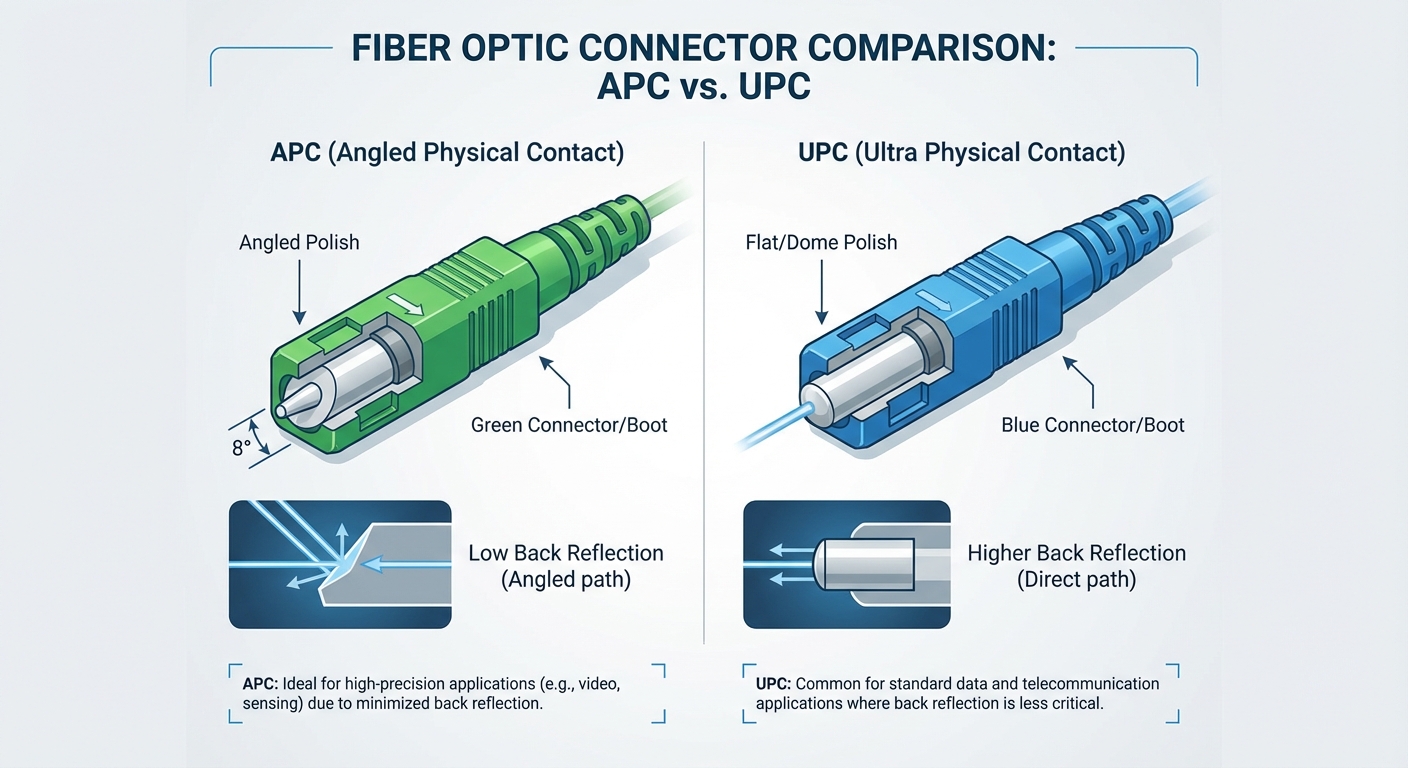
- Angled Physical Contact (APC): Features an 8-degree angle on the end face, reducing back reflection and increasing performance.
Connector Color Codes: A Quick Reference
The color of fiber optic connectors plays a critical role in identifying their type and appropriate applications:
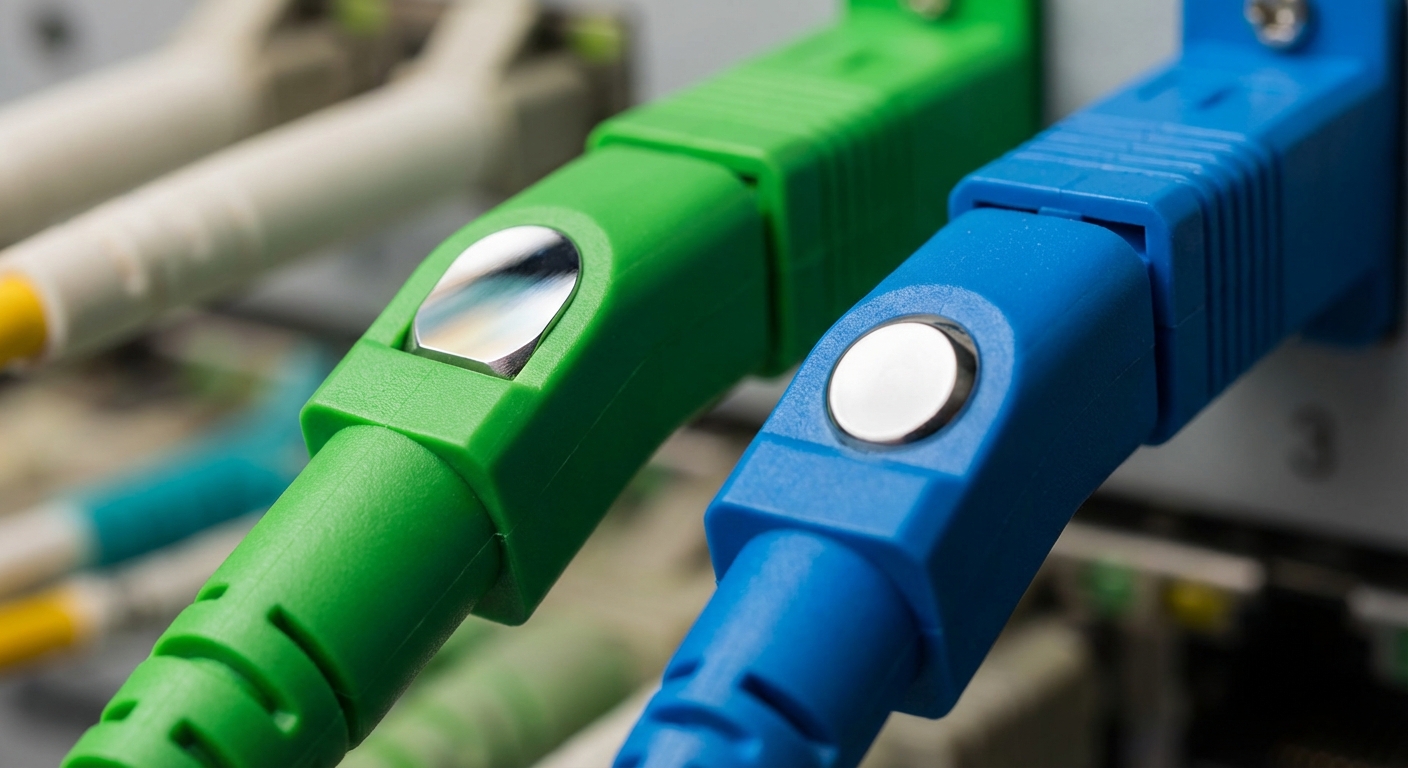
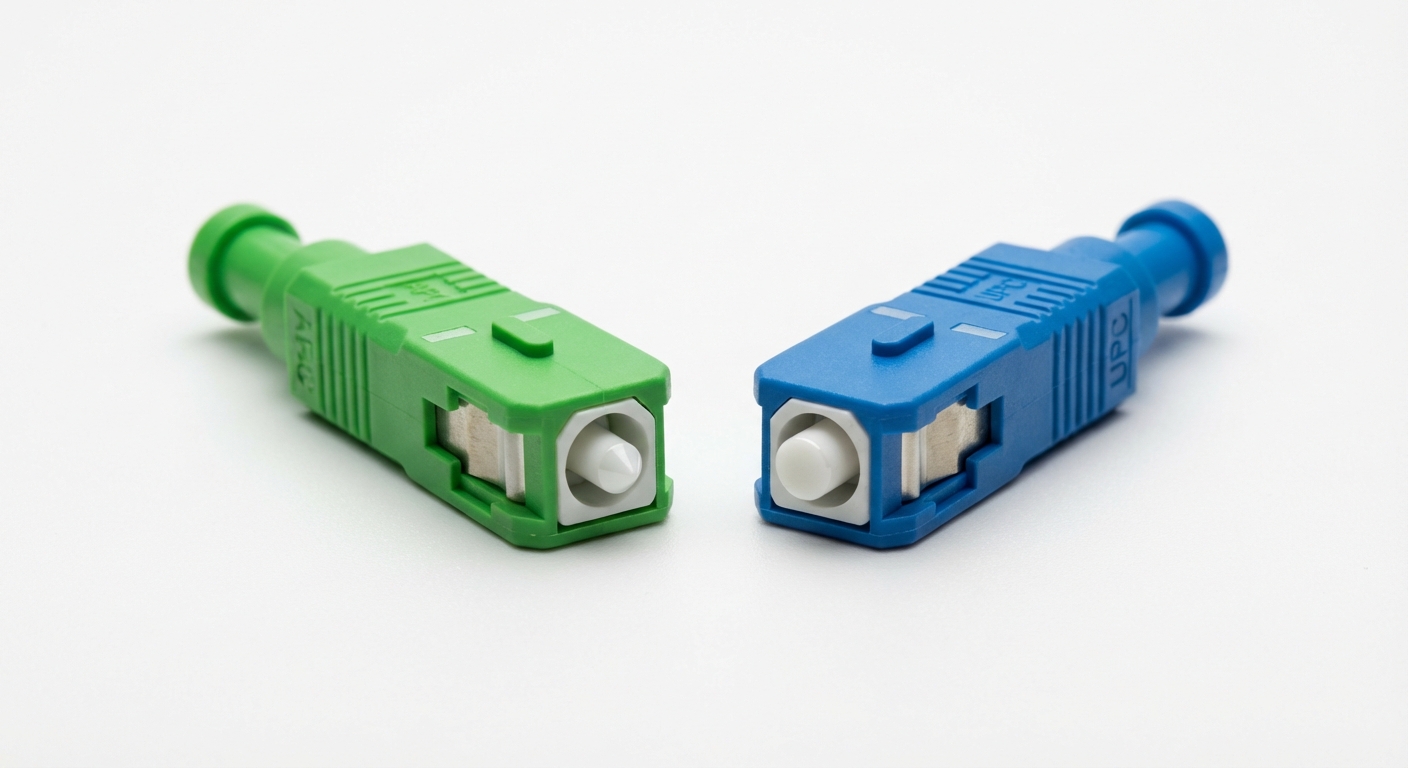
- APC Connectors: Typically color-coded green.
- UPC Connectors: Generally identified by a blue color.
This color coding simplifies the mating process of connectors, ensuring that users connect compatible components. For instance, in LC and SC connector configurations, a blue UPC connector will only mate with another blue UPC, while a green APC will only connect with another green APC. This color cue is essential in preventing potential connection issues.
You may also like


Differences Between APC and UPC Connectors
Performance Characteristics
| Characteristic | APC | UPC |
|---|---|---|
| Back Reflection | Minimal; typically less than -60 dB | Moderate; typically around -50 dB |
| Polish Type | Angled | Flat |
| Common Applications | High-performance telecom and data networks | General applications with less stringent back reflection requirements |
APC connectors are preferred in environments where minimal back reflection is crucial, such as in high-speed data centers or long-distance telecommunications. UPC connectors are more suitable for general applications where such stringent requirements are not necessary.
Physical Differences and Compatibility
Due to their polishing designs, APC and UPC connectors must not be directly mated together. Connecting a green APC connector with a blue UPC connector can lead to damage to the fiber surface, which in turn can affect signal quality. Ensuring that the correct color matches during installation is vital for maintaining the integrity of both the connectors and the optical fibers.
Common Misconceptions
One of the most prevalent misconceptions is that APC and UPC connectors are interchangeable. However, this could not be further from the truth. The different angles and polishing techniques lead to distinct performance characteristics. Using the wrong connector can cause severe issues, including increased signal loss, damage to the connectors, and ultimately reduced system performance.
Choosing the Right Connector for Your Needs
When selecting between APC and UPC connectors, several factors should be considered:
- Application: Understand whether your environment demands minimal back reflection (APC) or not (UPC).
- Installation: Ensure you have the necessary connectors for your setup to avoid compatibility issues.
- Performance Requirements: Assessing the specific performance metrics required for your network is essential in making an informed choice.
FAQs
Q1: What are APC and UPC connectors used for?
A1: APC connectors are used in high-performance telecommunications and data networks to minimize back reflection, while UPC connectors are used in general applications where back reflection is less critical.
Q2: How can I tell if I have an APC or UPC connector?
A2: APC connectors are color-coded green, while UPC connectors are blue. This color coding is a quick way to identify the type of connector.
Q3: Can I connect an APC connector with a UPC connector?
A3: No, mating an APC connector with a UPC connector can cause damage to the fiber surfaces and adversely affect signal quality.
Q4: Why does back reflection matter?
A4: Back reflection can cause signal loss and degradation in performance, particularly in high-speed telecommunications, making it crucial to minimize this phenomenon in certain applications.
Q5: Are there other types of fiber optic connectors?
A5: Yes, in addition to APC and UPC, there are other types such as Physical Contact (PC) connectors and various types suitable for different applications like MPO and LC.
Conclusion
In summary, understanding the differences between APC and UPC fiber optic connectors is crucial for anyone working with fiber optic technology. The color coding serves as an essential visual guide to avoid compatibility issues that can lead to signal degradation. Whether you’re setting up a new network or maintaining existing infrastructure, knowing which connector to use can enhance performance and prolong the life of your equipment. For more information on fiber optics, you might explore related topics such as fiber optic cable types and their uses.
Rotating USB