Introduction
The Cisco console cable is a vital tool for networking professionals, providing direct access to modem and router configurations. However, the complexity of its pinout and color codes can often lead to confusion, especially for those new to networking or troubleshooting connectivity issues. This article aims to clarify the wiring specifications and color codes associated with Cisco console cables, ultimately helping users establish reliable connections between their devices and network equipment. A common misconception is that any cable can be used for connecting to Cisco devices, whereas the specific wiring format of the console cable is crucial for successful communication. Readers will learn about the pinouts, color coding, and practical applications when working with console cables in Cisco environments.
Understanding Cisco Console Cables
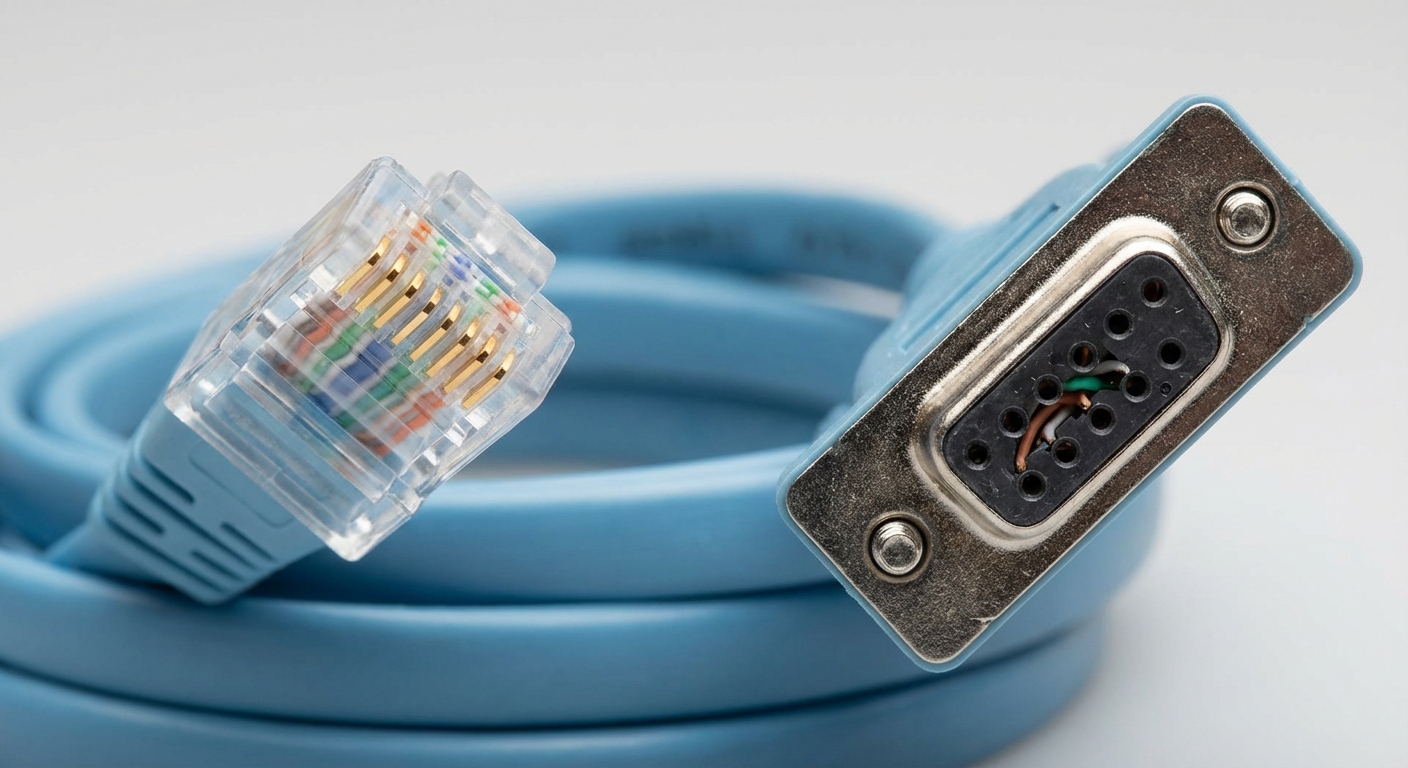
Cisco console cables typically utilize an RJ-45 to DB-9 configuration, allowing a direct connection from a computer’s serial port to Cisco devices. The most significant feature of this type of cable is its “rolled” wiring—an arrangement where the pinout on one end is reversed on the other. This design ensures that the corresponding pins connect correctly between the devices.
Pinout Configuration
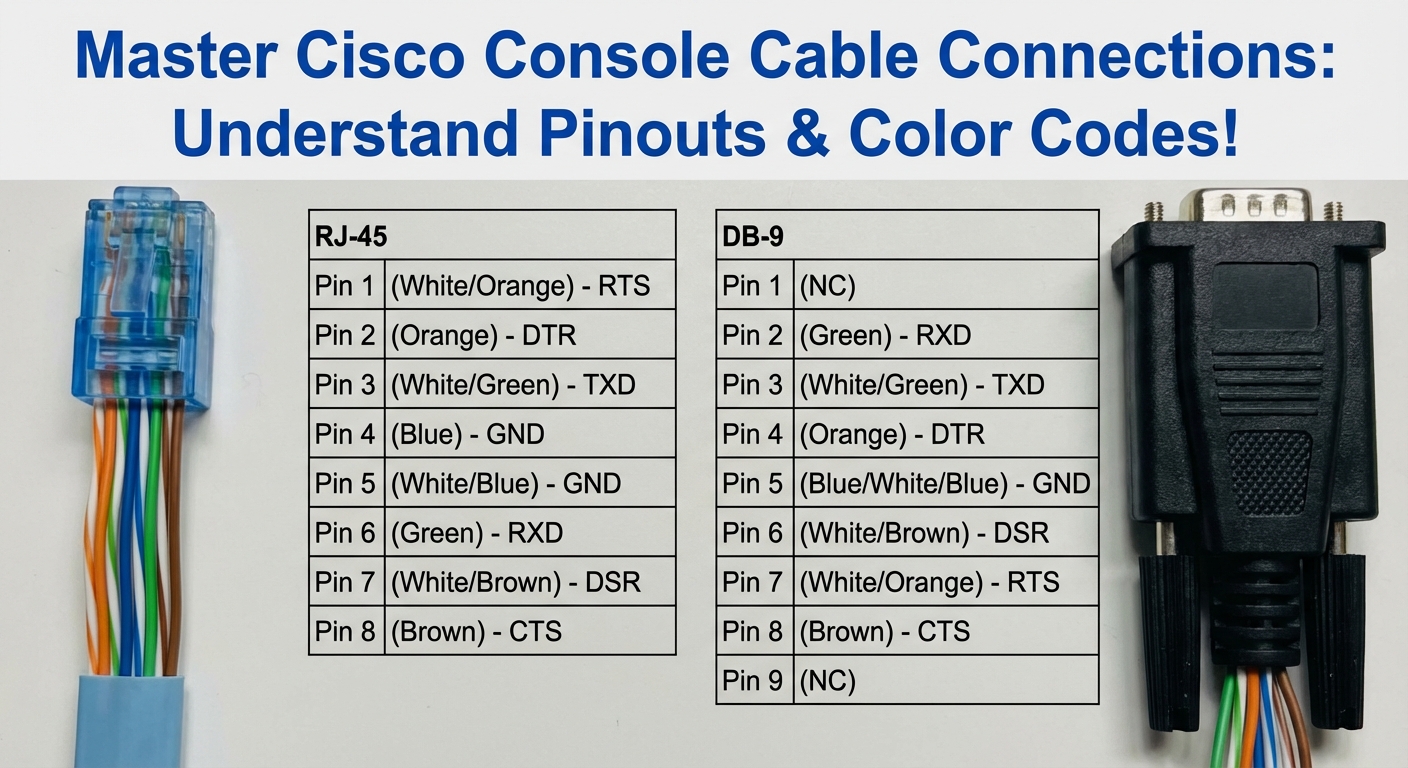
The pinouts are crucial as each pin has a specific function. Below is a breakdown of the color-coded wiring scheme used in a standard RJ-45 to DB-9 console cable:
| RJ-45 Pin | Color Code | DB-9 Pin |
|---|---|---|
| 1 | Blue | 8 |
| 2 | Orange | 6 |
| 3 | Green | 2 |
| 4 | Blue-White | 5 |
| 5 | Green-White | 4 |
| 6 | Orange-White | 3 |
| 7 | Brown | 7 |
| 8 | Brown-White | 1 |
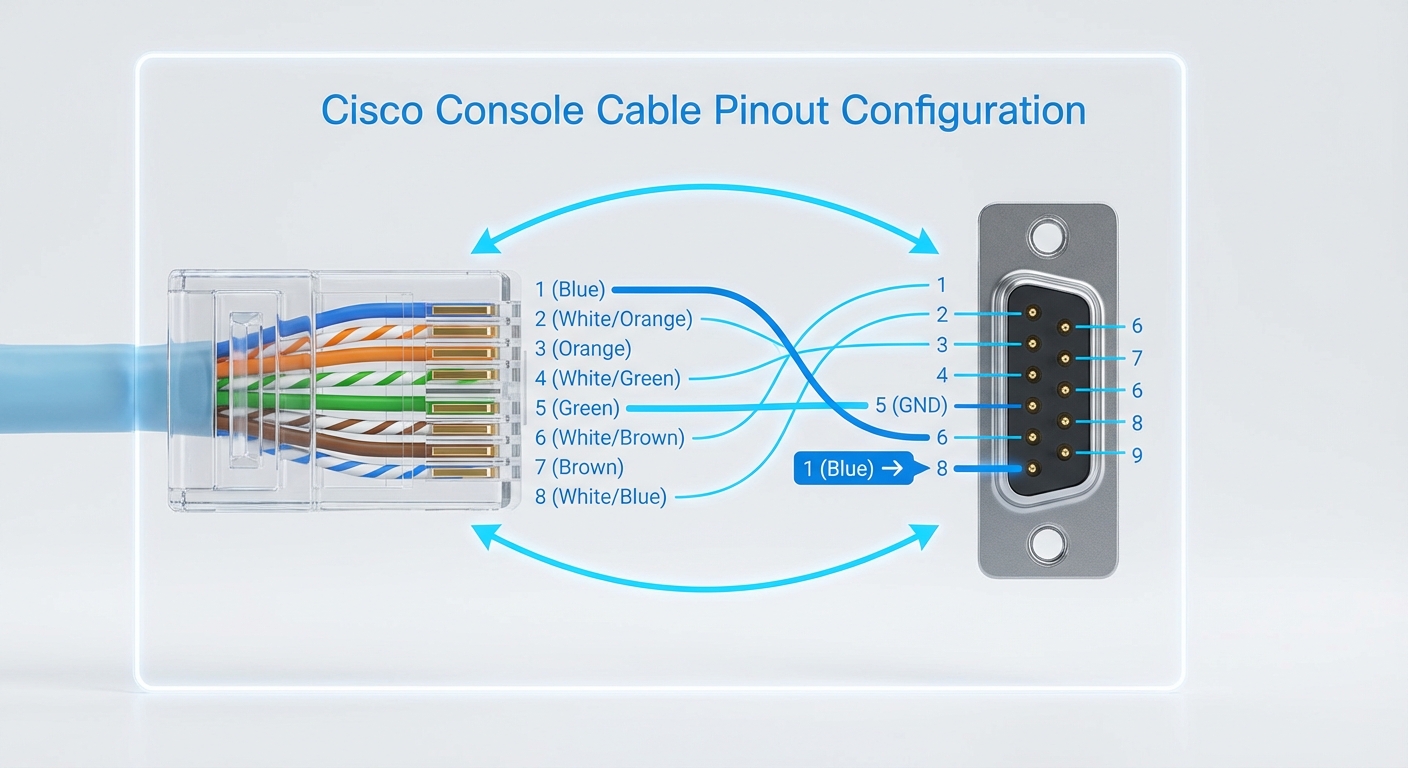
This arrangement showcases how each color corresponds to specific pins on the DB-9 adapter, necessary for a successful connection to Cisco devices, particularly for console access.
You may also like

Types of Connectors
Cisco console cables utilize both RJ-45 and DB-9 connectors. Understanding how these connectors function is essential for properly configuring your network devices.
RJ-45 Connector
The RJ-45 connector is the standard connector for Ethernet networking. In the context of a Cisco console cable, it connects to the console port of routers and switches, allowing for management commands and configurations to be sent from a terminal. The wiring for this connector must follow the rollover format for proper signal transmission.
DB-9 Connector
The DB-9 connector, typically found on older computers or specialized equipment, has nine pins and is used to connect to serial ports. When connecting it to a Cisco console cable, it requires adhering to the specific pinout configuration mentioned above. The effectiveness of your console connection relies heavily on ensuring these pins are wired correctly.
Common Troubleshooting Tips
Networking professionals may encounter various issues when using Cisco console cables. Here are some common problems along with troubleshooting steps:
- No connection to the console: Ensure the cable is properly connected to both the computer and the network device. Verify if the serial port settings (baud rate, data bits, parity, and stop bits) match the device’s requirements.
- Incorrect pinout: Double-check the cable wiring according to the standard cable pinout configuration. Using a multimeter can help trace connections if needed.
- Driver issues: Confirm that the correct drivers for your serial ports are installed, especially on older computers running Windows.
- Testing with different cables: If issues persist, test with a different console cable to rule out a defective cable.
Color Code Reference
For quick reference, herein is a summarized list of the RJ-45 color codes used in Cisco console cables:
- Pin 1: Blue
- Pin 2: Orange
- Pin 3: Green
- Pin 4: Blue-White
- Pin 5: Green-White
- Pin 6: Orange-White
- Pin 7: Brown
- Pin 8: Brown-White
Having these color codes readily available will ease the process of troubleshooting and help ensure the proper setup of your networking environment.
Frequently Asked Questions (FAQ)
Q1: What type of cable do I need to connect my laptop to a Cisco router’s console port?
A1: You will need a Cisco console cable, typically a rollover cable with an RJ-45 connector on one end and a DB-9 connector on the other.
Q2: Can I use a regular Ethernet cable to console into a Cisco device?
A2: No, a standard Ethernet cable will not work as it does not have the proper wiring configuration. A console cable is specifically designed with a rollover pinout.
Q3: How do I know if my console cable is working properly?
A3: Test the cable by connecting it to a device and checking if you can access the console using terminal emulation software. Ensure that the correct serial port configurations are set.
Q4: What are the pinout settings for a Cisco console cable connected to a switch?
A4: The pinout settings are the same regardless of whether it is a switch or router. Refer to the pinout table provided above for specific details.
Q5: If my console cable is not working, what should be my first troubleshooting step?
A5: Check the physical connections to ensure the cable is securely plugged into both the console port of the device and the serial port of your computer.
Conclusion
To summarize, understanding the pinout and color codes of Cisco console cables is essential for anyone managing Cisco devices. Properly wired cables ensure successful communication and configuration management. Investigating related topics such as serial communications protocols and device management can further bolster your networking capabilities.