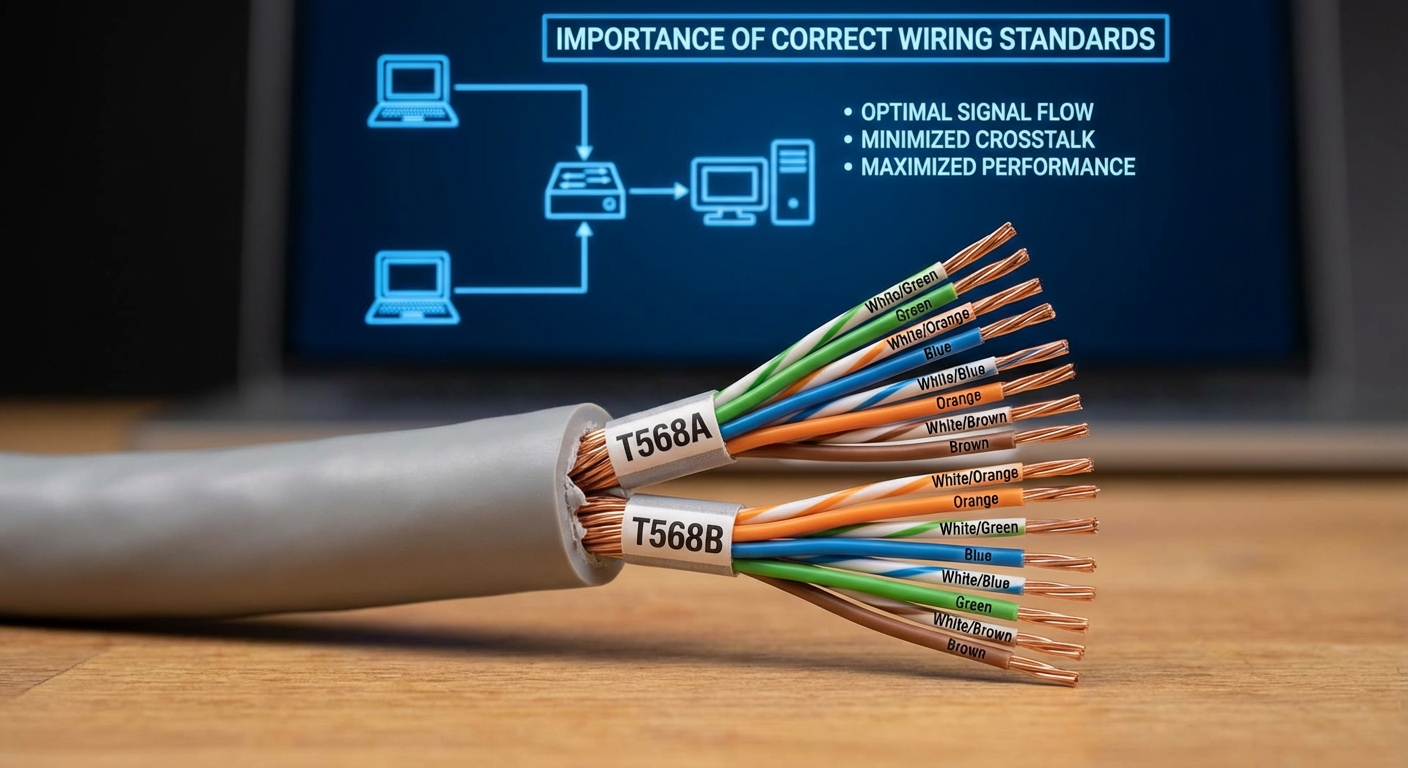
Understanding Cat6 Ethernet Cable Internal Wire Color Codes
In today’s interconnected world, reliable internet connectivity is vital for both personal and professional environments. One critical component of this connectivity is the Ethernet cable, specifically the Category 6 (Cat6) cable, which is designed for high-speed data transmission. However, many users face confusion regarding the color coding of the internal wires of these cables. This article aims to demystify the wiring color codes associated with Cat6 Ethernet cables, ensuring that your installations are consistent and reliable. Understanding these color codes is essential not only for effective troubleshooting but also for maintaining optimal network performance. A common misconception is that all Ethernet cables follow the same wiring standard; in fact, two primary standards—TIA/EIA-568A and TIA/EIA-568B—dictate the color coding. In this article, you will learn about the specific color codes for wiring Cat6 Ethernet cables and why adhering to these codes is critical for network efficiency.
The Basics of Cat6 Ethernet Cables
Cat6 Ethernet cables are designed to support high-speed data transmission, making them ideal for both residential and commercial networking. They feature a more advanced structure than their predecessors, enabling them to support up to 10 Gbps over limited distances. However, the performance of these cables hinges significantly on the correct wiring of the internal conductors, which is where the color codes come into play. The accurate wiring of RJ45 connectors, which are standard in Ethernet connections, is crucial to facilitate optimal performance. There are two main wiring standards for Ethernet cables: T568A and T568B. Both standards utilize the same color codes for the wires but arrange them differently. Understanding these standards can greatly impact your network’s performance.
Color Coding Standards
Both the T568A and T568B standards employ the same color codes for the wiring but differ in their arrangement. The following table summarizes the wire color codes for both standards:
| Wire Position | T568A Color Code | T568B Color Code |
|---|---|---|
| 1 | White/Green | White/Orange |
| 2 | Green | Orange |
| 3 | White/Orange | White/Green |
| 4 | Blue | Blue |
| 5 | White/Blue | White/Blue |
| 6 | White/Brown | White/Brown |
| 7 | Brown | Brown |
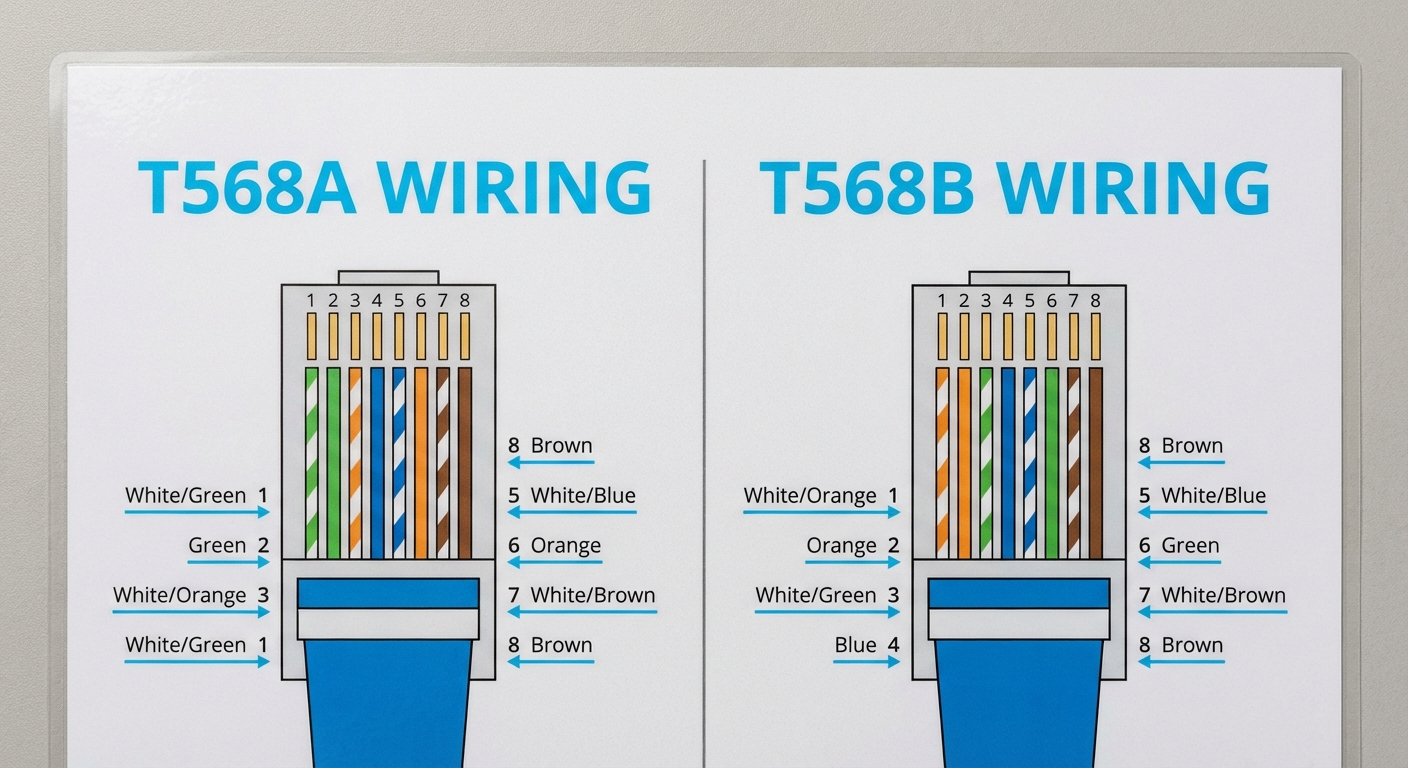
While the choice between T568A and T568B may vary by region—Canada often using T568A and the rest of the world favoring T568B—both standards will function interchangeably as long as both ends of the cable match the same wiring scheme.
You may also like



Why Color Coding Matters
Proper color coding is critical for several reasons:
- Network Performance: Incorrect wiring can lead to reduced performance, data loss, and connectivity issues. Following the correct standards ensures that signals are transmitted effectively.
- Ease of Troubleshooting: When cables are correctly color-coded, it becomes much easier to diagnose and troubleshoot issues. Network professionals can quickly identify problems without extensive testing.
- Consistency and Documentation: Maintaining a consistent wiring scheme across all Ethernet installations helps in documentation and future network upgrades or repairs.
Common Misconceptions
A prevalent misconception is that any color arrangement will work, as long as both ends of the cable are wired the same. However, this is not true—the specific wire positions, including their order and color, matter significantly. Using a standardized approach assures optimal performance.
How to Wire a Cat6 Ethernet Cable
Wiring a Cat6 Ethernet cable involves a straightforward process if the correct color codes are followed. Here’s a quick guide:
- Gather Materials: You will need a Cat6 Ethernet cable, RJ45 connectors, a crimping tool, and a wire cutter/stripper.
- Strip the Cable: Use the wire stripper to remove about 1 inch of the outer jacket from the end of the Ethernet cable, exposing the internal wires.
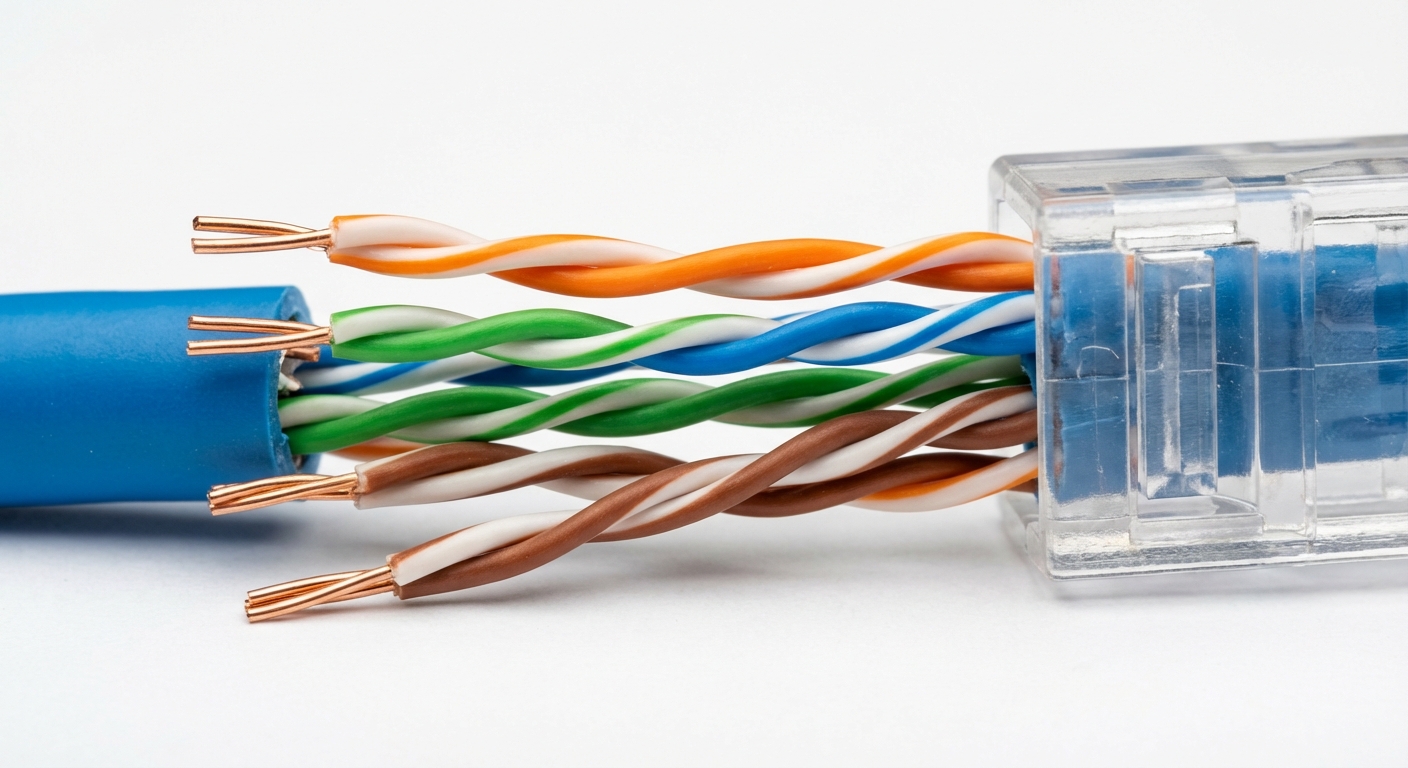
- Arrange the Wires: Separate the internal wires and arrange them according to the chosen wiring standard (T568A or T568B). Make sure the color order matches exactly.
- Trim the Wires: Once arranged, trim the wires to an even length so they will fit into the RJ45 connector without excess length.
- Insert Wires into Connector: Insert the wires into the RJ45 connector, ensuring that they go all the way to the end.
- Crimp the Connector: Use the crimping tool to secure the connector onto the cable.
- Test the Cable: Finally, it is advisable to use a network cable tester to ensure that the cable has been wired correctly and is functioning properly.
Conclusion
Understanding and correctly utilizing the color codes associated with Cat6 Ethernet cables is crucial for anyone involved in networking, whether for personal or professional use. Proper wiring ensures optimal performance, facilitates troubleshooting, and maintains the integrity of your network. By adhering to standardized wiring schemes like T568A or T568B, you streamline both installation and future maintenance. For further information about Ethernet technology, visit Wikipedia’s Ethernet page. Additional resources can be found through various manufacturer support channels.
Rotating USB