Introduction
The 12VHPWR connector is an important advancement in power delivery for modern graphics cards, especially with the rise of high-performance GPUs that demand significant power. This article delves into the pinout configuration and safety color codes associated with the 12VHPWR connector, addressing a critical issue related to its use: the potential for improperly seated connections. Inappropriately seated connectors can lead to power delivery failures, overheating, or even damaging components, making it vital for users to understand how to properly connect their systems. A common misconception is that all pins deliver equal power without concern for their connection status; however, this isn’t the case. By the end of this article, you’ll gain comprehensive knowledge about the 12VHPWR connector, including its pin layout, the purpose of safety color coding, and troubleshooting techniques to avoid common pitfalls.
Understanding the 12VHPWR Connector
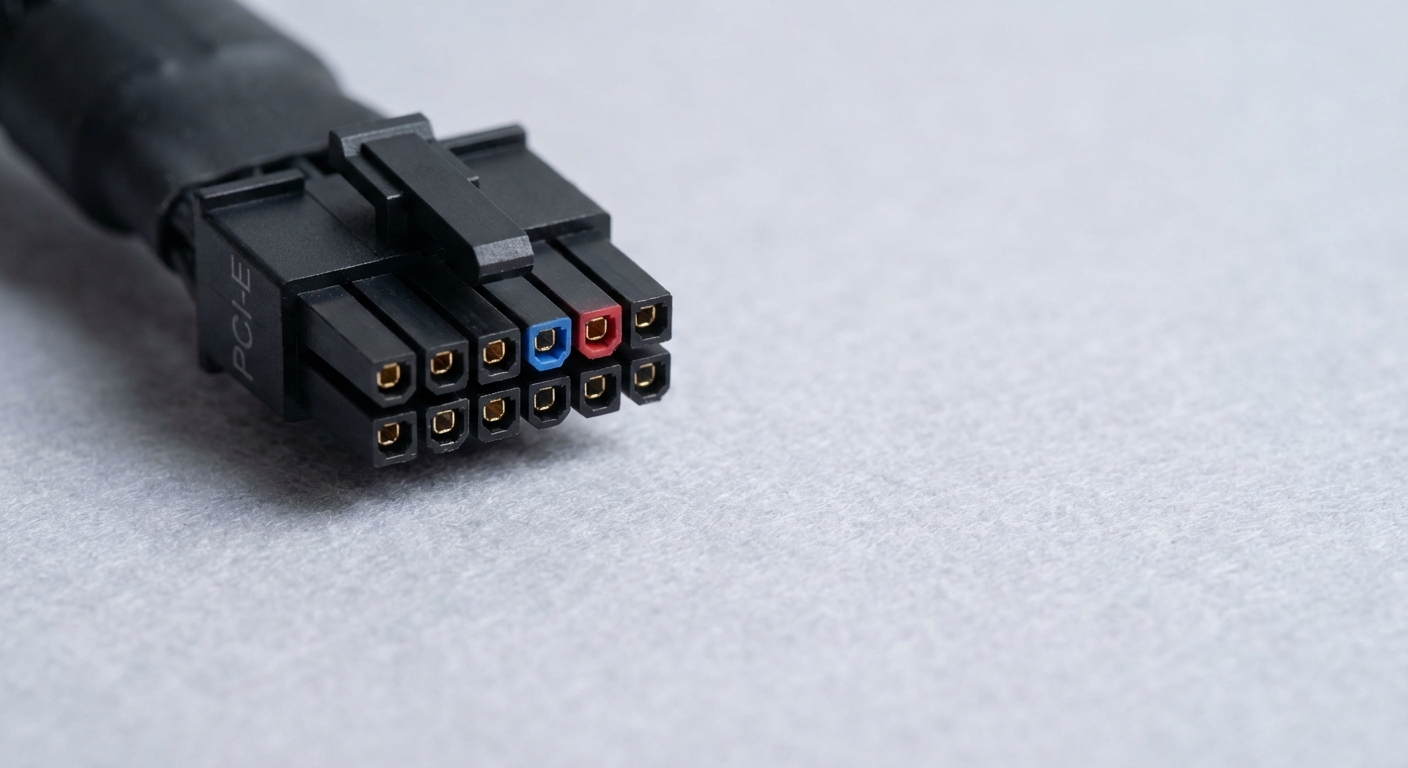
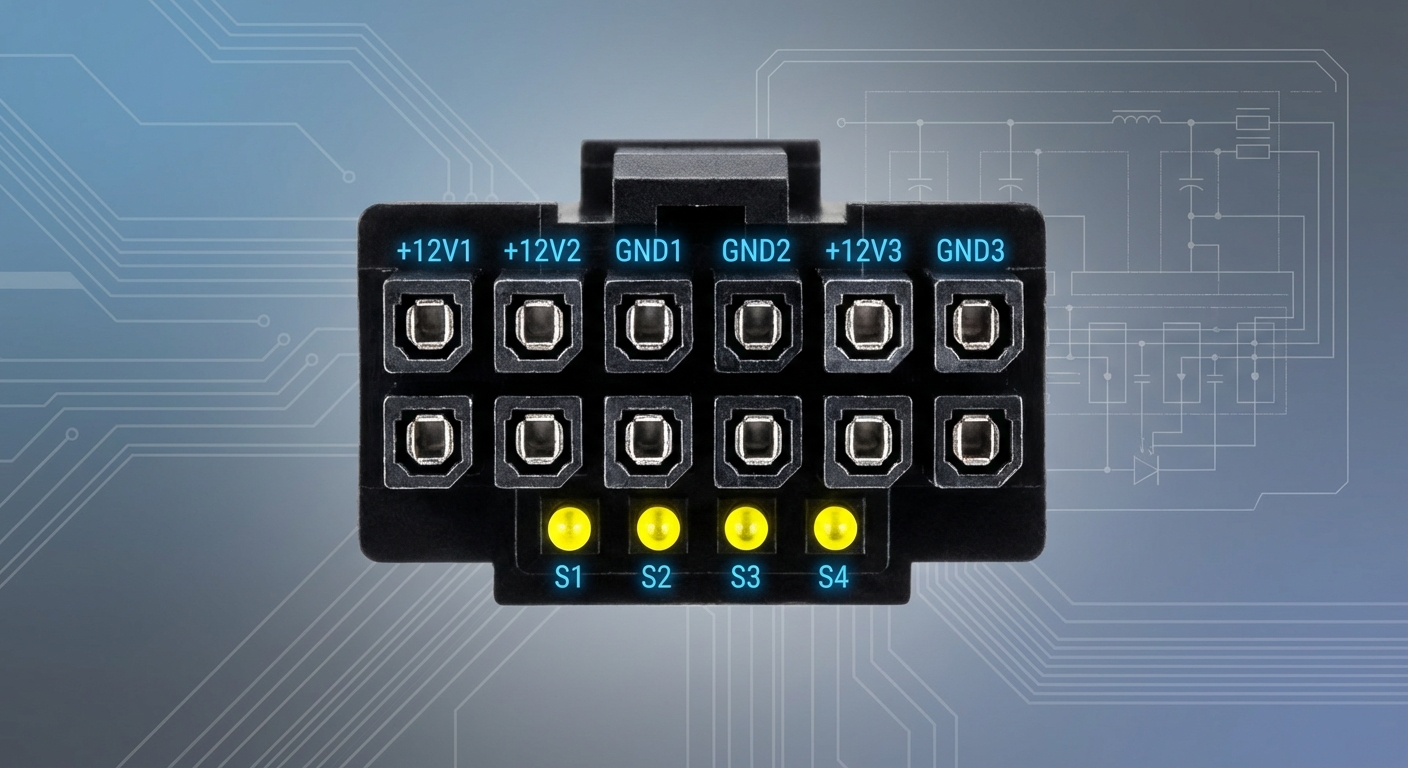
The 12VHPWR connector, introduced with PCIe 5.0, is designed to deliver high power ratings necessary for today’s powerful GPUs. It features a total of 16 pins, consisting of 12 power pins and 4 sense pins.
Pin Layout and Functionality
- 12 Power Pins: These pins are responsible for delivering a maximum of 600 watts of power, making the connector capable of supporting the most demanding graphics cards on the market.
- 4 Sense Pins: The role of these pins is to ensure that the power pins are properly seated before power is delivered, enhancing safety and preventing damage.
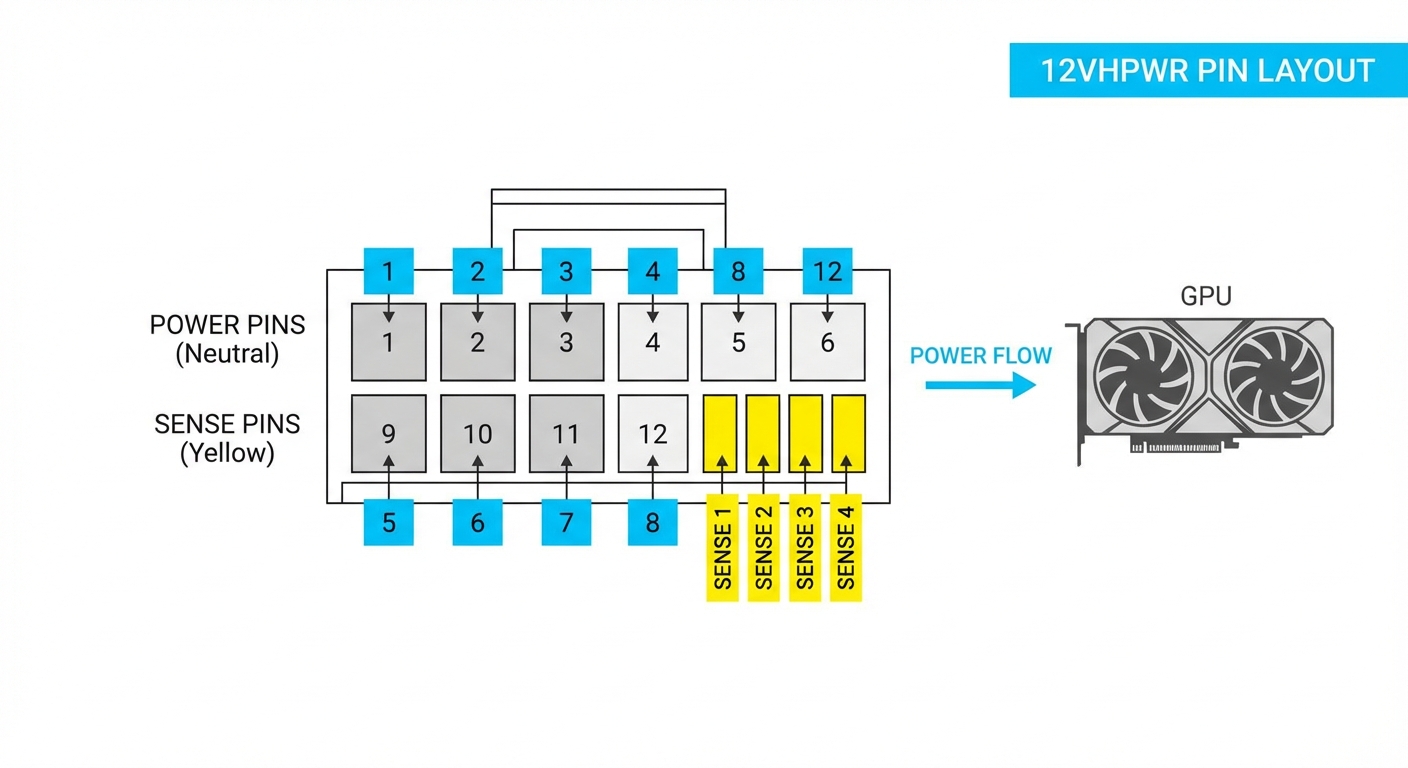
As the demand for higher power has risen, starting from Nvidia’s RTX 40 series, all 12V pins are internally tied together. This means that it is not possible for the GPU to detect if each pin is making proper contact unless specific wiring configurations are followed.
Comparison with Previous Power Connectors
To understand the advantages of the 12VHPWR connector, it is helpful to compare it with earlier standards like the PCIe 8-pin and 6-pin connectors. Here’s a brief comparison:
You may also like

| Connector Type | Power Rating | Pin Configuration |
|---|---|---|
| PCIe 8-pin | 150W | 8 pins |
| PCIe 6-pin | 75W | 6 pins |
| 12VHPWR | 600W | 12 power + 4 sense |
Safety Color Codes and Their Importance
One of the key enhancements of the 12VHPWR connector is its color-coded pins. As highlighted by MSI, this modification provides a visual indication of proper seating when connecting the GPU. The contrasting color frame enables users to quickly determine if all connections are secure, thus mitigating the risk of damage often associated with improper connections.
Understanding the Color Codes
- Standard Pins: The standard power delivery pins, usually marked in neutral colors, indicate the delivery of high current.
- Sense Pins: Typically marked in a different color (often yellow), these pins signal whether the power pins are correctly seated.
By ensuring users can visually confirm connections, these safety features reduce the likelihood of a scenario where power is applied without secure connections, which was a considerable risk with previous designs where the user needed to rely solely on feel.
Troubleshooting Common Issues
Improper seating of the 12VHPWR connector is a common problem that can lead to significant issues, including hardware damage and system instability. Below are steps to diagnose and resolve these issues.
Diagnostic Steps
- Inspect the Connector: Ensure that the 12VHPWR connector is properly engaged in both the PSU (Power Supply Unit) and GPU sockets.
- Check for Color Codes: Verify that the safety color codes indicate proper seating of all pins before powering on the system.
- Monitor Temperature: Use temperature monitoring software to check if the cables are heating up; significant heat may indicate poor connections.
- Test with a Multimeter: If problems persist, use a multimeter to check for continuity on the power pins.
Common Fixes
- Re-seat the connector to ensure all pins are making proper contact.
- Check the PSU’s output and cable integrity.
- Consider upgrading to a PSU that supports the latest PCIe standards for better compatibility.
These steps can help users avoid damage and ensure optimal performance from their advanced GPUs.
Future Developments
With the introduction of the revised 12V-2×6 connector in 2023, part of the PCIe CEM 5.1 and PCIe ECN 6.0 specifications, further enhancements have been made to power delivery systems. This update features redesigned sockets that improve how the sense pins operate, ensuring that power is only delivered if all connections are correctly seated. The reform is a direct response to the issues seen in earlier models, highlighting the industry’s commitment to safety and reliability.
FAQ
Q1: What does the 12VHPWR connector do?
A1: The 12VHPWR connector delivers high voltage power to GPUs, allowing for higher performance while accommodating demanding power requirements.
Q2: How can I tell if my 12VHPWR connector is properly seated?
A2: You can use the color coding on the pins; if the pins show contrasting colors confirming they are plugged in correctly, then you likely have a secure connection.
Q3: What are the consequences of using a poorly seated 12VHPWR connector?
A3: A poorly seated connector can lead to power failures, overheating, or potentially damaging the GPU or PSU.
Q4: How does the 12V-2×6 connector differ from the 12VHPWR?
A4: The 12V-2×6 connector ensures that sense pins only make contact if the power pins are properly seated, which was not the case in the earlier 12VHPWR implementations.
Q5: Is it safe to use multiple 12VHPWR connectors for power delivery?
A5: As long as each connector is properly seated and the power supply can handle it, using multiple 12VHPWR connectors can efficiently deliver the necessary power.
Conclusion
This article has provided a thorough overview of the 12VHPWR connector, emphasizing its pinout, safety measures, and troubleshooting techniques. Understanding these aspects is crucial for anyone looking to optimize their GPU performance safely. For more information on related topics, consider exploring the latest advancements in PCIe technology and power delivery systems.